Technology · PRACTICAL GUIDE
rm says “Operation not permitted”? Prove the unlink boundary before chmod or chattr
Preserve the exact errno, inspect the parent and inode flags, separate sticky, mount, namespace and policy causes, then validate one narrow repair with a disposable sibling.
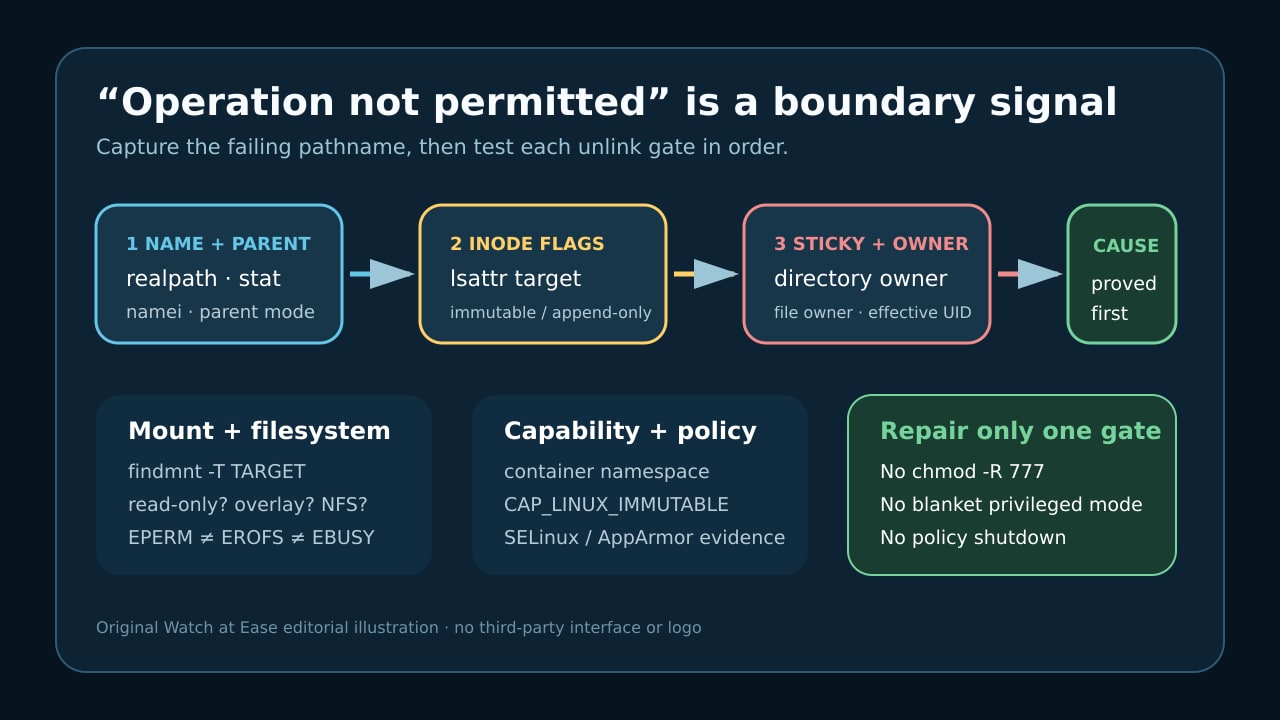
“Operation not permitted” is evidence about an unlink boundary, not proof that rm needs more force. The controlling object may be the parent directory, an immutable or append-only flag, sticky ownership, a filesystem rule, a namespace capability or a security policy.
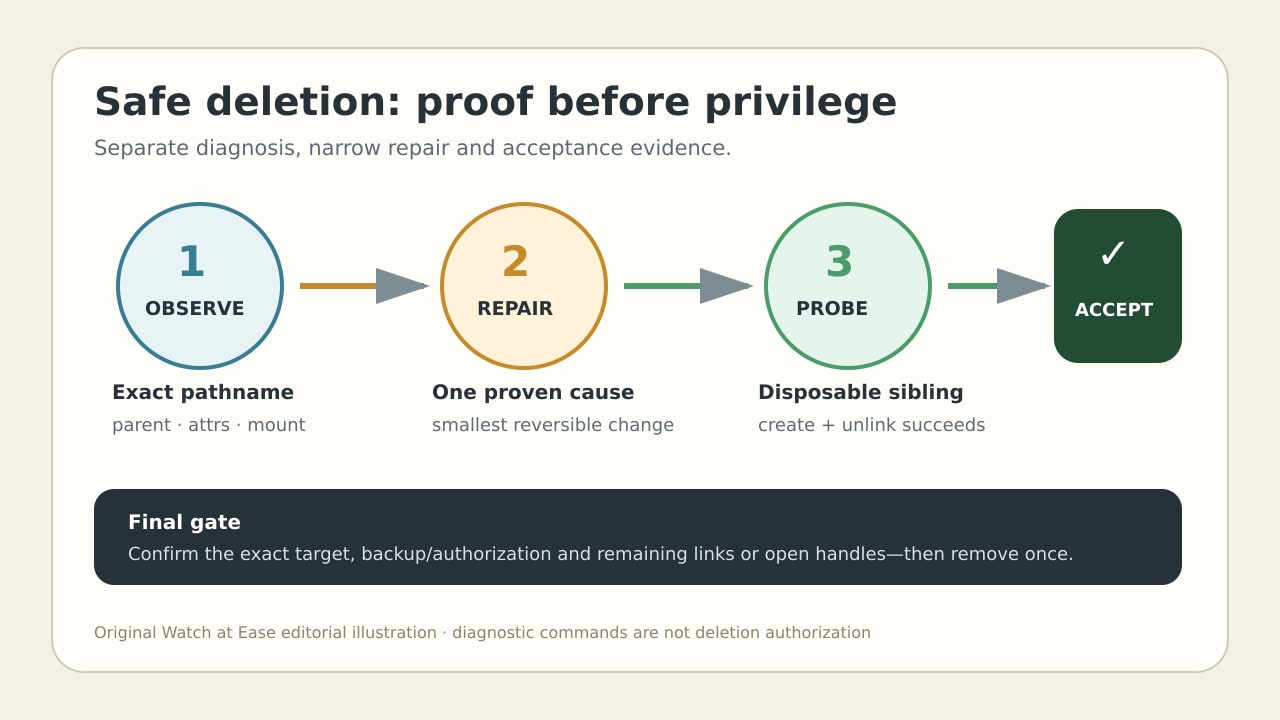
Preserve the exact pathname and errno first. Test each boundary without changing it, repair one proven cause, validate the parent with a disposable sibling, then remove the exact backed-up target only when deletion is explicitly authorized.
1. Freeze the pathname and real error
Save the full command, exact stderr, effective user, working directory and namespace. Resolve the intended target with realpath -e when it should exist, and record stat for the target and its parent. Keep the original pathname too: unlink acts on a directory entry, so a symlink, bind mount or renamed parent can change the object being discussed.
Do not assume every “cannot remove” line is EPERM. Linux documents EACCES for missing parent write or search access, EROFS for a read-only filesystem and EBUSY for a mount point or some NFS cases. If you need strace to capture unlink or unlinkat, reproduce on a disposable fixture or only when deletion is already authorized and backed up; a successful trace can really delete the name.
2. Inspect the parent before the file mode
Walk every component with namei -l and stat the immediate parent as well as the target. Deleting a name modifies its parent directory; making the file itself writable does not grant the needed directory operation. Record owner, group, mode and ACL evidence without changing them.
If the parent has the sticky bit, Linux can reject unlink unless the effective user owns the file, owns the directory or has the applicable capability. Keep shared-directory protection intact. Prove the correct actor or ownership instead of removing sticky from /tmp or another shared workspace.
3. Read inode flags on target and parent
Run lsattr -d -- on both the target and its parent. An immutable flag blocks deletion and renaming; append-only can also make unlink return EPERM. Filesystems do not all support every flag, so an unsupported result is evidence to continue, not permission to assume no other boundary exists.
If a flag is the proven cause, record who owns the object and why the flag exists. Clear only the required i or a flag on the exact object, and only from the host or namespace that holds CAP_LINUX_IMMUTABLE. Do not run recursive chattr or grant a broadly privileged container just to bypass diagnosis.
4. Classify mount, filesystem and policy boundaries
Use findmnt -T on the exact target and record source, filesystem type and options. A read-only mount is EROFS, not the same as EPERM; a mount point or NFS silly-rename can be EBUSY. Overlay, network and container filesystems add ownership and namespace boundaries, so an old product-specific workaround is not a current universal fix.
When modes, sticky ownership and inode flags do not explain the denial, collect policy evidence: ls -lZ where available, recent AVC or kernel logs, effective capabilities and the relevant container or user namespace. Repair the narrow policy or owning layer. Do not disable SELinux or AppArmor globally and do not switch the workload to blanket privileged mode.
5. Repair one cause and prove acceptance
Make one reversible change tied to evidence: correct the intended parent owner or access, clear one proven inode flag, act as the valid sticky-directory owner, repair the mount or storage layer, or update a specific security rule. Re-read stat, lsattr and findmnt afterward so the causal change is recorded.
Before touching the real target, create and unlink a disposable sibling in the same parent when policy permits. That proves the parent operation but not authorization to remove the target. Confirm the exact pathname, backup and owner approval, then remove once. Remember that unlink removes a name; an already open file can keep its inode and data until its final file descriptor closes.