Technology · PRACTICAL GUIDE
mount says “bad option” or “need a /sbin/mount helper”? Prove the filesystem type first
The composite error can mean a wrong device, missing CIFS/NFS helper, invalid option or real filesystem problem. Identify the source and owner before installing, forcing or repairing anything.
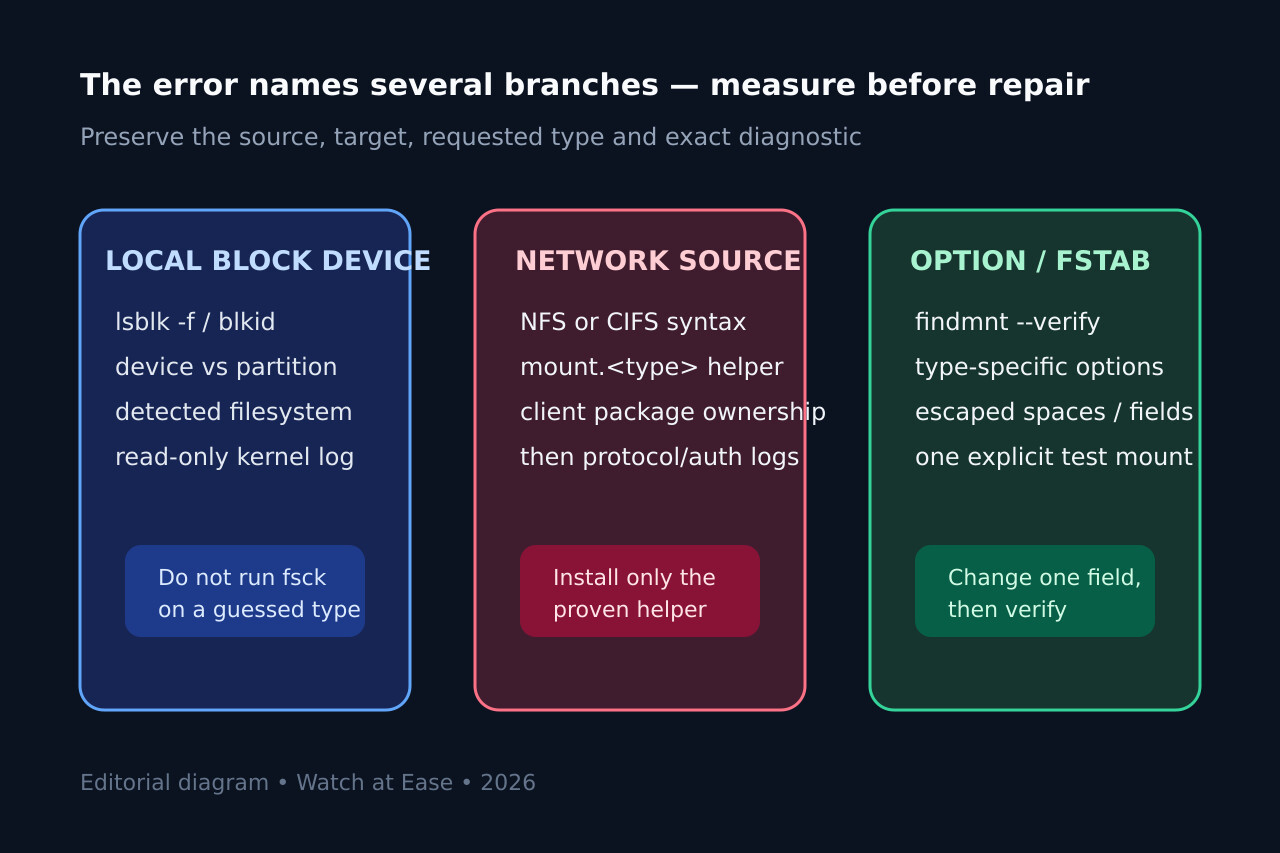
The Linux mount message that mentions a wrong filesystem type, bad option, bad superblock, missing codepage or helper is a list of branches, not a verdict. A local disk with the wrong partition, a CIFS client without mount.cifs, an NFS client without its helper, an invalid type-specific option and a damaged filesystem can surface through overlapping wording.
Preserve the exact request and identify the source before changing anything. Prove whether the kernel, an external mount.<type> helper, fstab parsing or filesystem-specific validation owns the next failure. Change one branch, then verify the mounted identity, options, safe I/O and persistence.
1. Freeze the exact mount request
Copy the full command or exact fstab line, source, target, requested type, options, exit status and complete diagnostic. Record the operating system, util-linux version and whether the caller is the host, a container or WSL. Do not shorten the message to “bad option”: it deliberately lists several possible failure classes.
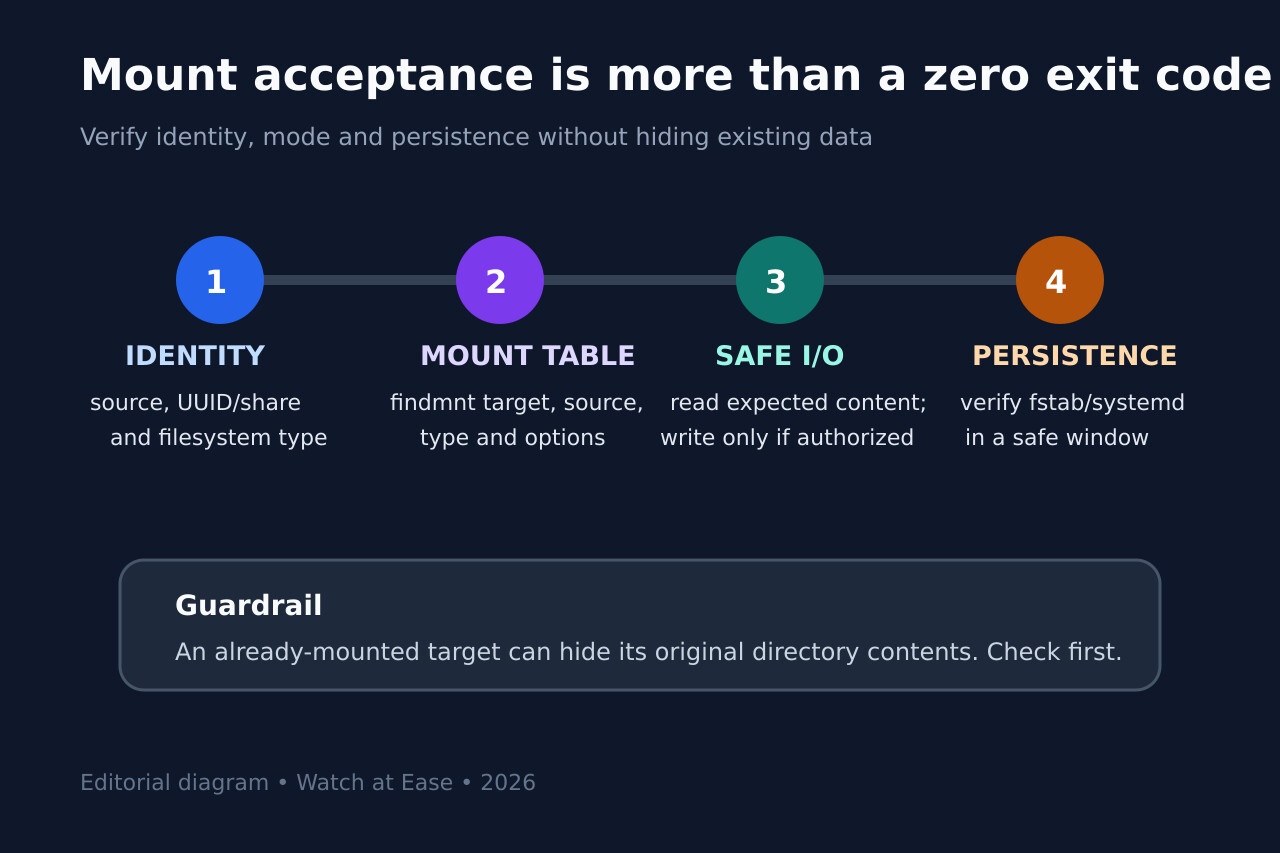
Check the target with findmnt before retrying. Linux allows mounting over a directory that already contains files, which can hide those files without deleting them. Preserve that boundary before any privileged test.
2. Identify the source before naming a filesystem
For a local block device, inventory the device tree and read-only filesystem signatures with lsblk -f and blkid. Distinguish a whole disk from its partition, an encrypted container from its mapped device, and an LVM physical volume from a logical volume that actually contains a filesystem.
For a network source, preserve its protocol syntax: NFS host:/export, CIFS //server/share, or another documented form. Do not run fsck against a network source, do not create a new filesystem to “fix” an unknown signature, and do not force a type merely because the partition-table label says Linux filesystem.
3. Prove whether an external helper owns the failure
The util-linux mount command can delegate to /sbin/mount.<type>. Verify the requested type, resolve the helper on the same host or namespace, and ask the package manager which installed package owns it. A kernel that lists a filesystem in /proc/filesystems does not prove that a userspace helper required for that protocol is installed.
Install only the client package justified by the proven type and the distribution documentation. Then repeat once and preserve the new error. A changed diagnostic is progress: helper discovery succeeded and the failure has moved to source syntax, protocol negotiation, credentials, reachability or server export policy.
4. Separate option and fstab errors from storage damage
Compare every option with the manual for the proven filesystem type. Generic mount options and type-specific options are not interchangeable. For an fstab entry, verify field order, escaped spaces, type and options with findmnt --verify or the distribution-supported parser before running a broad mount -a on a production host.
For a local filesystem, collect the immediate kernel message after one controlled attempt; it may name an unsupported feature, wrong signature or I/O error that the generic mount line cannot express. Do not run repair tools while mounted, against an unknown type, or before protecting data and confirming the correct device.
5. Change one branch and run a four-part acceptance check
Make one reversible change: correct the source or partition, install the proven helper package, remove one invalid option, repair one fstab field, or follow the filesystem vendor recovery procedure after backup. Do not combine package installation, protocol downgrades, forced types and repair commands into one unreviewable attempt.
After a successful mount, verify four things: the expected source and filesystem identity; the target, type and effective options in findmnt; safe read access and only authorized write access; and persistence through the intended fstab or systemd path in a controlled window. Record rollback steps and never treat a zero exit code alone as completion.