Technology · PRACTICAL GUIDE
Linux says “Connection reset by peer”? Locate the RST owner before retrying
Freeze one failure, bind it to an exact socket, capture the TCP stream, find the accepted RST direction and correlate both endpoints before changing timeouts, keepalives or firewall rules.
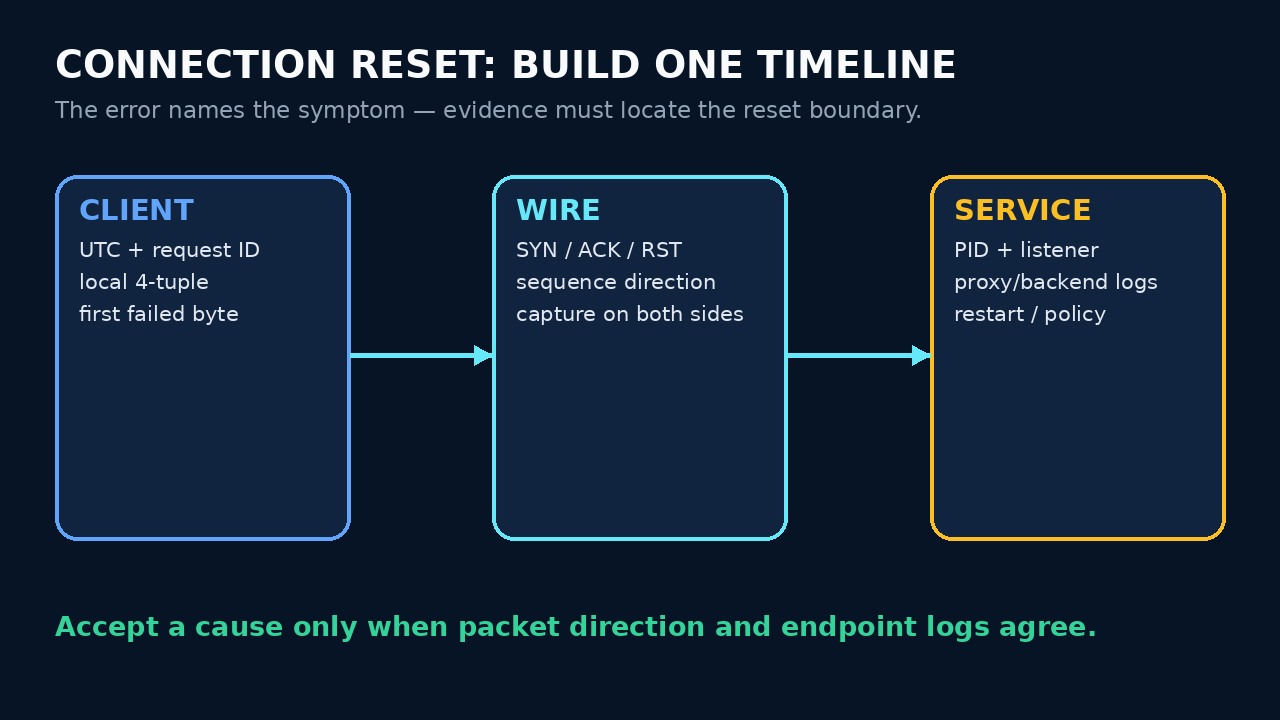
“Connection reset by peer” means the current socket is finished; it does not, by itself, prove that the server application chose to close it. A peer process, kernel, proxy, load balancer, firewall or stale connection state can produce the accepted RST.
Start with one timestamped failure and one exact 4-tuple. Preserve the first error, request identity and byte boundary before retrying, because a successful second attempt can erase the short evidence window without explaining the first.
1. Freeze one failure before retrying
Record UTC time, command, request or job ID, local and remote addresses, ports, protocol phase and the first failed byte. Save the complete error chain and nearby client logs. Do not collapse several retries into one incident.
Decide whether the operation could have committed before the reset. Reads are often replayable; writes, uploads, payments and job submissions may not be. Check application state or an idempotency key before any automatic retry.
2. Bind the message to one socket
Use `ss -tanp` or the process runtime to capture the socket 4-tuple and owning PID while the event is fresh. In containers or network namespaces, run the observation in the namespace that owns the connection and record that boundary.
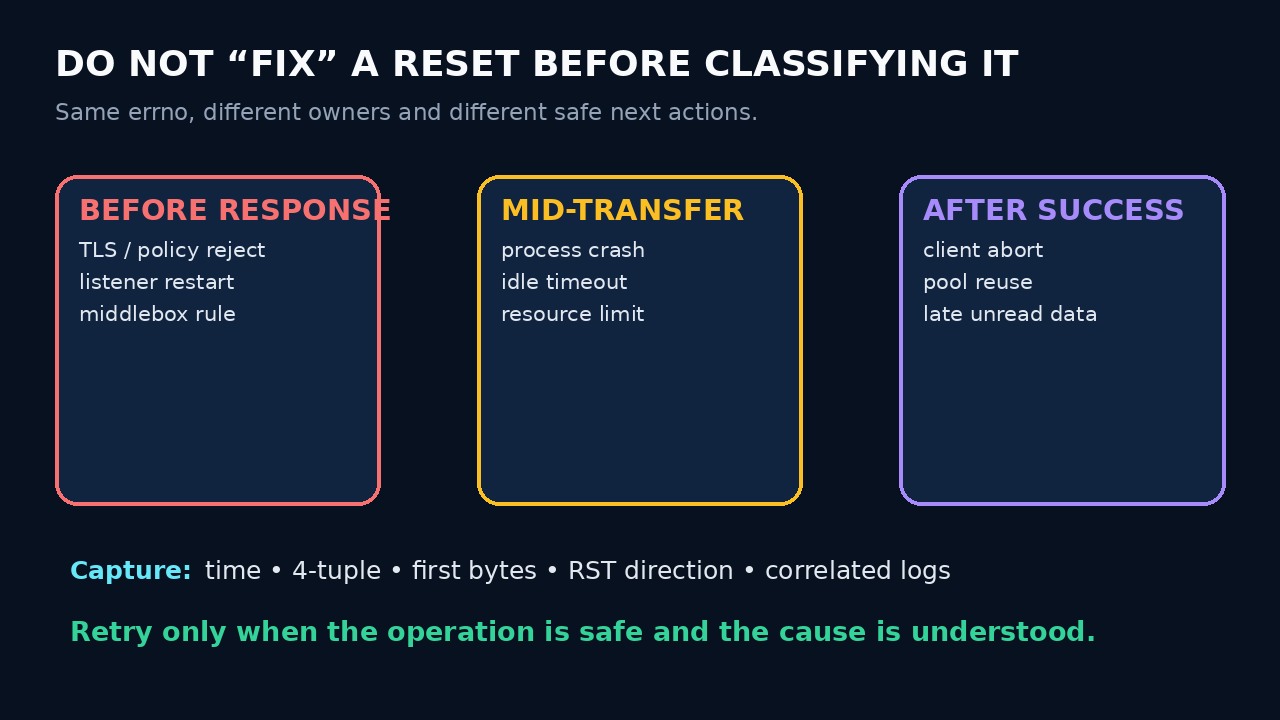
Separate connect-time refusal from a reset after establishment. Also record whether the failure happened before a response, during a transfer or after apparently successful application output; these branches point to different owners.
3. Capture the TCP stream and find the RST direction
With authorization and least privilege, capture a narrow time and endpoint filter such as `tcpdump -i any -nn -s 0 -w reset.pcap 'host 192.0.2.10 and tcp port 443'`. Record capture interface, clock basis and dropped-packet count; a missing packet in an incomplete capture is not proof.
Open the exact stream and locate `RST`. Note source and destination addresses, ports, sequence context and the last application-visible event. Capture at both endpoints when possible: a reset visible on only one side may have been injected or translated in the path.
4. Correlate endpoint and intermediary evidence
At the apparent sender, map the tuple to a process and inspect service, kernel, proxy and load-balancer logs for the same UTC window. Look for restarts, crashes, idle or request timeouts, policy rejection, connection-pool reuse and resource limits.
Do not convert a packet source address into automatic application blame. NAT, sidecars, reverse proxies and middleboxes can originate or relay resets. State which boundary is observed, which process is proven and which hop remains unknown.
5. Repair one proven branch and close the incident
Fix the evidence-backed owner: correct a pool-reuse bug, align an idle timeout, restore a crashed service, repair protocol framing or adjust a documented policy. Keep the original logs and capture immutable; changing several knobs at once destroys attribution.
Replay the same workload only when safe. Acceptance requires the expected application result, no duplicate side effect, no matching reset in the test window and healthy correlated endpoint logs. A successful retry alone is recovery, not root-cause proof.