Technology · PRACTICAL GUIDE
Jellyfin playlists missing after an upgrade? Check visibility and entries before restoring
A missing playlist tile, an empty list and an unreadable media path need different repairs. Preserve the evidence, then choose the recovery branch that matches it.
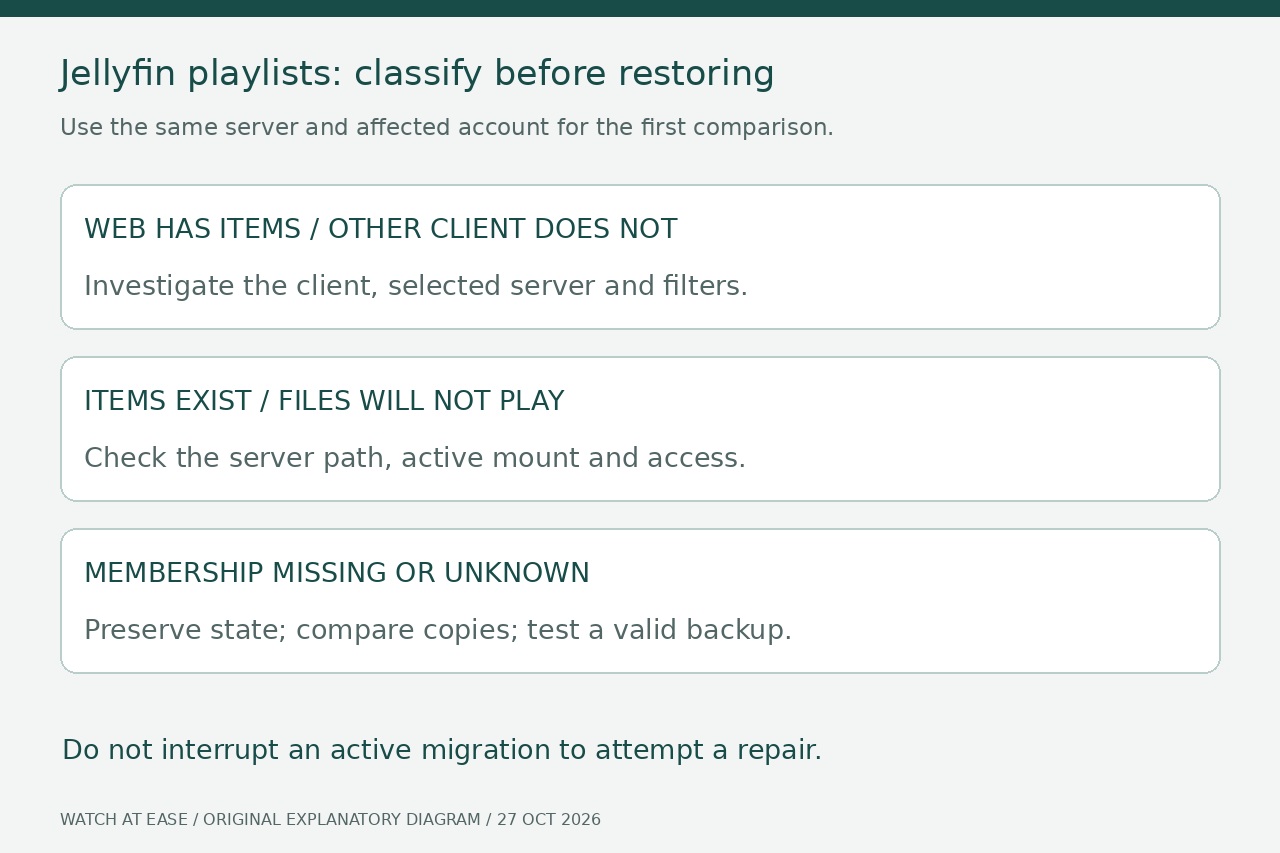
A playlist disappearing from one Jellyfin screen does not establish that its entries were deleted. First compare the same server and account in Jellyfin’s web interface and the affected client. Then determine whether the list is absent, present but empty, or populated with items that will not play.
This guide provides an evidence worksheet and a recovery decision, not a database repair script. It applies to missing or empty playlists after an upgrade or restart. Historical 10.11 reports do not prove that the same bug affects a current installation; Jellyfin 12 also changed how playlist entries are stored.
1. Preserve the state before experimenting
Record what changed, when the list last worked and when it first failed. Save relevant startup, migration, scan and cleanup logs privately. If migration is still running, follow its progress; Jellyfin warns against stopping the server during migration. Do not repeatedly restart it to test the symptom.
Once migration has finished, use the documented backup procedure. A manual copy requires a stopped server and both its actual data and configuration directories. Keep this current-state copy separate from the untouched pre-upgrade backup, and record which server version belongs to each. A backup taken after the loss may preserve only the damaged state.
2. Prove whether this is a visibility problem
Sign into the same server with the affected account in a clean web session. Compare the playlist page with the third-party client, checking library filters and the selected server. Record a row for each affected list: name, owner or sharing context, visibility, displayed item count and whether the items open.
If the web client has the expected entries but another client does not, investigate that client first. A Feishin maintainer recommends comparing its playlist response with Jellyfin’s web UI; the report was not reproduced by the maintainer. Administrators can inspect that response locally, but should not publish tokens, cookies or private media paths with a support request.
3. Check storage before another cleanup
If entries exist but playback fails, confirm the exact referenced media is accessible to Jellyfin. For containers, record the host source and container destination from the active mount configuration; a file visible on the host may be absent at the container path. Jellyfin’s migration documentation requires matching paths when moving an existing installation into Docker.
Jellyfin’s task documentation warns that its collection-and-playlist cleanup can remove playlists when media is unavailable, and that it normally runs at startup. Restore reliable access before deliberately restarting or running cleanup. Review the task’s configured triggers; disabling a trigger neither recreates lost entries nor guarantees that every scan-related problem is fixed.
4. Inventory what actually survived
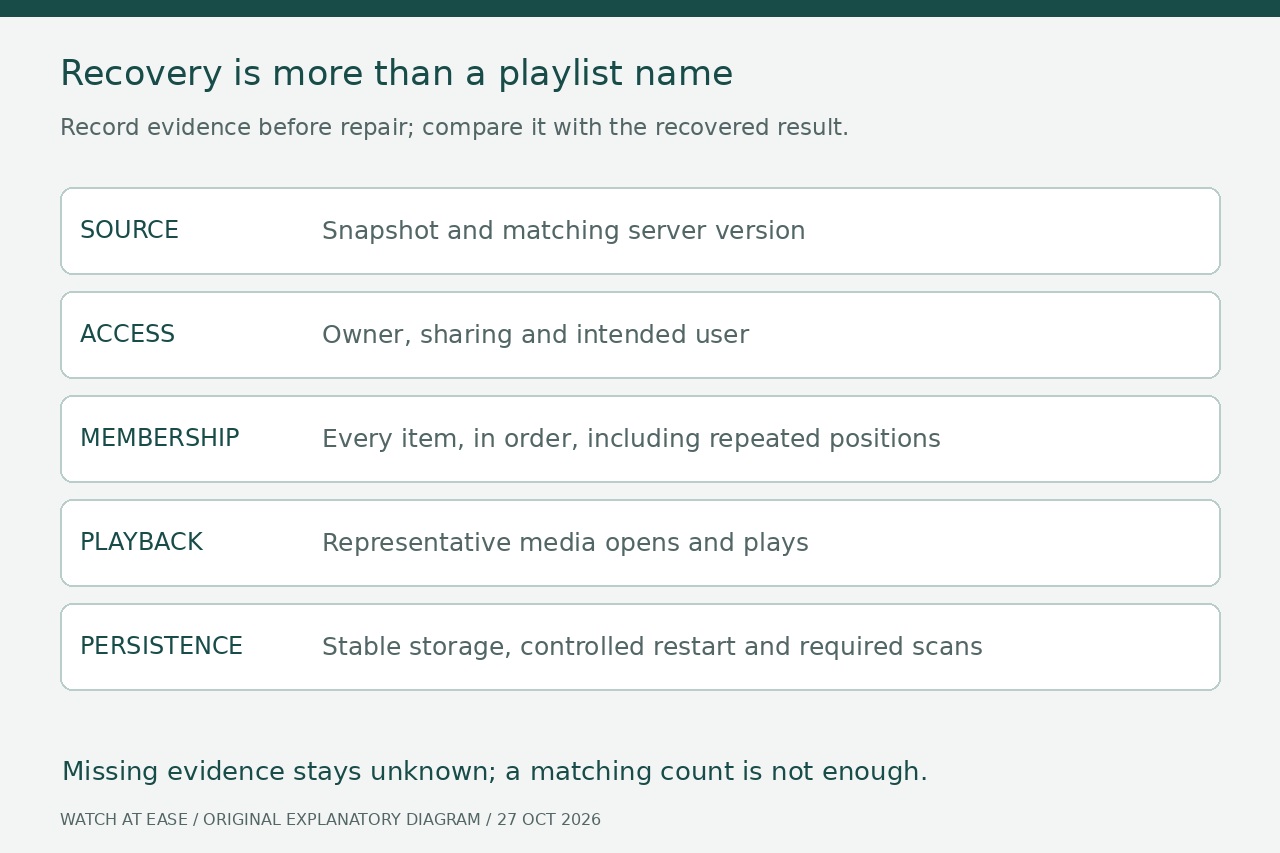
Inspect copies of the old and current state rather than editing the live database. For each recoverable list, record the source snapshot, expected entry count and ordered media references. Preserve repeated occurrences as separate positions. If only a name remains, or a file cannot be interpreted, mark membership unknown instead of assuming it is intact.
Do not reuse an old SQL or XML recipe merely because the filename matches. Jellyfin 12 stores playlist items as individual database rows and permits duplicate tracks. An old LinkedChildren-based diagnosis is therefore not a universal description of current storage. XML surviving on disk is useful evidence, but it is not proof that the current server recognizes the list or its owner.
5. Choose a bounded recovery path
A client-only discrepancy calls for a client investigation; an unreadable path calls for a storage repair. For confirmed missing membership with a known-good backup, test the official restore procedure on a separate working copy with the matching application version. Keep it isolated from the production data directories and from tools that could write to the original media. Do not point an older server at migrated production data.
If only partial playlist evidence remains, reconstruct one new list from verified media through supported controls, keeping the original evidence untouched. Do not zero owner IDs, merge database files or apply bulk path substitutions as a generic fix. Where ownership, order or media identity cannot be established, preserve the unresolved rows and seek version-specific help rather than guessing.
6. Require a playlist-level acceptance check
Compare the recovered list with the worksheet: expected count, each item in order, repeated positions and representative playback. Check the intended user’s visibility and editing rights. Matching titles or counts alone can conceal wrong tracks, reordered entries or inaccessible ownership. Treat old and new item IDs as identifiers to reconcile, not automatic proof of the same media.
After storage is reliably available, verify the result through a controlled restart and the scans required by the applicable release instructions. Keep the recovery copies until those checks pass. This is a source-based decision workflow; no live Jellyfin migration or restoration was performed for this article, and it cannot recreate entries that are absent from every surviving copy.