Technology · PRACTICAL GUIDE
Git says “No url found for submodule path”? Prove the gitlink and .gitmodules mapping before deleting files
Compare the exact commit, current index, versioned mapping and local checkout before choosing repair, sync, deinit or repository removal.
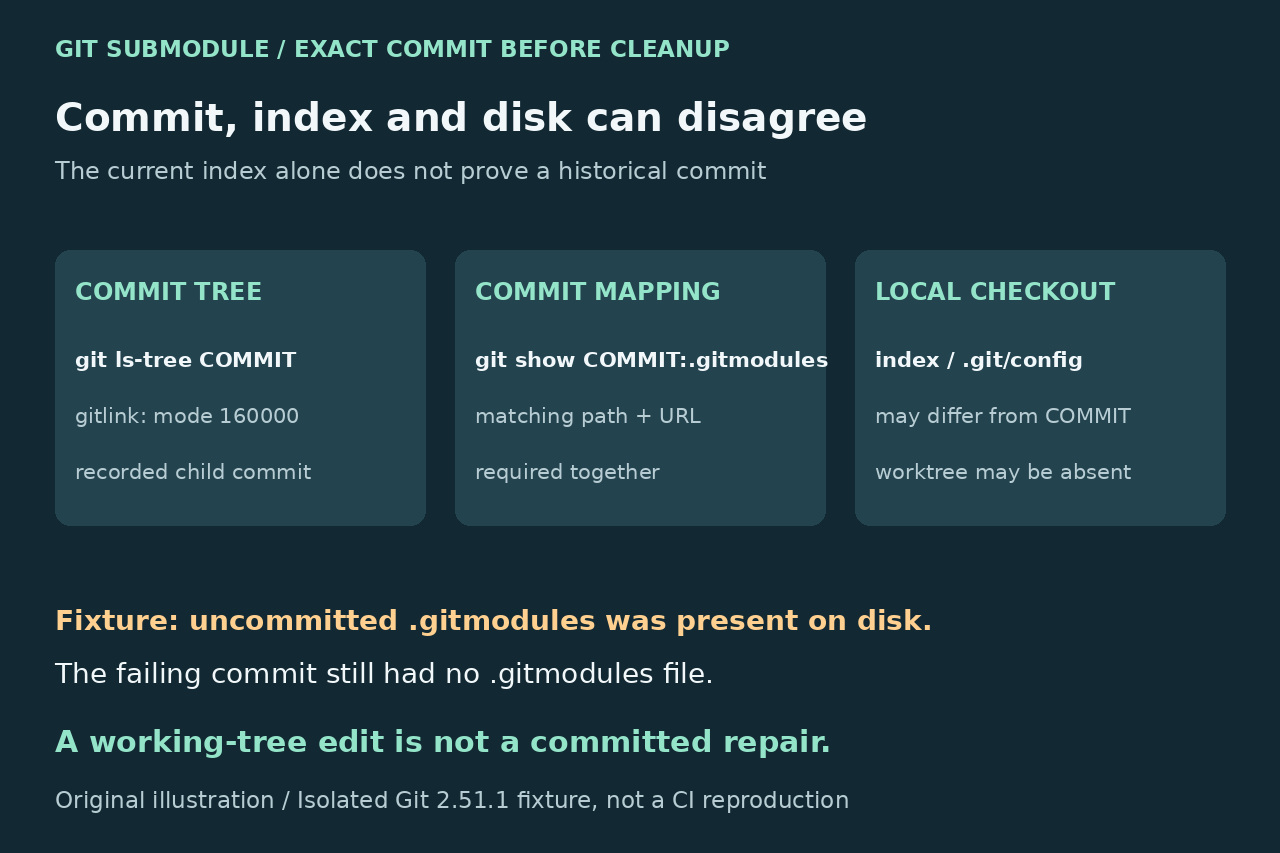
“No url found for submodule path” calls for a path-to-URL mapping check before deleting Git metadata. A recorded submodule gitlink and its .gitmodules section are separate pieces of state. The current index, working-tree file and the commit that failed can disagree.
Preserve the original error, failing superproject commit, path and local work. Prove the committed gitlink and mapping, inspect local configuration, then choose the action the repository actually intends. An isolated Git 2.51.1 test below demonstrates why a correct file on disk is not proof that the failing commit was repaired.
Prove the failing commit and current index separately
Save the full error and verify the exact superproject commit used by the failing checkout or CI job. Work from the superproject root and preserve uncommitted work before any write operation. Run git ls-files --stage -- path/to/item for the current index; mode 160000 identifies a gitlink and its object ID. Do not infer a submodule from a nested .git directory alone.
Then run git ls-tree --full-tree COMMIT -- path/to/item, replacing COMMIT with the verified failing commit ID. This reads that committed tree rather than assuming the index still matches it. If no gitlink exists there, investigate a different checkout, nested superproject, staged change or quoted error path before applying a mapping repair.
Read the mapping from that same commit
Use git show COMMIT:.gitmodules to inspect the versioned file at the failing commit. A missing file is evidence, not a reason to use another branch's file silently. Find the section whose path exactly matches the gitlink, including case. Git requires a unique root-relative path without a trailing slash and a URL; the section name need not equal its path.
For the current working-tree file, a compatible inspection command is git config -f .gitmodules --get-regexp '^submodule\..*\.(path|url)$'. Keep that regular expression quoted so the shell does not treat | as a pipeline. Compare the result with the committed file; restoring only an uncommitted file on disk does not change what a clean checkout of the failing commit receives.
Separate local configuration and synchronize only the intended URL
Inspect initialized local settings separately with git config --local --get-regexp '^submodule\..*\.(url|active)$'. The keys refer to submodule names, which you must correlate with the path in .gitmodules. Initialization can populate local configuration from the versioned template; later local overrides can differ. A deinitialized submodule may keep its recorded definition but have no checked-out files.
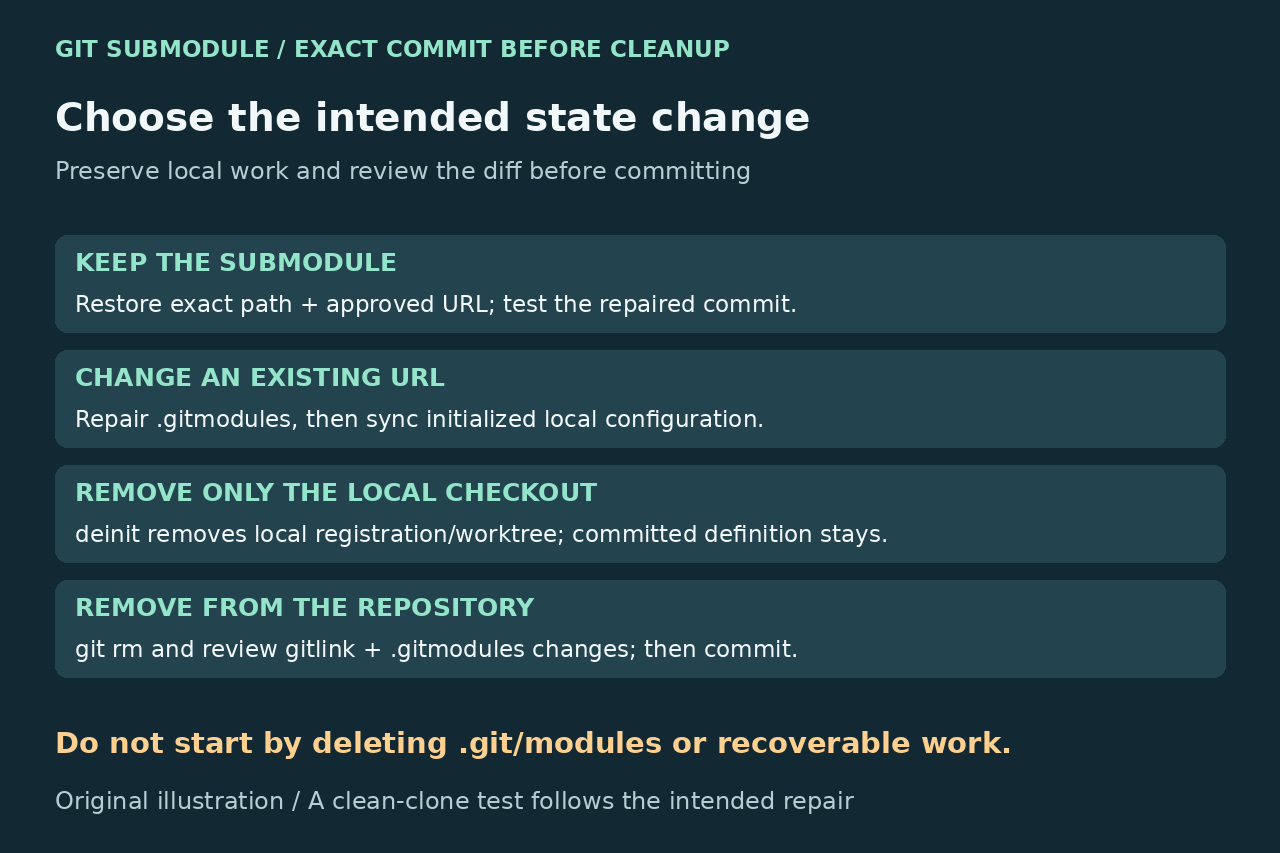
When the repository intentionally changed an existing URL, verify the approved remote, repair or update .gitmodules, then use git submodule sync --recursive -- path/to/item for the intended initialized submodule. Check the effective URL before update. Sync affects registered URL configuration; it does not repair absent mappings, change the recorded child commit or authorize a private remote.
Choose keeping, local removal or repository removal
To keep the submodule, restore the exact path and approved URL, stage the mapping, inspect the diff and create the intended repaired commit. Then initialize/update and test a clean checkout of that repaired commit. For an intentional URL-only change, keep the gitlink unless a child-commit update is also intended, and synchronize affected initialized checkouts.
To remove only the local checkout, use git submodule deinit -- path/to/item after preserving local work; do not add --force to discard modifications. To remove the submodule from version control, use git rm -- path/to/item and review both the deleted gitlink and the .gitmodules section change before committing. These are different outcomes. git rm --cached is index-only and does not perform the same automatic mapping cleanup as ordinary git rm.
Verify with a clean clone before blaming cache
In isolated Git 2.51.1 fixture repositories, we committed a gitlink without its mapping. A fresh local clone reproduced the exact fatal error. Both index and committed-tree inspection showed mode 160000. Adding .gitmodules only to disk made working-tree inspection pass while git show at the failing commit still failed. After committing the restored mapping, a clean local clone initialized successfully; deinit then removed local checkout state while the committed gitlink and mapping stayed unchanged.
These tests used local child repositories, with file transport allowed only for those individual fixture commands. They did not reproduce your CI runner, network or private authorization, and that transport override is not a production repair. Suspect stale disposable checkout state only after the committed metadata is correct. Preserve logs and work, recreate only the disposable checkout when appropriate, and record the failing and repaired commits plus the clean-clone result. Do not begin by deleting .git/modules, nested .git data or a developer's working tree.