기술 · 실용 가이드
Git의 ‘refusing to merge unrelated histories’? flag 전에 그래프를 증명하세요
처음부터 --allow-unrelated-histories를 쓰지 마세요. repository, remote, root commit, merge-base를 확인한 뒤 잘못된 연결을 고치거나 두 독립 history를 의도적으로 보존하세요.
이 오류는 결합하려는 두 history 사이에 공통 조상이 없다는 뜻입니다. 둘을 합쳐야 한다거나 remote가 맞다는 증거는 아닙니다.
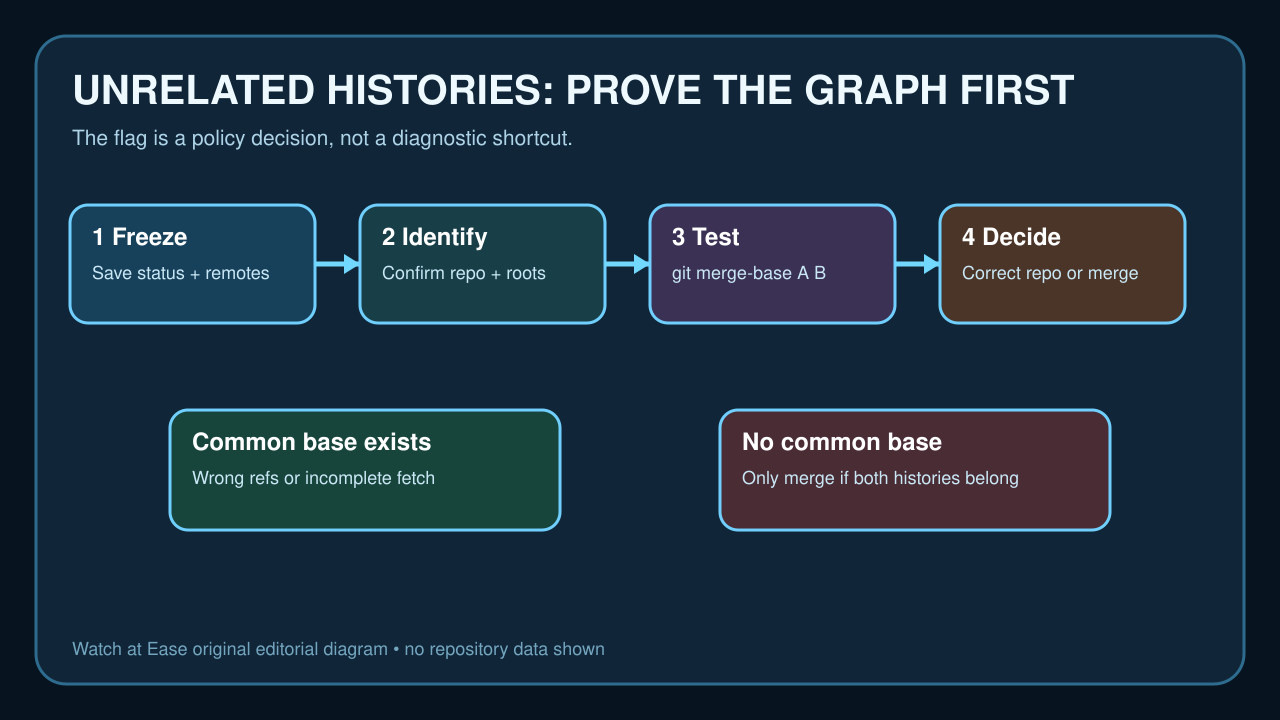
현장을 보존하고 path, remote, root commit, merge-base를 확인하세요. 그 다음 identity를 바로잡거나 두 project를 의도적으로 보존합니다.
history 변경 전 증거 보존
실패 command, path, status, remotes, graph를 저장하고 backup 또는 보호 branch를 만드세요.
보존할 local commits, untracked files와 secrets 경계를 확인하세요.
identity와 ancestry 증명
remote URL을 확인하고 refs를 fetch한 뒤 tips와 roots를 조사하세요. wrong directory, origin, shallow fetch, double init을 배제합니다.
git merge-base A B의 종료 상태와 출력을 확인하세요. base가 있으면 refs/fetch를 먼저 조사하고, 없더라도 자동 merge 권한은 아닙니다.
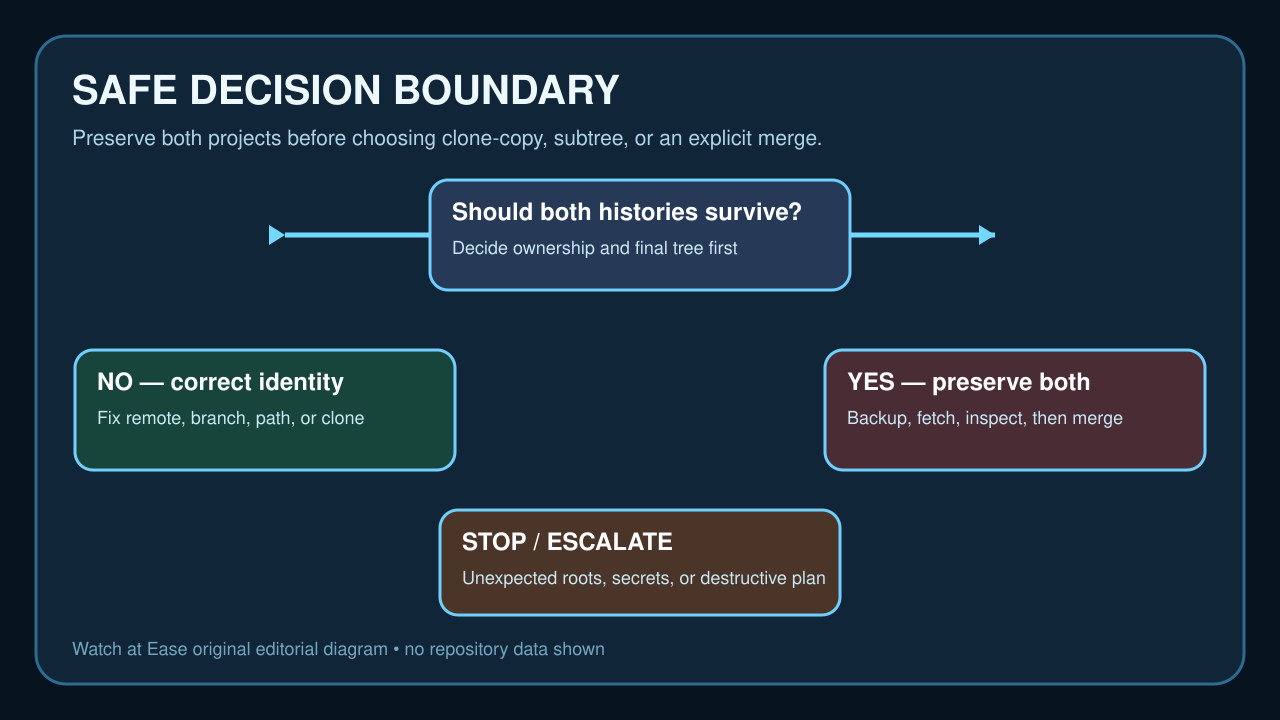
두 history가 모두 필요한지 결정
한쪽이 실수로 만든 README나 잘못된 repository면 remote/path를 고치거나 clean clone으로 옮기고, 검증 전 기존 directory를 유지하세요.
두 project history가 모두 필요하면 final layout, ownership, conflict policy를 정하고 필요하면 subtree를 선택합니다.
예외 merge를 의도적으로 실행
변경을 저장하고 보호 branch를 만든 뒤 정확한 tip을 fetch하세요. 두 roots가 모두 필요할 때만 flag를 사용합니다.
모든 conflict와 staged tree를 검토하고 예상 밖 충돌이나 파일 노출이면 abort하세요.
검증하고 기록
merge commit의 두 parents, tests, final tree를 확인하고 push 전 remote와 protection을 확인하세요.
원래 tips, merge-base, backup, strategy를 기록하고 identity가 불명확하면 owner에게 문의하세요.