Technology · PRACTICAL GUIDE
Git says “object file is empty”? Preserve the OID before deleting anything
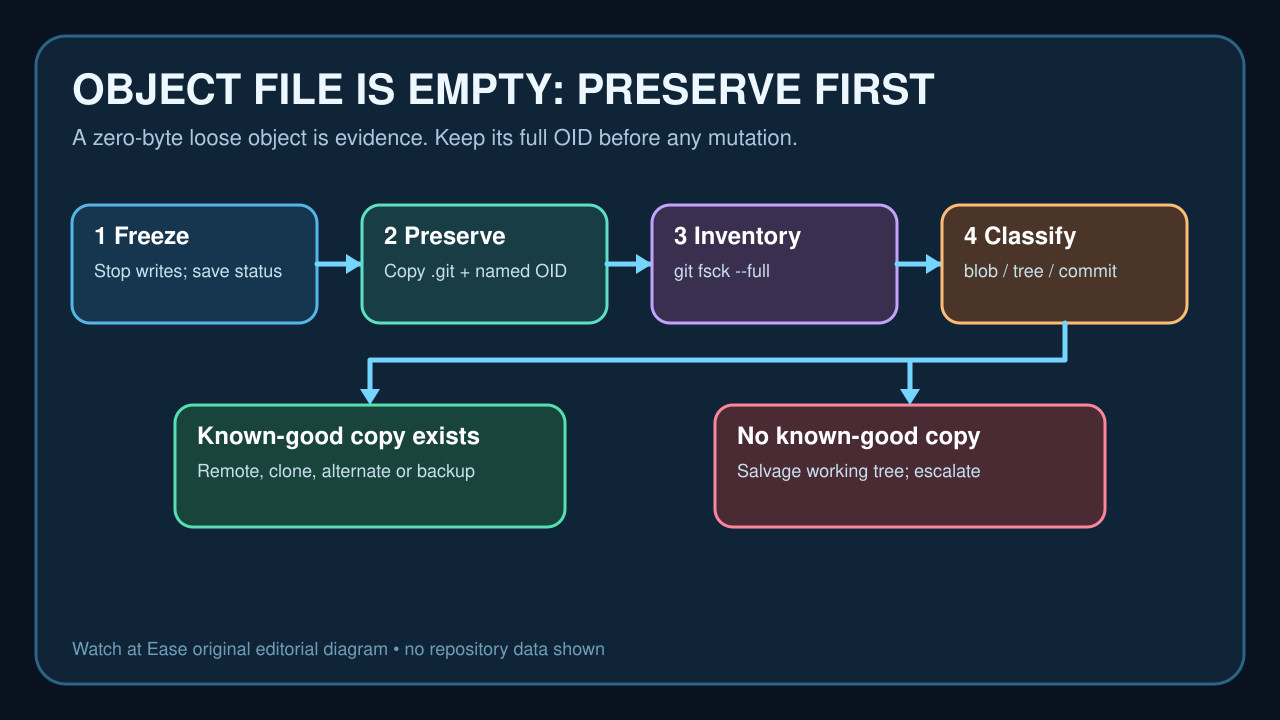
A zero-byte loose object is repository evidence, not a cleanup target. Freeze writes, save the full object ID and .git directory, inventory the damage, then recover the exact object from a known-good copy or salvage local-only work.
“object file … is empty” means a loose-object pathname exists but Git cannot read a valid object from it. Treat the full object ID and the surrounding repository as evidence. Do not start with a bulk find -delete, reset --hard or replacement .git directory.
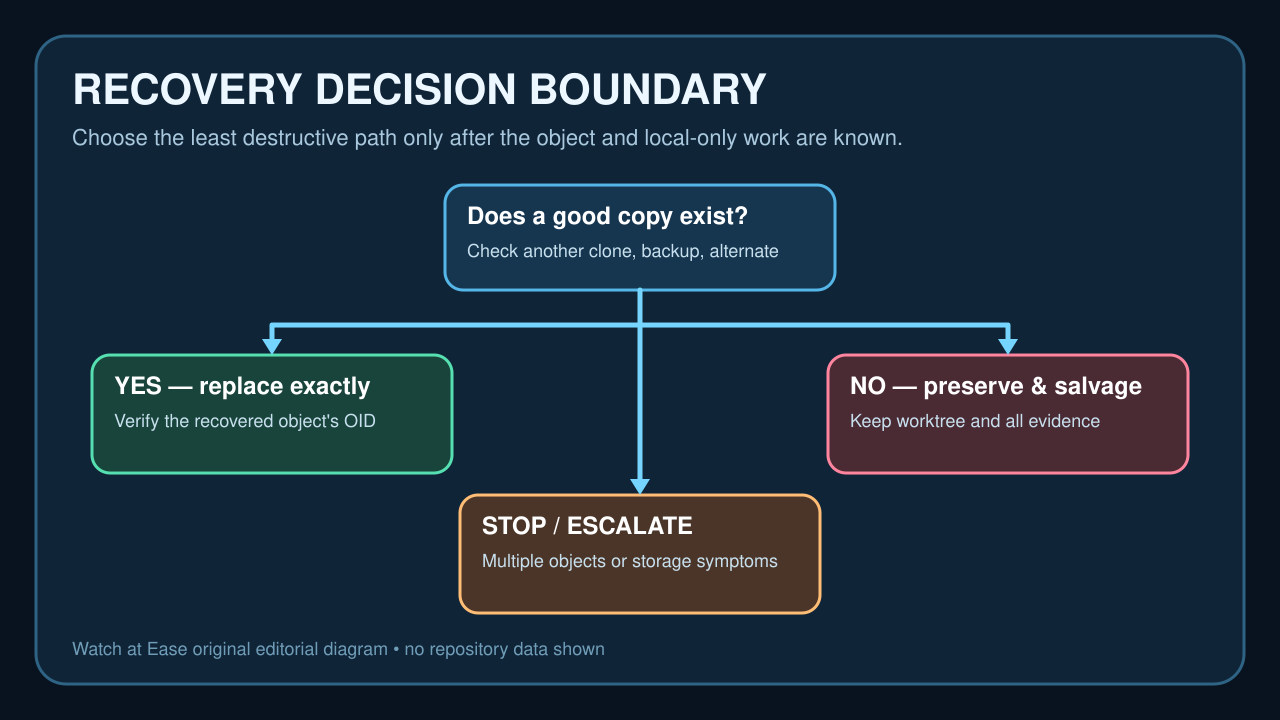
Freeze Git writes, copy the working tree and .git directory to different storage, record the exact OID, then run a read-only inventory. Recovery depends on whether the object is a blob, tree, commit or tag; whether it is reachable; and whether a known-good copy exists in a remote, independent clone, alternate object pool or backup.
Freeze writes and preserve the evidence
Stop editors, IDE Git integrations, background sync and maintenance in that repository. Save the exact error, repository path, full object ID, git status output if it still works and recent crash, power, disk-full or filesystem symptoms.
Copy both the working tree and .git directory to separate storage. Preserve the zero-byte path under its full OID rather than deleting it. If the repository is a server-side bare repository, stop normal writes and use the platform's maintenance and backup process.
Inventory before you repair
Run git fsck --full --no-reflogs only on a preserved copy when you need a view that does not treat reflogs as roots; also keep the ordinary git fsck --full output. Record missing, bad, dangling and unreachable lines separately instead of treating every line as corruption.
Inspect .git/objects/info/alternates and pack files, list refs and reflogs, and note whether the failure is one loose object or many. Do not run gc, prune, reset --hard or a broad empty-file deletion while the loss boundary is unknown.
Classify the OID and find a known-good copy
Use the fsck linkage to determine whether the missing OID is a blob, tree, commit or tag. For a blob, the referencing tree and git ls-tree can identify the path. Commits and trees carry history structure and are harder to reconstruct safely.
Check an independent clone, remote, bundle, backup and any alternate object pool for the exact full OID. A normal fetch is useful only after confirming the remote contains the object and local-only history has been preserved.
Choose the least destructive recovery
If a trusted copy of the exact object exists, transfer that object through a clean Git-aware route or restore from backup, then verify the OID and rerun fsck. Do not copy an entire foreign .git directory over the damaged repository.
If a missing blob can be reconstructed from a known file version, run git hash-object on a copy first. Write it only if the resulting OID exactly matches. Otherwise salvage the working tree into a fresh clone while retaining the damaged repository for expert recovery.
Verify the repository and the storage
A successful repair means fsck no longer reports the missing or corrupt reachable object, refs resolve, the expected history and working-tree changes remain, and a fresh independent clone checks out correctly. Dangling output alone may be normal.
If corruption returns, more objects fail, or the machine reports I/O, memory, power or filesystem errors, stop repository surgery and investigate the storage path. Keep both backups until the new clone and every local-only change are verified.