Technology · PRACTICAL GUIDE
Git push rejected non-fast-forward? Prove the remote ref before choosing a fix
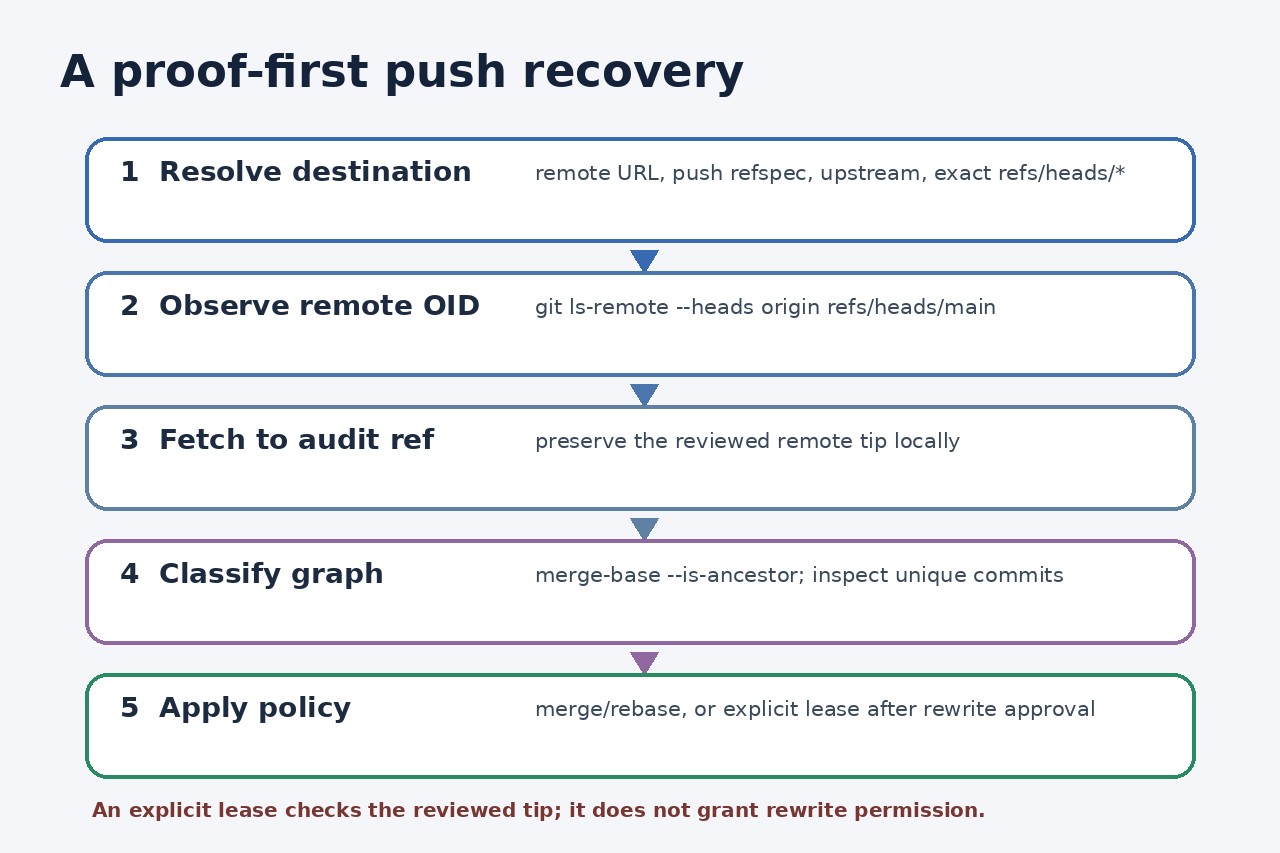
A rejected push is a graph-safety signal, not a command to force. Resolve the exact destination ref, capture its current OID, fetch it to an audit ref, and then choose merge, rebase or an explicitly authorized rewrite.
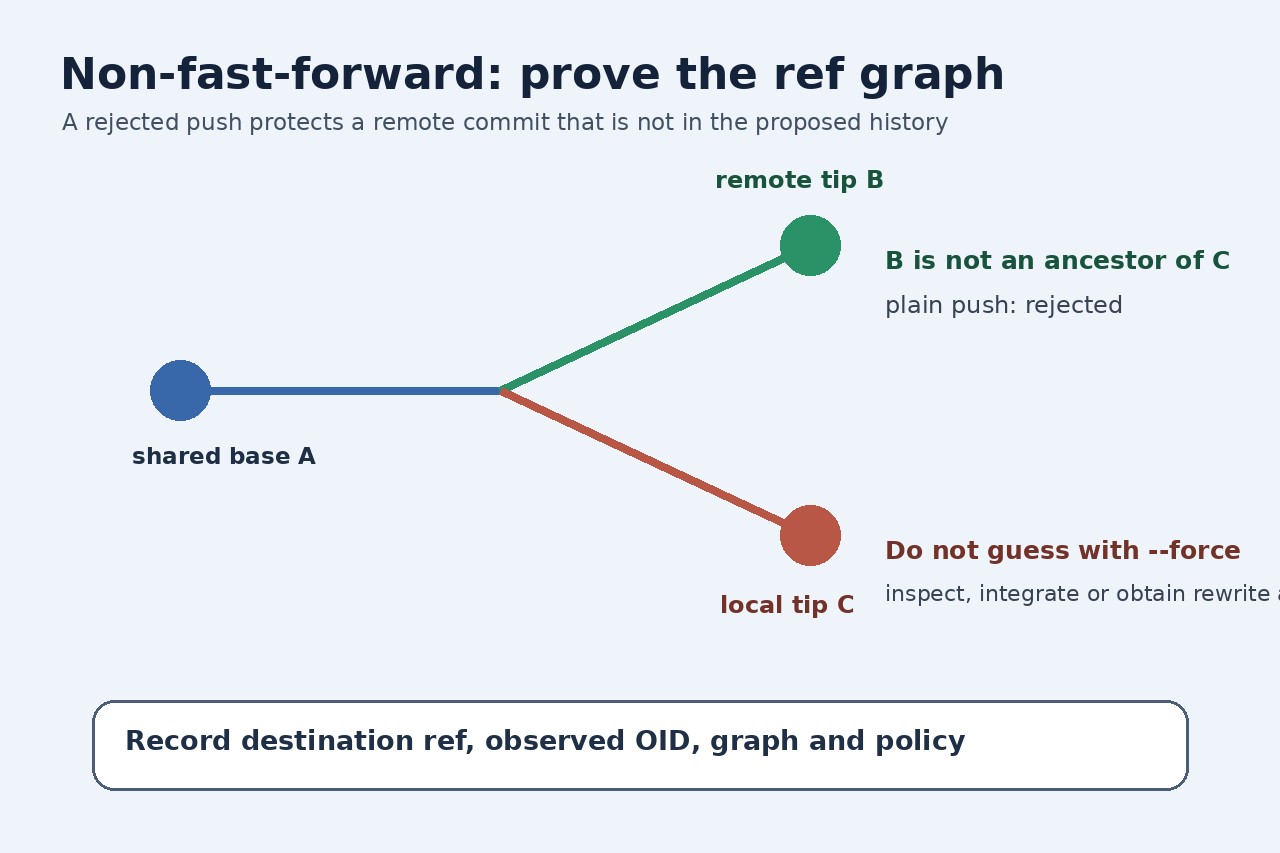
A non-fast-forward rejection means the destination branch is not an ancestor of the commit you proposed. Accepting the update would remove at least one remote commit from that branch’s visible history. The first task is therefore to identify the exact destination ref and preserve the remote tip you are judging—not to guess with pull or force.
In a disposable local fixture, the shared base was 15c1b740f8f4, the remote advanced to ff5235c58d12, and a second clone created divergent local tip 220186e6d9a6. A plain push failed. A lease pinned to the stale base failed. After ls-remote observed ff5235c58d12, an explicitly authorized lease bound to that OID updated only the test ref.
That fixture demonstrates mechanics, not permission. Team policy, branch protection, pull-request rules and the meaning of the remote commits decide whether to integrate or rewrite. A lease prevents overwriting an unseen remote change only when it names the expected ref value; it does not make history loss acceptable.
Resolve the destination before touching history
Record the remote URL, current branch, configured upstream and push refspec. Then state the exact destination, such as refs/heads/main. A command that appears to push “main” can still use a different remote, mapping or default than expected; an ancestry decision is meaningless until the destination is unambiguous.
Query that ref directly with git ls-remote --heads origin refs/heads/main and save the returned OID with a timestamp. If no matching line appears, stop and verify spelling, access and whether the destination is actually a branch. Do not substitute a stale local remote-tracking ref for this observation.
Fetch the observed tip and classify the graph
Fetch the destination into a dedicated audit ref, for example refs/remotes/audit/main. Confirm that its OID matches the value just observed, then inspect git log --left-right --graph HEAD...refs/remotes/audit/main. This preserves the exact remote commits under review even if an unrelated background fetch updates origin/main later.
Run git merge-base --is-ancestor refs/remotes/audit/main HEAD. Exit zero means the proposed commit contains the observed remote tip and a normal push may be possible; nonzero means histories diverge or the local branch is behind. Read both sides before choosing a policy.
Integrate remote work when shared history must remain
For a shared branch, merge the audit ref or rebase local-only commits according to the repository’s documented policy. Resolve conflicts deliberately, run the required tests, inspect the resulting graph and push normally. GitHub’s standard guidance is fetch plus merge, while some teams permit rebasing unpublished local commits.
Do not run a blind pull before recording the destination and OID. Pull combines fetch with merge or rebase according to configuration and can change the working branch before you have preserved the evidence needed to explain the rejection.
Use an explicit lease only for an approved rewrite
If maintainers explicitly authorize replacing the destination history, bind the push to the reviewed value: --force-with-lease=refs/heads/main:<observed-oid> origin HEAD:refs/heads/main. The stale lease in our fixture was rejected; the lease using the currently observed OID succeeded only inside the disposable test repository.
Re-read the destination immediately after the push and record the old OID, new OID, approval and reason. If the lease rejects, do not refresh it automatically and retry: a changed OID means the condition you reviewed is no longer true. Start the inspection again.