Technology · PRACTICAL GUIDE
FFprobe picked the cover art? Verify the video stream before mapping it
Exclude attached pictures, count the remaining candidates and carry the actual stream index into a checked preview of the same file.
A file can contain a video stream that is only its cover image. If a script reads the first video row and calls it the main movie, it can report the cover’s size or generate the wrong thumbnail. Start with the stream inventory; changing the output codec does not establish that you selected the right input.
This workflow is for a complete, unchanged local file and a single-video preview. It adds an explicit decision when there are zero, one or several eligible streams. It does not remove artwork from your library, choose a preferred camera angle automatically or repair a live-stream mapping problem.
1. Keep a complete inventory before narrowing it
Record the file path, size, modification time and FFmpeg/ffprobe build. Work on an unchanged copy, especially if another program may still be downloading or rewriting it. Run ffprobe -v error -show_streams -show_format -of json "INPUT" and keep stdout, stderr and the exit status. Replace INPUT with the actual path. A failed probe is a separate problem; partial or empty JSON is not a successful inventory.
Look at each stream’s index, codec_type, codec_name, dimensions, tags and disposition. Do not discard every MJPEG stream merely because one reported cover uses MJPEG. Likewise, missing frame counts or a zero-looking rate alone do not identify the correct movie. An independent Stack Overflow question shows why this matters: an attached MJPEG picture appeared before the H.264 video.
2. Count candidates before choosing one
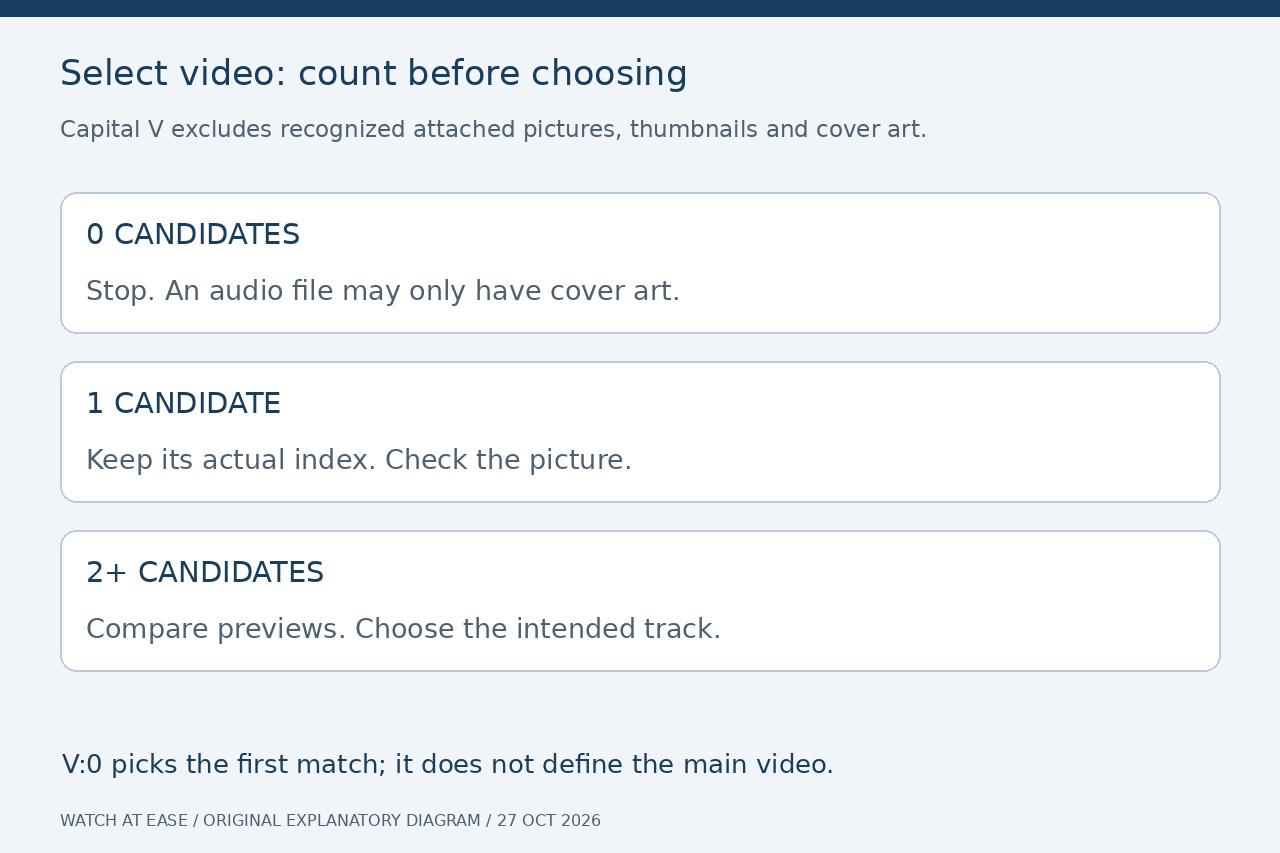
Run ffprobe -v error -select_streams V -show_entries stream=index,codec_name,width,height:stream_disposition=default,attached_pic:stream_tags=title,language -of json "INPUT". The capital V is deliberate. Read the streams array only after the command succeeds; absent optional metadata remains unknown. This excludes recognized artwork streams, but it cannot recognize every incorrectly tagged still image.
Zero candidates: preserve the inventory and stop the video-preview branch. An audio file with cover art can legitimately produce this result. One candidate: retain its actual index, then verify its picture. Several candidates: compare labels, geometry and previews and choose the intended track explicitly. A default flag or larger dimensions can be a clue, but neither defines your editorial intent. Do not append :0 merely to make ambiguity disappear.
3. Carry the index, not the array position
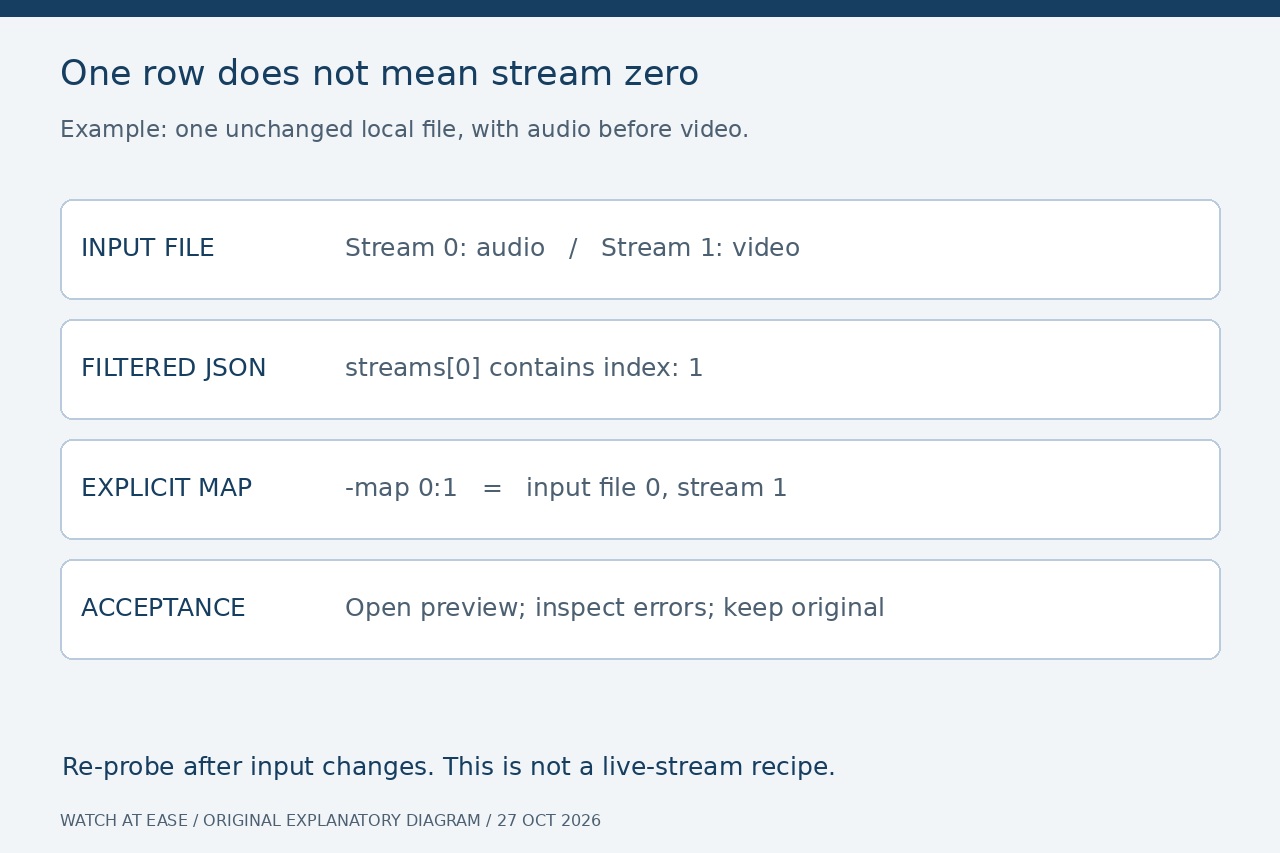
Suppose the filtered JSON contains one row with index: 1. That row is streams[0] in the filtered array, but it still refers to input stream 1. With the same file as FFmpeg’s first input, the explicit map is 0:1. The first zero identifies the input file; the one identifies its stream. In a script, retain the index field together with the chosen file and selection evidence.
Probe again if the file, input order or demuxing options change. Keep this workflow off live URLs, changing playlists and growing recordings: a separate open may observe a different inventory. A Jellyfin live-TV report describes just such an enumeration mismatch; it is a reported case, not a promise that every local container or live source behaves identically.
4. Make a separate preview and check the right branch
For the example index 1, create a new image with ffmpeg -hide_banner -loglevel error -nostdin -n -i "INPUT" -map 0:1 -frames:v 1 "preview-check.jpg". Substitute the verified index and use an unused output filename. The command intentionally produces one image, without audio or other tracks. Open it and compare recognizable content with the intended video; a black opening frame may require a later, separately checked sample.
If the selected picture is correct but a codec or bitstream-filter error remains, inspect the entire command rather than deleting the cover. Immich’s historical thumbnail failure involved an HEVC metadata filter applied too broadly to video streams, including an MJPEG attachment. The project’s approved fix scoped the filter to the selected stream and was merged on May 1, 2026. That case illustrates a separate option-scope problem; it is not evidence that current Immich installations all have that bug.
5. Accept the selection with bounded evidence
Our synthetic tests used Ubuntu FFmpeg 6.1.1-3ubuntu5. An MP3 with artwork yielded one v stream and zero V streams. An audio-first MP4 yielded one V candidate with absolute index 1 despite array position 0. A two-video MP4 yielded two candidates, so the policy stopped for a human choice. The single-candidate preview opened, a full selected-stream decode exited zero, and all three input-file hashes stayed unchanged.
These tests did not reproduce the DJI camera file from the Immich report, test live inputs or cover every FFmpeg build. For your file, retain the inventory, chosen index, exact command and result. A further decode check is ffmpeg -hide_banner -loglevel error -nostdin -i "INPUT" -map 0:1 -f null - with your verified index; it reads the selected stream and can take the full video’s processing time. Review stderr as well as the exit status. Neither one correct still nor a clean decode proves that you selected the preferred angle or preserved every track in a later export.