기술 · 실용 가이드
Docker network에 active endpoints? 삭제 전에 모든 owner를 매핑하세요
정확한 network ID와 중지된 container를 확인하고 label을 Compose project 또는 Swarm service에 연결하세요. owner를 변경한 뒤 같은 ID를 다시 검증합니다.
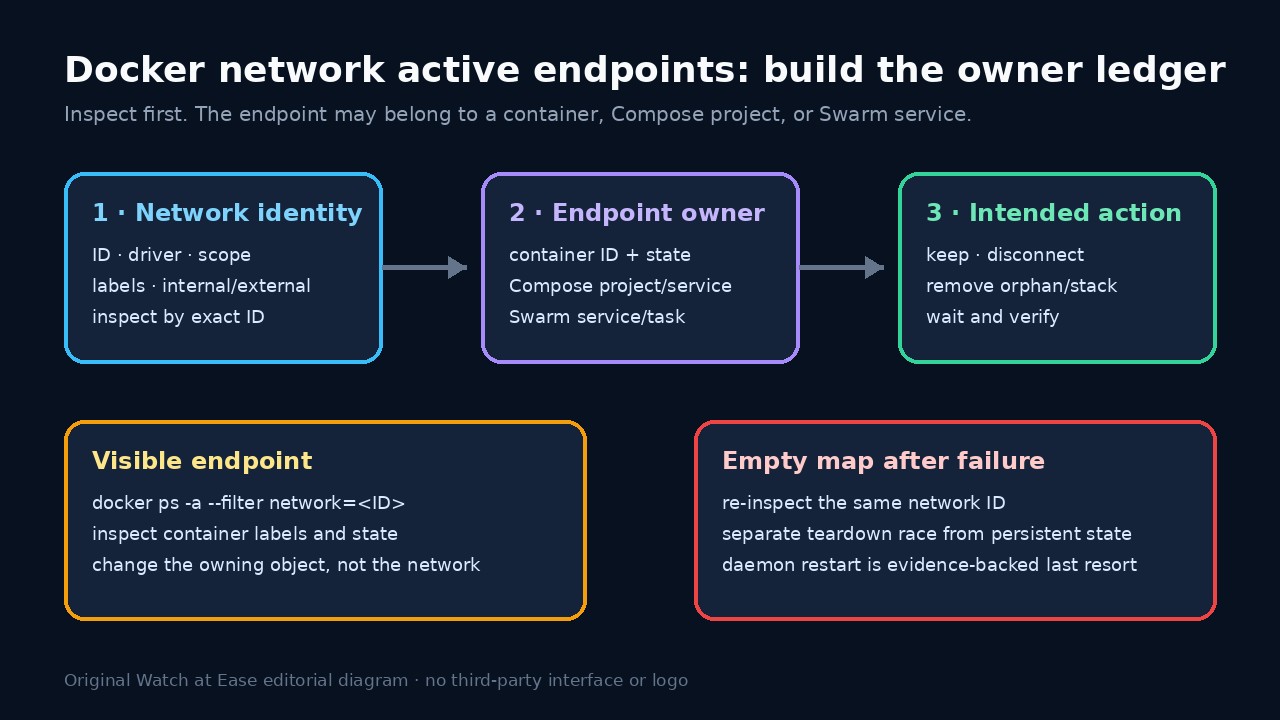
“network has active endpoints”는 정확한 network object에 attachment가 남았다는 뜻입니다. 실행 중이거나 중지된 container, 다른 Compose project, task를 다시 만드는 Swarm service일 수 있습니다.
prune, force-disconnect, daemon restart로 시작하지 마세요. network ID, driver, scope, label을 기록하고 owner를 열거한 뒤 owner를 변경하고 같은 ID를 검증합니다.
정확한 network identity 고정
전체 error를 저장하고 docker network inspect로 name을 하나의 ID에 연결합니다. Name, ID, Driver, Scope, Internal, Attachable, Labels를 기록하고 계속 같은 ID를 사용합니다.
cleanup 전 inspect를 export합니다. 비슷한 이름은 ID와 Compose label로 구분하고 overlay와 bridge의 owner/change window를 섞지 마세요.
endpoint owner ledger 만들기
Containers map과 docker ps -a --filter network=<ID>로 container ID, name, state, label, network를 기록합니다. stop은 endpoint 제거 증거가 아닙니다.
Compose project, service, one-off label을 기록합니다. label이 없으면 생성 경로를 조사하고 알 수 없는 endpoint를 owner 동의 없이 분리하지 않습니다.
증상이 아니라 owner 변경
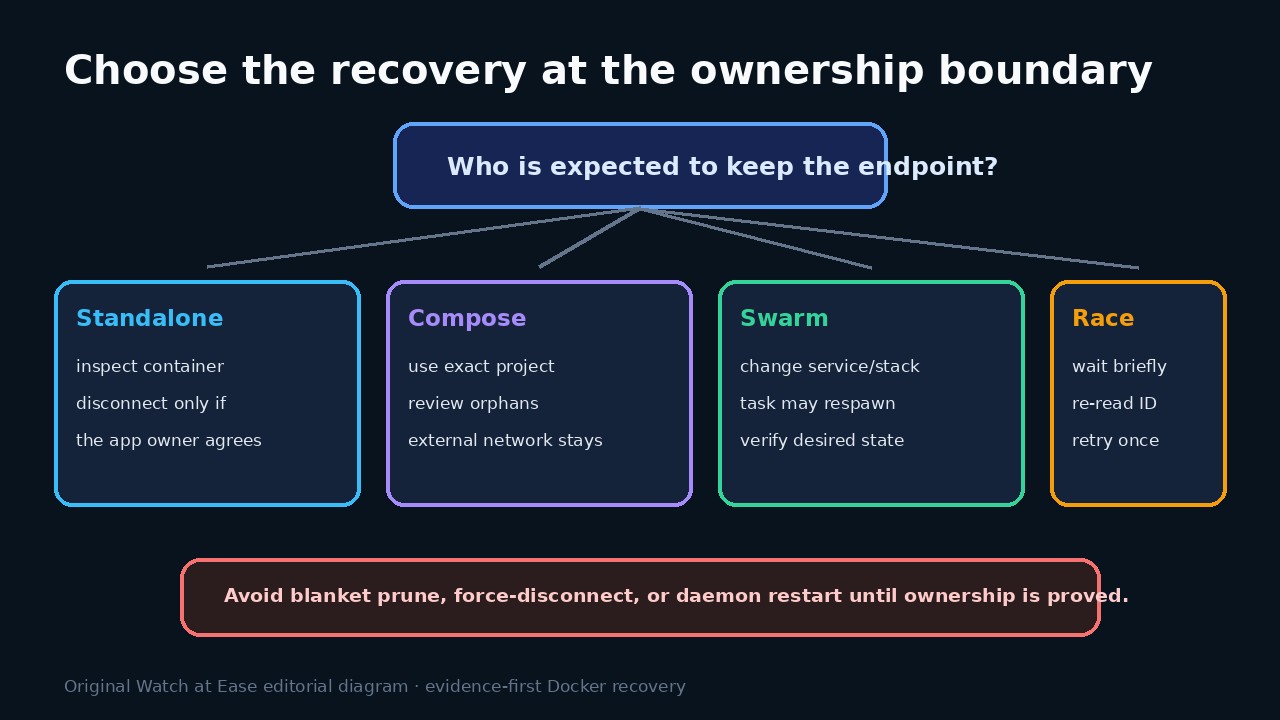
Compose는 생성에 사용한 정확한 project identity와 file set을 사용합니다. --remove-orphans 대상을 검토하고 external network는 별도 owner 계획에 둡니다.
Swarm은 overlay를 선언한 service나 stack을 업데이트, scale 또는 remove합니다. task container만 지우면 orchestrator가 다시 만들 수 있습니다.
teardown race와 지속 상태 분리
실패 후 같은 ID가 비어 있으면 잠시 기다리고 새 task가 없는지 확인한 뒤 좁은 제거를 한 번 재시도합니다. 같은 name의 새 ID는 다시 감사합니다.
같은 ID가 계속 비었는데도 실패하면 daemon log, Engine version, driver, reproduction을 수집한 뒤 controlled restart를 검토합니다.
health 검증과 원인 종료
owner가 사라진 뒤 같은 ID를 inspect합니다. ledger가 비고 plan이 허용할 때만 제거하고 shared network와 남은 service의 attachment를 확인합니다.
stopped container, Compose mismatch, orphan, external, Swarm, race, daemon/driver 원인을 기록하고 해당 runbook을 수정합니다.