テクノロジー · 実用ガイド
Docker の mount 後に files が消えた?どの filesystem が隠しているか証明する
Compose model を render し、live mount graph と同じ image の no-mount baseline を比較してから rebuild、copy、delete を行います。
空の directory は image file の消失を証明しません。bind、named volume、nested mount、または Compose の別 path 解決が image path を覆っている可能性があります。
data と model を保存し、runtime mounts を確認し、同じ digest の no-mount container と比較します。原因分類後だけ修復し、recreate まで検証します。
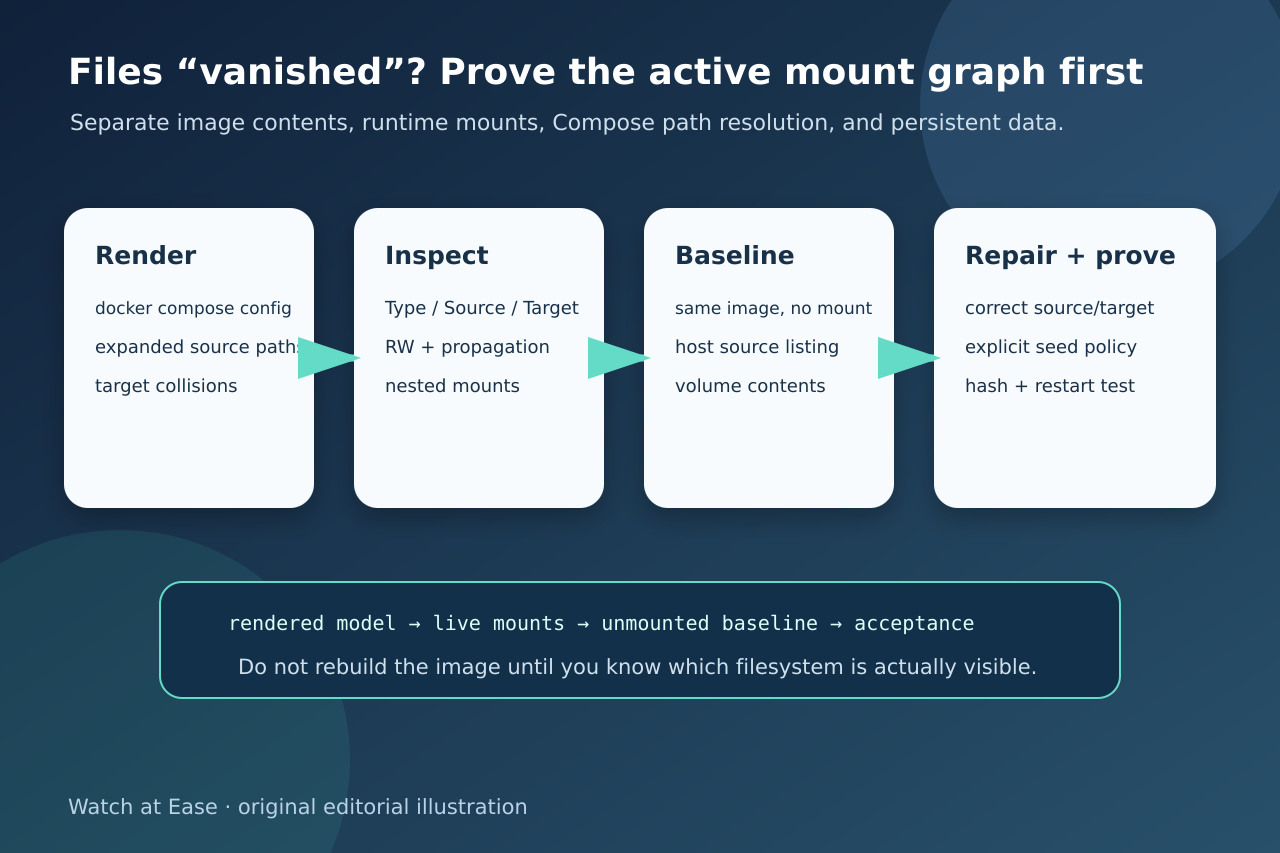
1. model と data evidence を固定
Compose、environment、cwd、context、image digest を保存し、source を read-only で列挙して hash と permission を記録します。
docker compose config の source、target、nested collision を保存します。
2. live mount graph を読む
docker inspect で Type、Source、Destination、RW、propagation を確認します。
daemon host と -v / --mount の missing-source 差を確認します。
3. 同じ image の no-mount baseline と比較
同じ digest から疑わしい mount なしの disposable container を作り target を確認します。
bind source または volume の file、hash、owner、mode と nested target を比較します。
4. mechanism を分類して修復
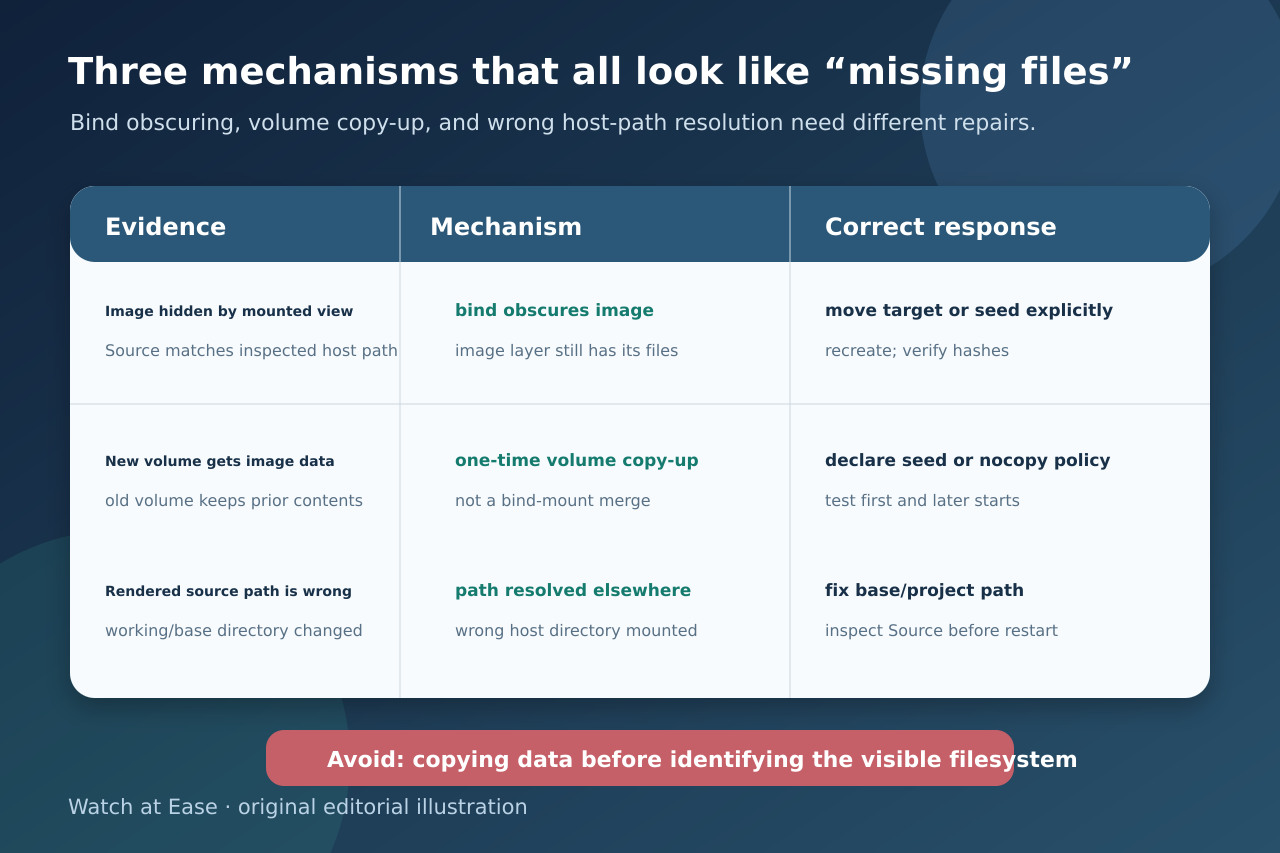
bind は merge せず、new empty volume は default で一度 copy-up し、reused volume は独自内容を保持します。
unexpected Source なら data を seed せず base/project path を修正します。
5. persistence を証明
persistent path を install tree から分離し、必要な seed は idempotent migration にします。
first start と second restart/recreate、hash、ownership、write persistence、wrong path の無変更を検証します。