Technology · PRACTICAL GUIDE
curl error 7: Failed to connect? Prove the destination, route and listener before changing firewall rules
Code 7 identifies a failed connect step—not a universal firewall verdict. Preserve the exact hop, runtime and socket result before changing network policy.
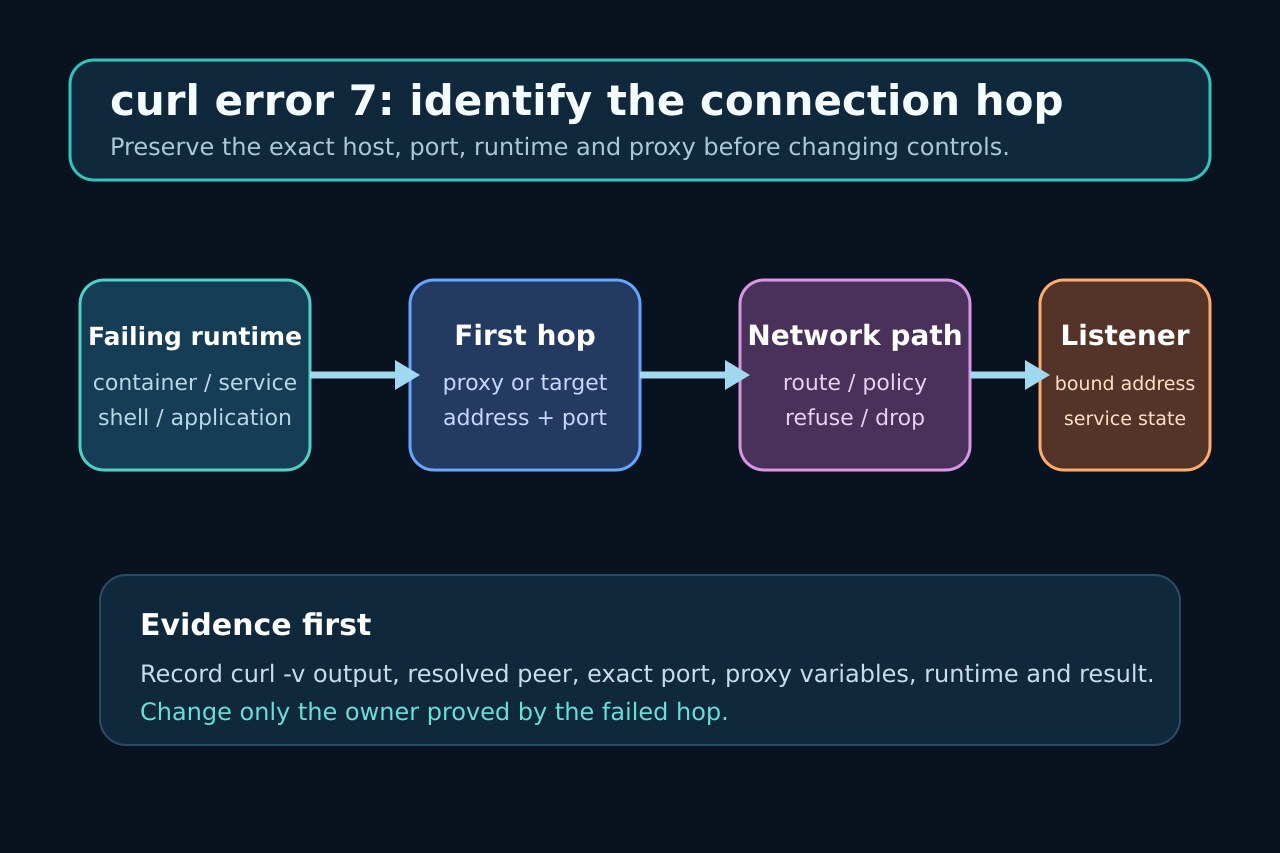
curl code 7 means libcurl failed to connect to a host or proxy. It does not by itself prove a firewall is blocking traffic, and it does not tell you whether curl dialed the target, a proxy, the intended address family or the port where the service actually listens.
Freeze the exact request and verbose connection lines, reproduce inside the failing runtime, classify refusal, timeout or unreachable routing, then change only the verified owner and repeat the unchanged request.
Freeze the exact attempted hop
Copy the exact argv, URL, working directory, runtime identity, complete error and the relevant curl -v connection lines before retrying. Record the scheme, destination host, port, resolved address and whether a proxy was selected.
Do not shorten or retype the command for the first comparison. A different URL, omitted proxy variable or default port creates a different connection attempt.
Reproduce inside the failing runtime
Run the same bounded test from the container, service account, job runner or application host that failed. An interactive host shell is only a control; success there does not prove the service namespace, route or policy is healthy.
Record proxy environment, curl configuration files, address family and network namespace before testing. The Docker community case shows the same hostname reaching different loopback and bridge addresses in different runtime conditions.
Classify refusal, timeout and unreachable routing
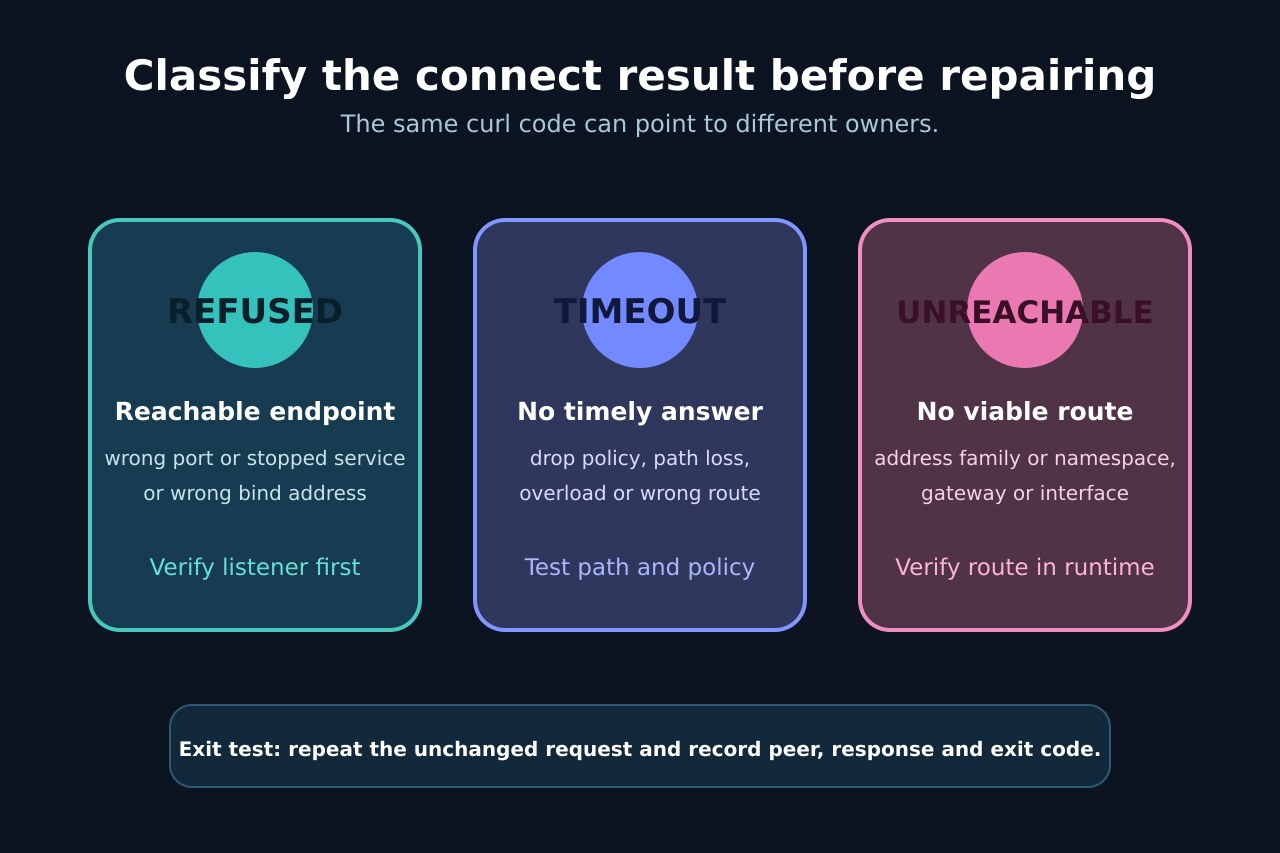
Preserve the concrete connect result. ECONNREFUSED means the selected endpoint refused the attempt; ETIMEDOUT means no timely connection completed; ENETUNREACH means the runtime has no route to that network. These are different repair branches.
Use one target test and one known-good destination from the same runtime. Do not infer a global firewall failure from one port, and do not treat a timeout as proof that no service is listening.
Verify the destination and listener
On infrastructure you control, verify that the service is running, listening on the expected port and bound to the address family and interface curl selected. Compare the advertised endpoint with the actual listener instead of opening every interface.
If the hostname returns multiple addresses, preserve the order curl tried. A working IPv4 address does not make a failed IPv6 listener disappear; it identifies an address-family branch to verify.
Account for the proxy first hop
If curl selected a proxy, the first TCP connection is to the proxy host and port. Test that hop from the same runtime, then separately verify target reachability only after the proxy connection succeeds.
Do not delete organization-wide proxy settings as a diagnostic. Capture the applicable proxy and no-proxy variables, configuration files and source-IP policy, then make one reversible change owned by that boundary.
Retest the unchanged request
Repeat the original command with the same URL, proxy choice and runtime. Record the connected peer, returned protocol status, elapsed connect time and final curl exit code; a different command is not an exit test.
Stop if ownership is still ambiguous, the change would widen exposure, or the endpoint belongs to another team. Hand off the exact address, port, runtime, connect result and timestamps rather than prescribing a global firewall rule.