Technology · PRACTICAL GUIDE
CMake says the generator does not match? Prove the build-tree owner before deleting the cache
Freeze the failing source/build pair, read the cached generator and frontend settings, then prove a quarantined configure, native build and test run before retiring anything.
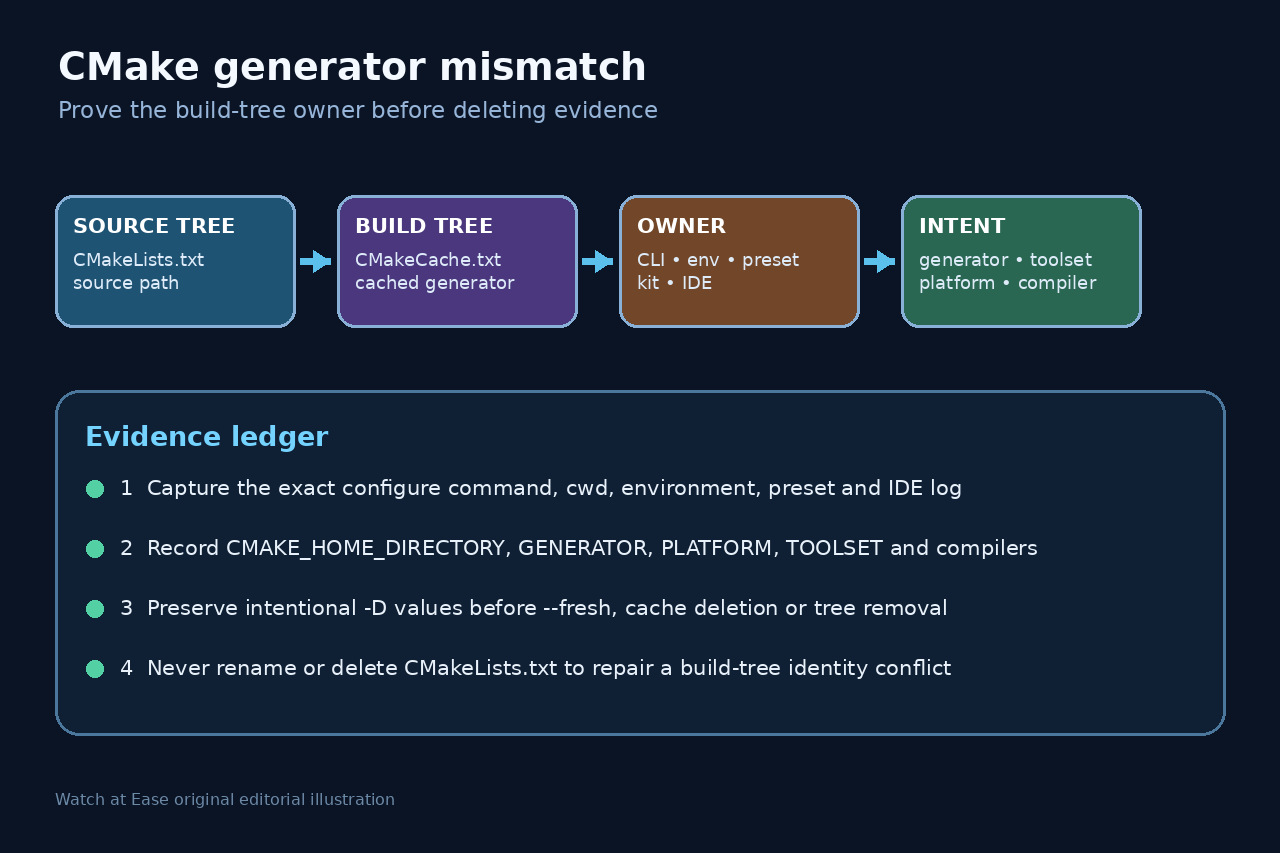
A CMake generator mismatch means an existing build tree remembers a different generator from the current configure request. It is a build-tree identity conflict, not a reason to rename or delete CMakeLists.txt.
Preserve the command and cache, identify whether CLI, environment, preset, kit or IDE chose the new generator, then configure a separate tree or deliberately use --fresh only after recording the settings you must reproduce.
Freeze the conflicting source/build pair
Capture the exact command, working directory, environment, preset and IDE log. Resolve the source directory and build directory separately; do not edit CMakeLists.txt to solve a cached build-tree identity conflict.
Copy or hash CMakeCache.txt and record CMAKE_GENERATOR, CMAKE_GENERATOR_PLATFORM, CMAKE_GENERATOR_TOOLSET, CMAKE_HOME_DIRECTORY, compilers and intentional -D cache choices.
Name the generator owner
Compare explicit -G, CMAKE_GENERATOR, the active configure preset, selected kit, CMake Tools settings, toolset and platform. One authority should own the intended configure; remove accidental overrides only after recording them.
If the old tree came from another machine, container, checkout or IDE version, treat it as evidence rather than a reusable default. Do not mix native build files from different generators.
Choose a reversible recovery boundary
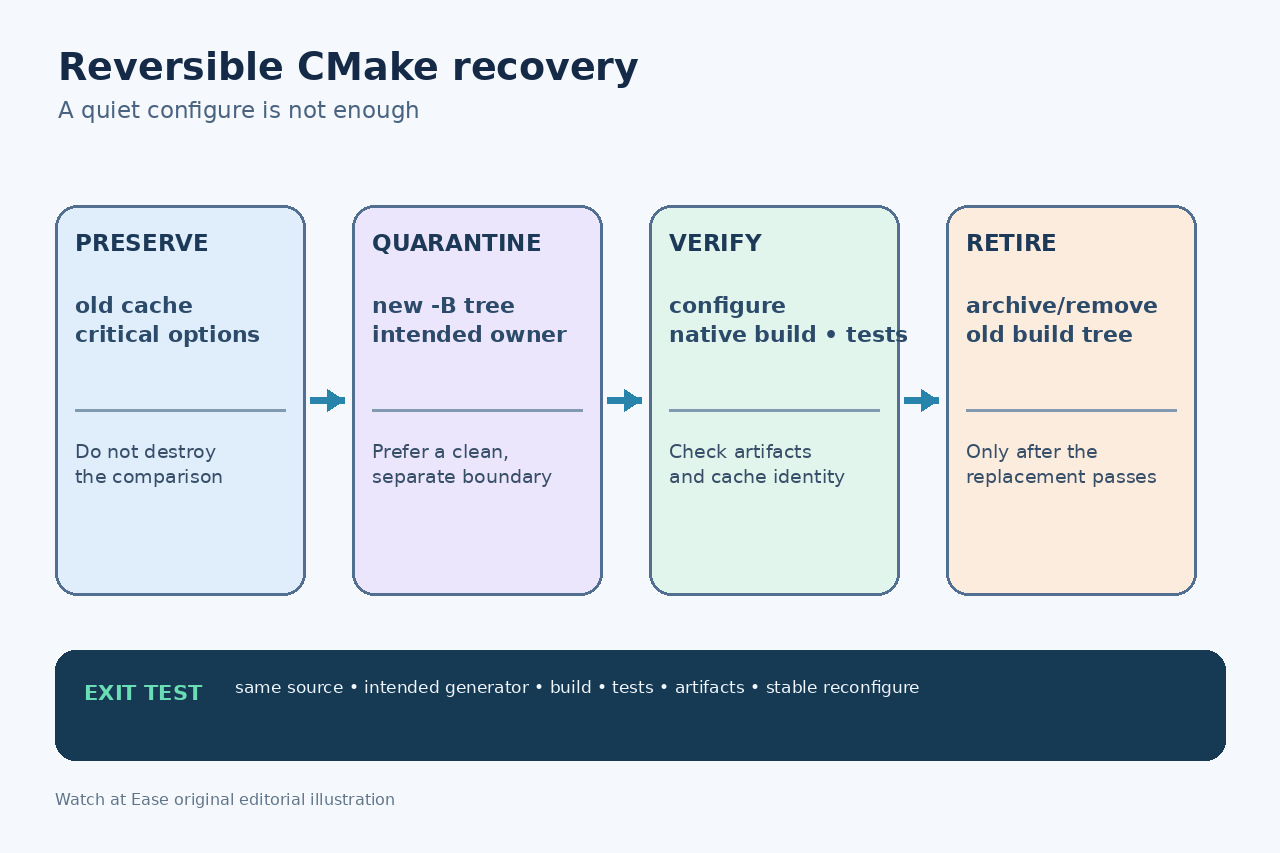
Prefer a new build directory with -S and -B and the intended generator. Reapply only reviewed cache choices. This leaves the old tree available for comparison and rollback.
Use --fresh or delete CMakeCache.txt and CMakeFiles only when a new tree is impractical and after preserving settings. --fresh requires CMake 3.24 or later; removing the source tree is never part of this repair.
Prove configure, build and tests
Save the successful configure transcript and verify that the new cache names the intended source tree, generator, platform, toolset and compilers. Then use cmake --build so CMake invokes the matching native tool.
Run the project test command and inspect expected binaries, libraries, packages or compile database. Compare critical options with the preserved old cache; a configure exit code alone is insufficient.
Retire the contaminated tree deliberately
Only after the replacement passes acceptance should you archive or remove the old build tree. Update CI, presets and IDE settings so they point to the same source/build boundary and generator authority.
Reconfigure once more without changing inputs. It should keep the same generator and avoid an unexplained full rebuild. Preserve the ownership ledger for the next toolchain or IDE change.