Technology · NEWS EXPLAINER
Windows 11 tests faster exits from XBOX mode—check your Insider channel first
The October 16 Insider builds add desktop and power shortcuts to Gaming Task View. Beta and Experimental share that change, but Magnifier, Windows Hello and sign-in updates differ by channel.
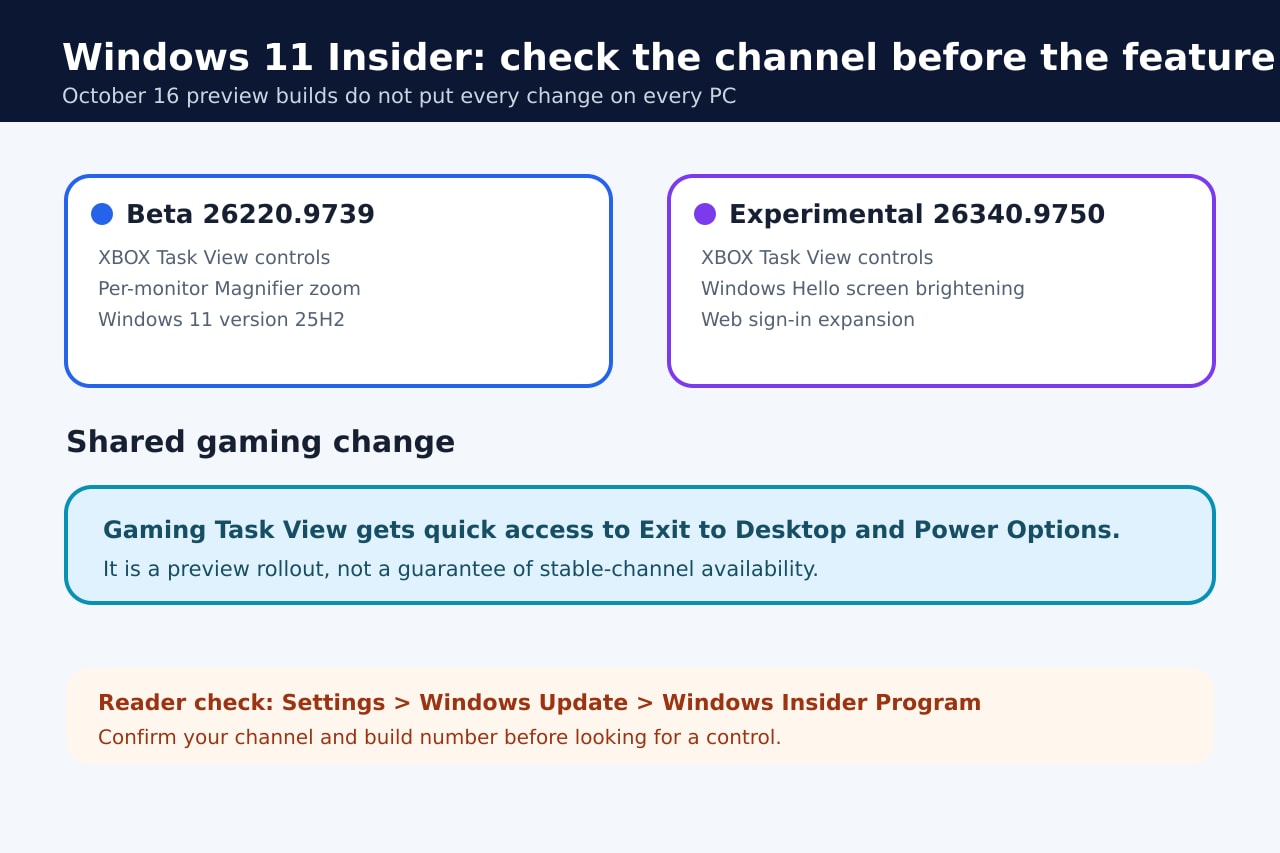
Microsoft began rolling out a refreshed Gaming Task View for XBOX mode in new Windows 11 Insider builds on October 16. The navigation bar adds direct access to Exit to Desktop and Power Options, reducing the need to hunt through a controller-first interface when a player wants to leave a game session or manage the device.
The important limit is availability. Beta build 26220.9739 and Experimental build 26340.9750 both include the gaming change, but the builds target different Windows versions and Microsoft says preview features can roll out gradually, change or never reach the stable channel.
What changes in XBOX mode
The new bar appears inside Gaming Task View, the switcher used to move among open games and apps. The October 16 design places Exit to Desktop and Power Options where a controller user can reach them without detouring through standard desktop controls.
Windows Central described the change as a practical answer to the hassle of getting back to the desktop from XBOX mode. It is a usability change, not a new game launcher, performance mode or promise of better frame rates.
Beta and Experimental are not the same package
Beta build 26220.9739 pairs the gaming change with Magnifier improvements, including independent zoom levels on extended displays and viewport locking. The build is tied to Windows 11 version 25H2 through an enablement package.
Experimental build 26340.9750 targets version 26H2. It adds the same gaming bar, plus optional Windows Hello screen brightening in dim rooms, web sign-in for Microsoft Entra hybrid-joined devices, and fixes for File Explorer, Search, Run and shutdown reliability.
How to check without forcing the feature
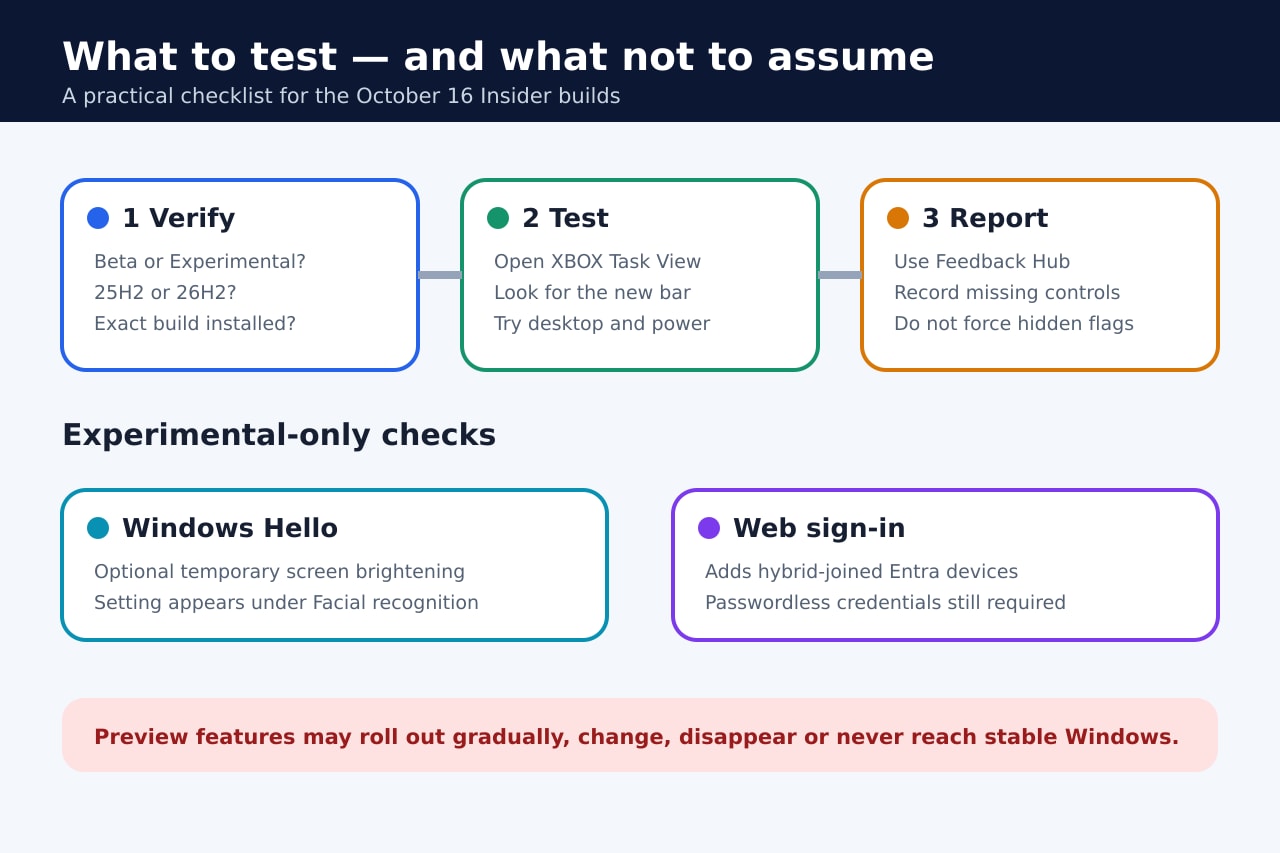
Open Settings, Windows Update and Windows Insider Program, then confirm the enrolled channel and installed build. In Beta or Experimental, open XBOX mode and Gaming Task View and look for the navigation bar. A missing control does not prove the update failed because Microsoft uses staged rollout for many preview features.
On Experimental, the Windows Hello option—if it has reached the device—is under Settings, Accounts, Sign-in options, Facial recognition. It temporarily brightens the screen during recognition; it is not a general brightness or camera-quality setting.
What remains unknown
Microsoft did not announce a stable-channel release date for the refreshed gaming controls. Its release notes explicitly warn that Insider concepts can change, disappear or never ship outside the program.
Readers who depend on a stable PC should not switch Insider channels just for this control. Testers can use Feedback Hub, record the exact channel and build, and report missing or unreliable behavior without using unofficial feature-forcing tools.