Technology · PRACTICAL GUIDE
Export Shotcut's saved playlist to CSV without collapsing repeated clips
Keep repeated subclips, saved captions and raw trim points in one offline table; do not mistake a playlist report for a timeline inventory or deletion list.
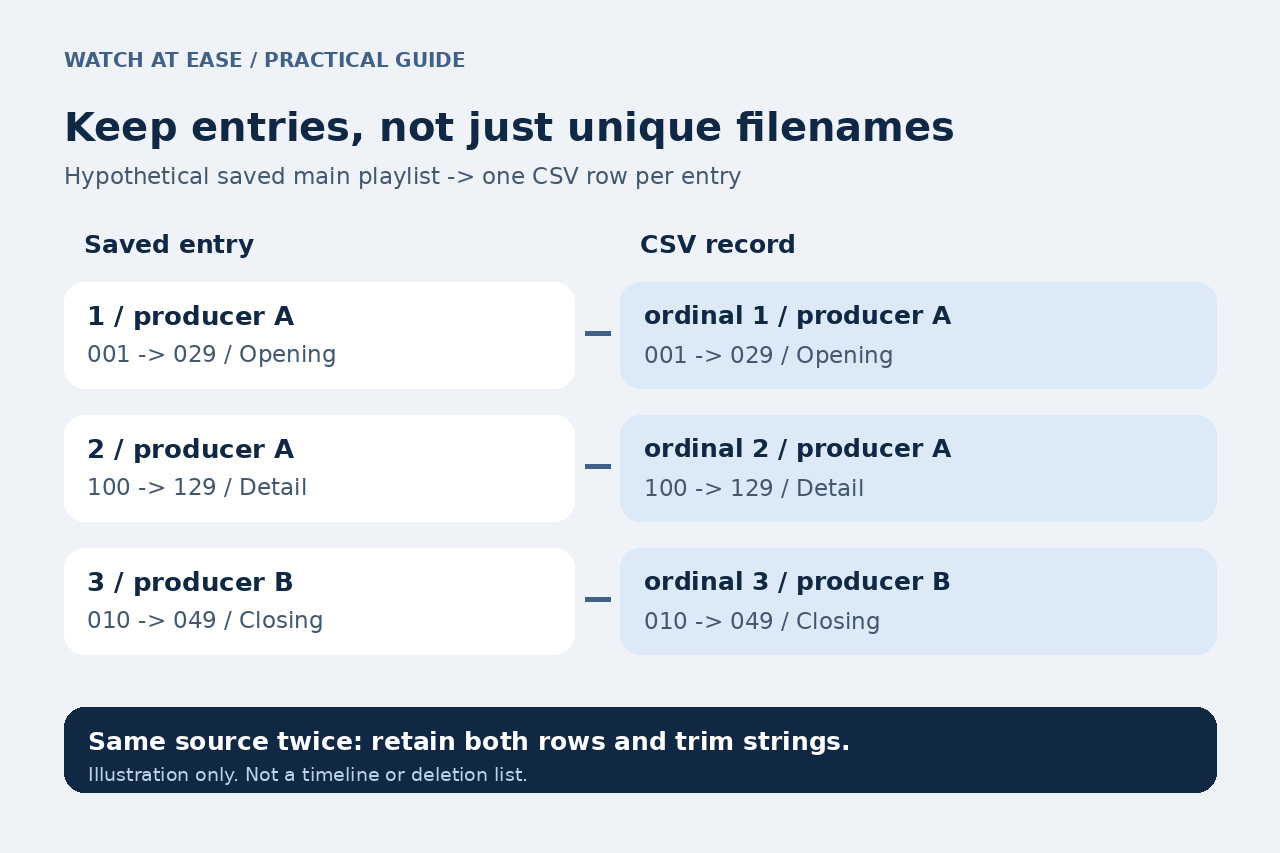
A list of unique media filenames can lose the information you actually need from Shotcut's playlist: two differently trimmed entries may use the same file. A saved playlist report should retain each entry, its position and the saved caption instead of collapsing those occurrences into one resource.
Shotcut already exports videos from playlist bins, and its current batch naming options can use source names. This guide adds a bounded, offline CSV report of your own saved main playlist. It reads a supported MLT copy without changing the project or opening any media; it neither exports videos nor identifies files safe to delete.
Save the project and distinguish the lists
Save the current project, close it, and keep a separate MLT copy called project.mlt for this report. The recipe expects your own UTF-8 plain XML, exactly one top-level main_bin playlist or its older main bin spelling, and direct entries referring to top-level producer or chain objects. Namespaced, nested or composite entries, blank playlist items and declaration-based XML are outside this recipe and stop it before output creation.
The saved main playlist contains all its entries. A selected bin, search filter or screen ordering is not read from the running interface. The current source uses shotcut:bins for saved bin text and shotcut:caption for friendly display text; missing properties become empty cells. The converter does not recreate automatic filename captions, smart-bin membership or the UI's display fallback.
If you want video files, use Shotcut's native Current Playlist Bin or Each Playlist Bin Item export instead. For a simple unique resource list, the existing MLT Analyzer already offers a download. Those are different outputs: this report keeps saved entry order and duplicates. It does not repair a moved project or change its paths.
Run the bounded CSV conversion
Use Python 3 in a Linux Bash terminal in the folder containing your project.mlt copy. Copy the following as one line, keeping straight quotes and backslashes intact. Choose a fresh output name: an existing playlist.csv is refused. We executed this exact command on Linux Bash; it has not been tested on Windows or macOS.
The XML parser resolves each main-playlist reference to a producer or chain and reads only its direct selected properties. A filter's own resource is not silently treated as that clip's resource. Duplicate top-level IDs, missing references, repeated selected properties and unsupported entry shapes stop before the CSV is created.
python3 -c 'exec('"'"'import csv, sys, xml.etree.ElementTree as E\nfrom pathlib import Path\nsrc, dst = map(Path, sys.argv[1:])\nraw = src.read_bytes()\ntext = raw.decode("utf-8-sig")\nif "<!DOCTYPE" in text.upper() or "<!ENTITY" in text.upper():\n raise ValueError("Own plain XML only; declarations unsupported")\nroot = E.fromstring(text)\nif root.tag != "mlt":\n raise ValueError("Expected unnamespaced mlt root")\nbins = [x for x in root if x.tag == "playlist" and x.get("id") in ("main_bin", "main bin")]\nif len(bins) != 1:\n raise ValueError("Need exactly one saved main playlist")\nobjects = {}\nfor x in root:\n if x.get("id"):\n if x.get("id") in objects:\n raise ValueError("Duplicate top-level ID")\n objects[x.get("id")] = x\nkeys = ["shotcut:caption", "shotcut:bins", "mlt_service", "resource", "shotcut:resource", "warp_resource", "shotcut:comment"]\nrows = []\nfor entry in bins[0]:\n if entry.tag == "property":\n continue\n if entry.tag != "entry" or len(entry):\n raise ValueError("Only direct referenced entries supported")\n pid = entry.get("producer", "")\n obj = objects.get(pid)\n if obj is None or obj.tag not in ("producer", "chain"):\n raise ValueError("Missing or composite producer reference")\n values = {}\n for prop in obj.findall("property"):\n name = prop.get("name")\n if name in keys:\n if name in values or len(prop):\n raise ValueError("Duplicate or nested selected property")\n values[name] = prop.get("value", prop.text or "")\n rows.append([str(len(rows)+1), pid, values.get(keys[0], ""), values.get(keys[1], ""), entry.get("in", ""), entry.get("out", "")] + [values.get(k, "") for k in keys[2:]])\nheader = ["ordinal", "producer_id", "caption", "bin_raw", "in_raw", "out_raw", "service", "resource_raw", "proxy_original_raw", "warp_resource_raw", "comment"]\nwith dst.open("x", encoding="utf-8-sig", newline="") as f:\n w = csv.writer(f)\n w.writerow(header)\n w.writerows(rows)\nwith dst.open(encoding="utf-8-sig", newline="") as f:\n if list(csv.reader(f)) != [header] + rows:\n raise ValueError("Readback mismatch; discard partial CSV")\nprint(str(len(rows)) + " saved playlist entries checked; not a timeline or deletion list")\n'"'"')' "project.mlt" "playlist.csv"
Interpret the eleven columns as text
The columns are ordinal, producer_id, caption, bin_raw, in_raw, out_raw, service, resource_raw, proxy_original_raw, warp_resource_raw and comment. Ordinal starts at 1 in saved entry order. Caption, bin and comment contain the saved properties, not information inferred from filenames. Empty cells mean no value was recorded by this recipe; they do not certify an unused or broken clip.
In_raw and out_raw keep the parsed attribute strings, including leading zeros; missing bounds remain empty. The converter does not calculate duration, resolve implicit bounds or validate the playback range. Do not subtract the strings as seconds: MLT values depend on their representation and project context. XML escapes are decoded by parsing, so this is a table of parsed values, not a byte-for-byte reproduction of XML spelling.
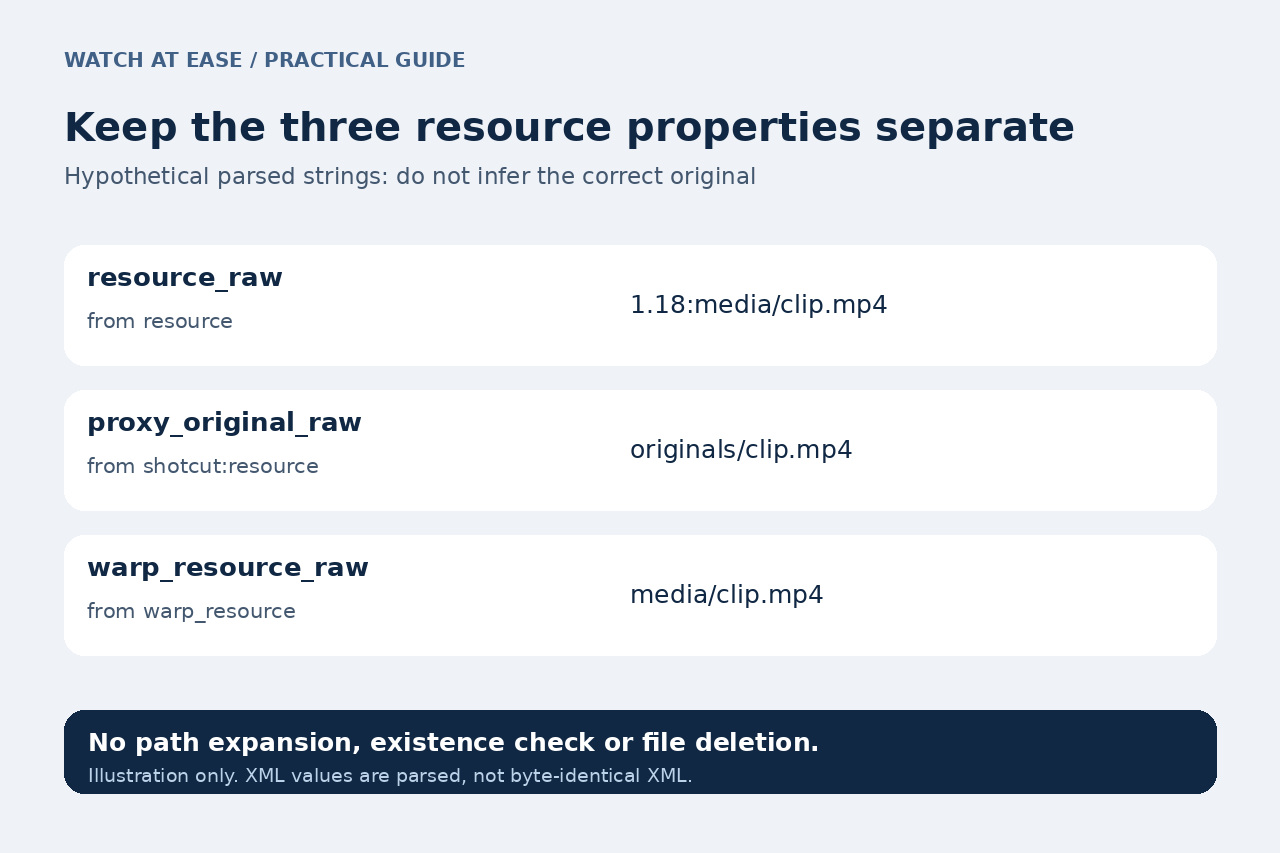
The three resource fields stay separate. Resource_raw records resource, proxy_original_raw records shotcut:resource, and warp_resource_raw records warp_resource. A timewarp resource can contain a speed prefix, and proxy-related properties can differ. No path is expanded, made absolute, checked for existence or selected as the correct original. This table does not traverse nested projects, filters, masks, LUTs or image-sequence dependencies.
Verify the rows before using the report
The command reads its CSV back and compares the header and every field with the parsed rows before reporting success. Compare its entry count with the saved main playlist, then check two occurrences of the same source with different trims and a known custom caption. Keep the original MLT and CSV master; filter or add handoff notes only in a working copy. For credits, verify creator and licence information separately; filenames and captions do not supply it.
In LibreOffice Calc import UTF-8 with comma separators and straight double quotes as the text delimiter. Set all eleven columns to Text; turn off Merge delimiters, Trim spaces and Evaluate formulae. Enable Edit filter settings if the dialog is hidden. This prevents your review copy from treating a time string as a date or a saved comment as a formula. We did not run Calc's interface.
We executed 21 synthetic cases with this exact command: six valid cases included repeated order, Unicode and XML escapes, speed/proxy raw fields, legacy IDs, absent bounds, empty bins and separation from timeline/filter resources; fifteen invalid cases stopped before output creation. Six additional attempts to overwrite valid outputs were refused, with input and existing output bytes unchanged. No actual Shotcut project, playback, GUI, Windows or macOS run was tested. If writing or readback fails, discard any partial CSV and retry to a new name; never use this report as permission to delete media.