テクノロジー · 実用ガイド
Rsync の「protocol version mismatch」?shell を直す前にリモートの byte stream を採取する
余分な stdout、SSH forced command、remote rsync 不在、実際の version 境界を証拠で分け、いきなり --protocol を固定しません。
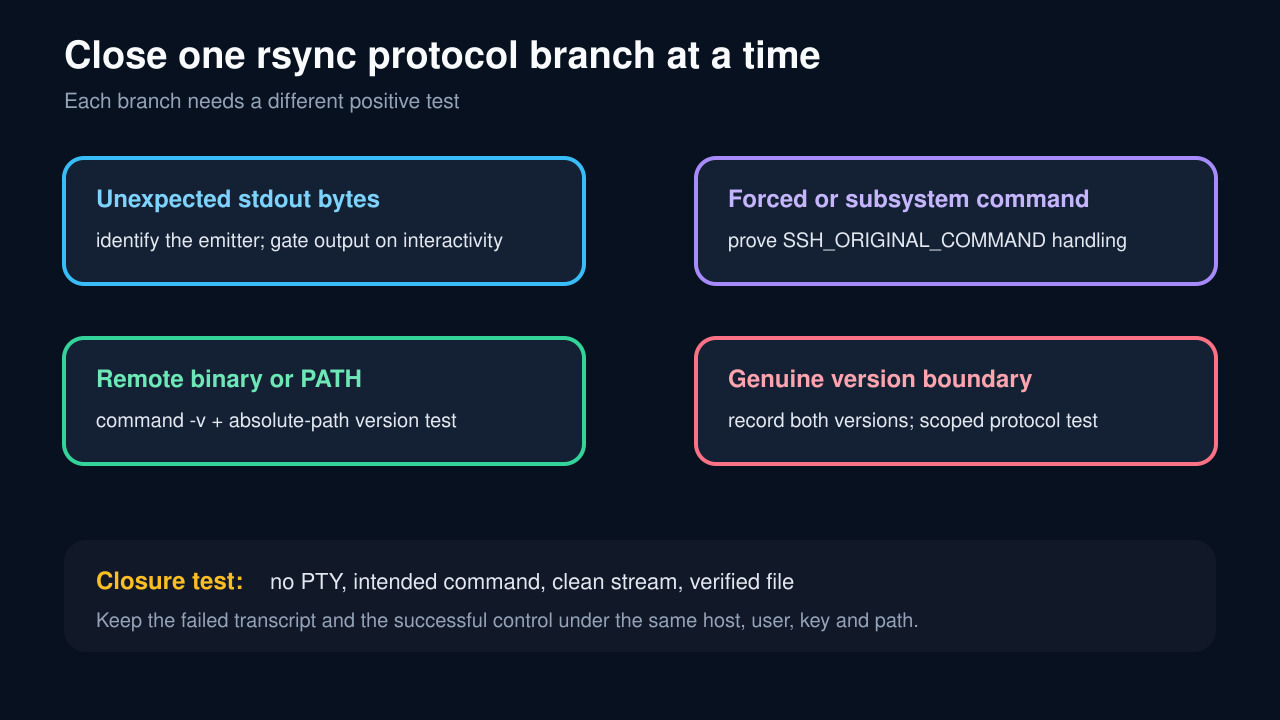
この表示は、client が最初に受け取った byte が期待した rsync protocol 会話ではないことを示します。startup 出力は一般的ですが、.bashrc が原因とは限りません。ForceCommand、SFTP-only account、PATH、PTY、古い version 境界でも同じ表示になります。
同じ transcript に command、no-PTY stdout、分離した stderr、sshd が許可した command、両側の binary/version、disposable file の検証を残します。正の証拠がある branch だけを変更します。
失敗した transport を固定する
local command、方向、source/destination、host alias、user、port、認証経路、exit code と両 stream を記録します。ssh -G の有効設定も保存しますが secret は公開しません。
interactive login の成功は同じ control ではありません。TTY や startup path、remote command が異なるからです。
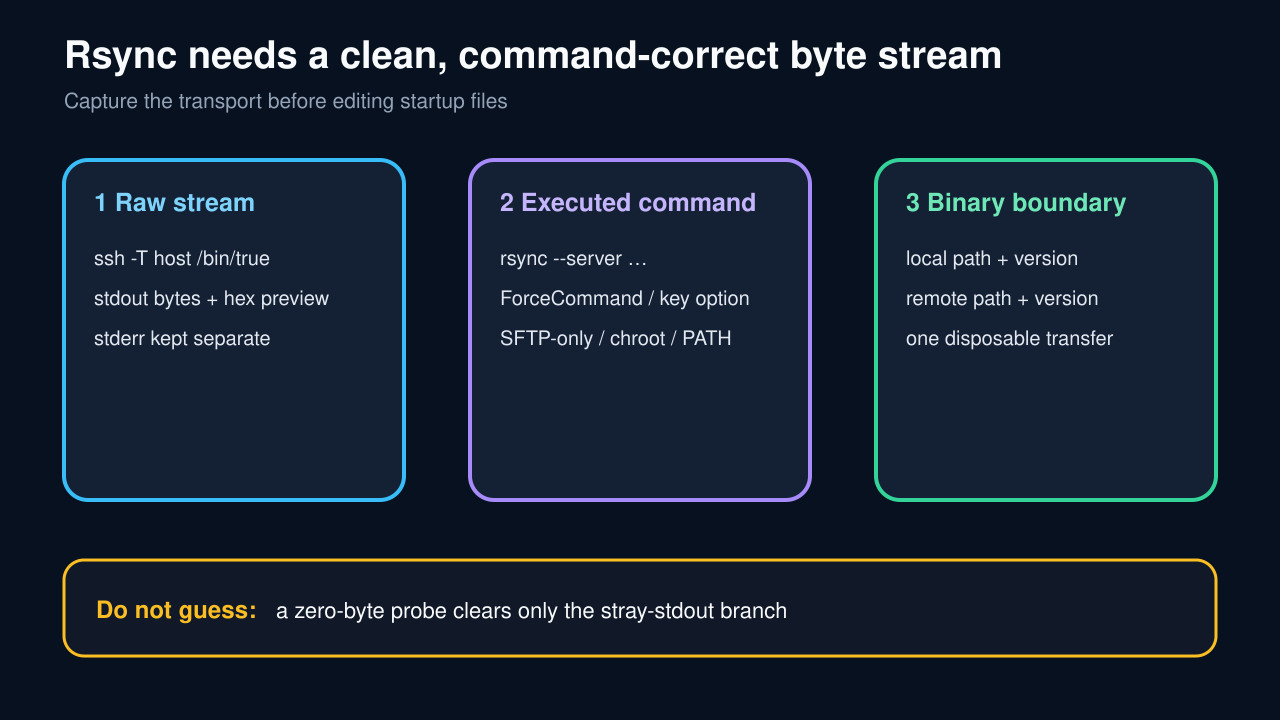
PTY なしで remote stdout byte を採取
ssh -T remotehost /bin/true >out.bin 2>err.txt を実行し、byte 数と安全な hex preview を記録します。out.bin が空でなければ emitter を先に特定します。
shell startup、banner、wrapper、shell 固有初期化を調べ、人向け出力は interactive session だけにします。-q で隠しません。
stdout が空なら sshd の実行 command を証明
authorized_keys と Match block の command=、ForceCommand、internal-sftp、ChrootDirectory、no-user-rc、wrapper を確認します。forced command は client command を無視します。
rsync は remote の rsync --server を必要とします。SFTP-only や固定 command は契約違反です。必要なら制限を外さず reviewed allowlist wrapper を使います。
remote binary と version を明示的に解決
同じ noninteractive context で command -v rsync と absolute path --version を記録し、local と比較します。chroot や PATH で binary が見えない場合があります。
stream と command が正常な後だけ --protocol を限定テストします。永続的な万能修正にはしません。
一つの disposable file で閉じる
既知 byte の小さい file を no-PTY で一度送り、command、version、exit、size、両端 checksum を記録します。失敗と成功の transcript を対にします。
同じ account/policy で想定 command、余分な byte なし、file 検証成功を確認してから automation を戻します。SFTP-only なら SFTP を使います。