Technology · PRACTICAL GUIDE
rsync exits with code 23? Find the failed object before changing permissions
Code 23 means at least one transfer error, not a permission diagnosis. Map the earlier error to an object, side, operation and account, then prove the intended set arrived.
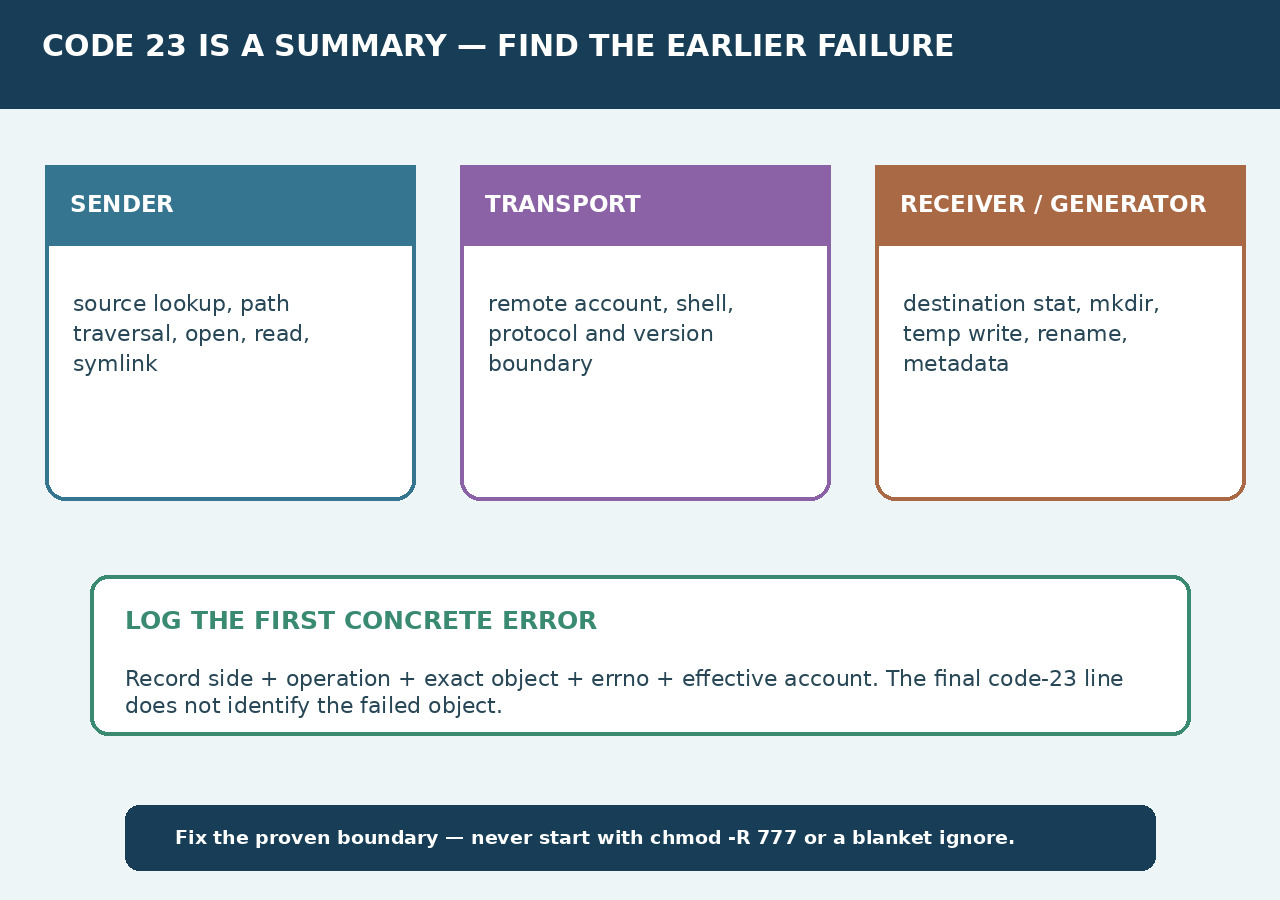
The final code-23 line is a summary. Preserve the complete output and find the first concrete failure before changing permissions, exclusions or rsync options.
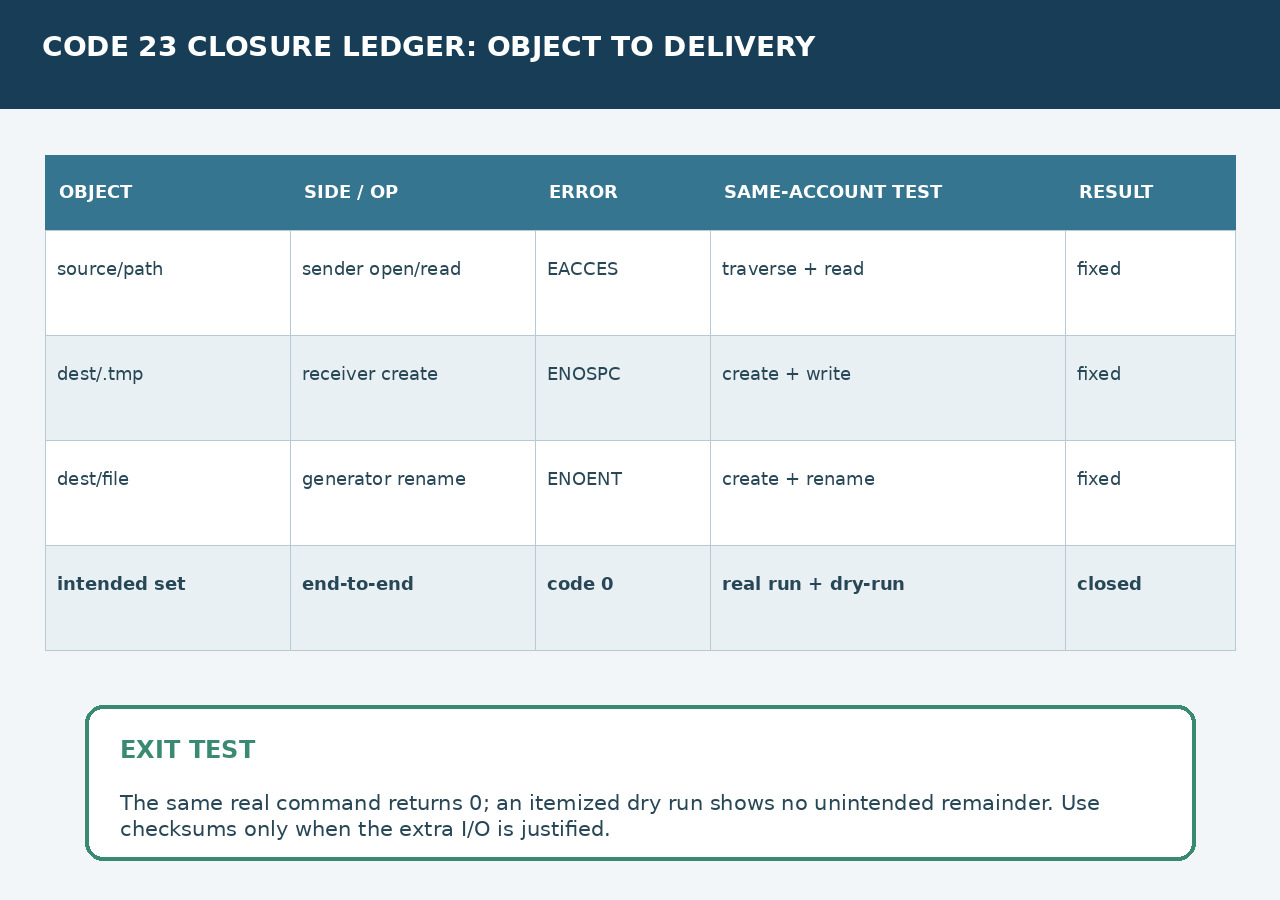
Build one ledger for the failed object, sender or receiver/generator side, filesystem operation, errno and effective account. Repair that boundary, rerun the real command and verify the intended set.
Preserve the exact run and complete log
Record both endpoints, the exact command, rsync versions, remote user, working directory and exit status. Save stdout and stderr from the beginning, or use a client log file; the last code-23 line is only the summary.
Do not begin with sudo, chmod -R 777, broad exclusions or an ignore rule. Those changes alter identity or scope before the failed object is known.
Classify the first concrete failure
For each earlier rsync error, write the exact path, the tag such as sender, receiver or generator, the operation such as open, stat, mkdir, write, rename or set metadata, and the errno text.
Treat remote shell authentication, protocol failures and code 24 as separate branches. A code-23 permission line and a code-23 failed-verification line require different tests and repairs.
Reproduce the object as the same account
On the source side, prove traversal of every parent plus lookup, link target and read access. On the destination side, prove parent traversal, create, write, close, rename and required metadata operations in a disposable name.
Use the same local or remote account and the same mount, container or service context as rsync. Check free blocks and inodes, quotas, read-only mounts, ACLs and identity mapping only where the recorded operation requires them.
Repair only the proven boundary
Correct the narrow owner, ACL, mount, capacity, missing path or option mismatch that reproduces the failure. Exclude an object only when omission is intentional and the transfer contract is changed explicitly.
If a controlled reproduction indicates a version-specific verification bug, compare a supported fixed build or bounded option change. Do not generalize that exception into a permission workaround.
Prove the intended set was delivered
Run the unchanged intended transfer after the fix and require exit code 0. Then use a dry run with itemized changes to expose unexpected remaining work; use checksum comparison only when stronger content proof justifies the extra I/O.
Dry-run cannot replace the real run because it sends no file data and may not encounter the same system-call failures. Close the incident only when the real transfer succeeds and the intended manifest has no unexplained omissions.