Technology · PRACTICAL GUIDE
ZIP lists files but cannot read them? Check each member and Python's decoder
Four controlled ZIPs show why a readable directory, an unsupported method and a bad CRC require different decisions.
If zipfile lists an archive but raises NotImplementedError when reading one file, inspect that member and the Python actually running the job. Listing the directory and reading an earlier member do not establish support for every compression or encryption feature in the archive.
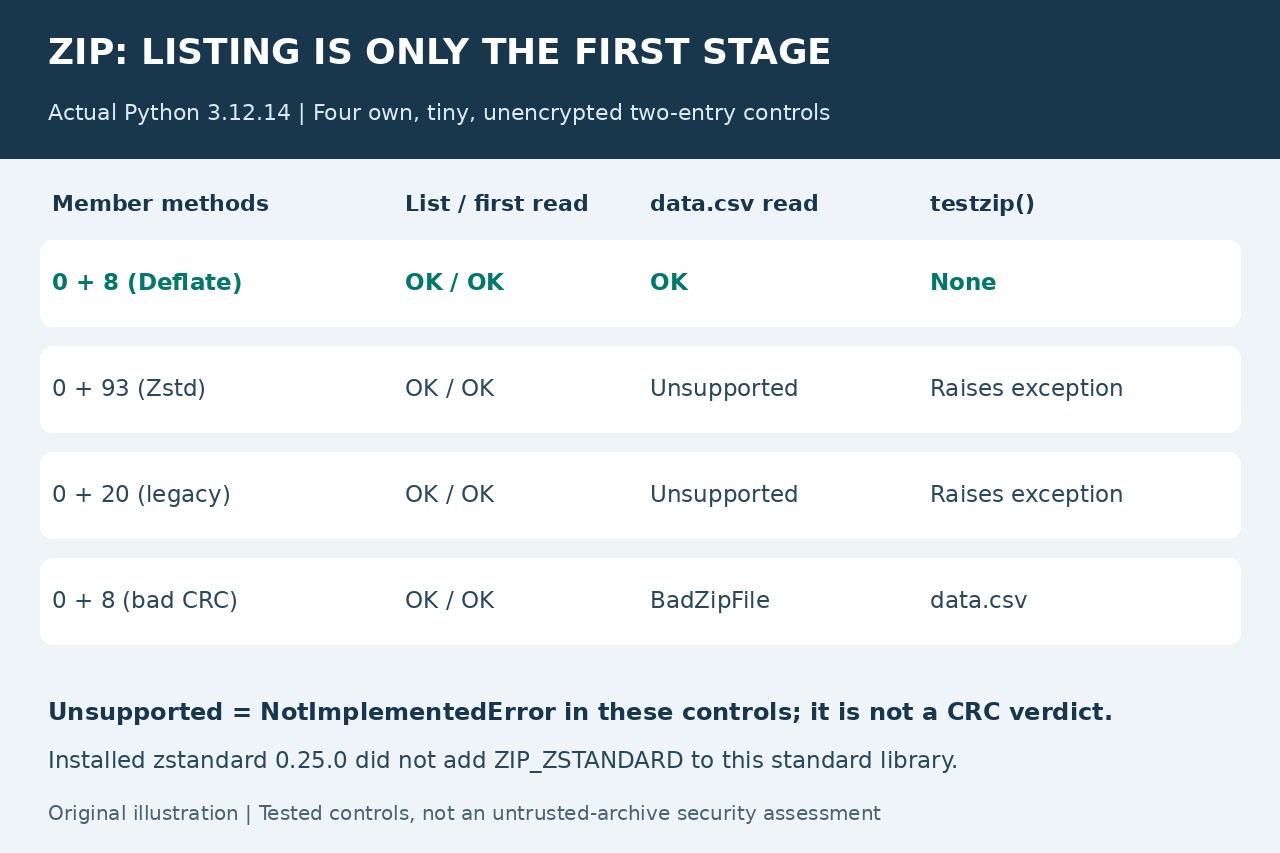
Our four tiny two-entry controls, tested with Python 3.12.14, all listed successfully and returned readme.txt. Their data.csv reads then separated into success, unsupported-method exceptions and a bad-CRC failure. That distinction determines what to investigate next.
Record the actual reader and every member
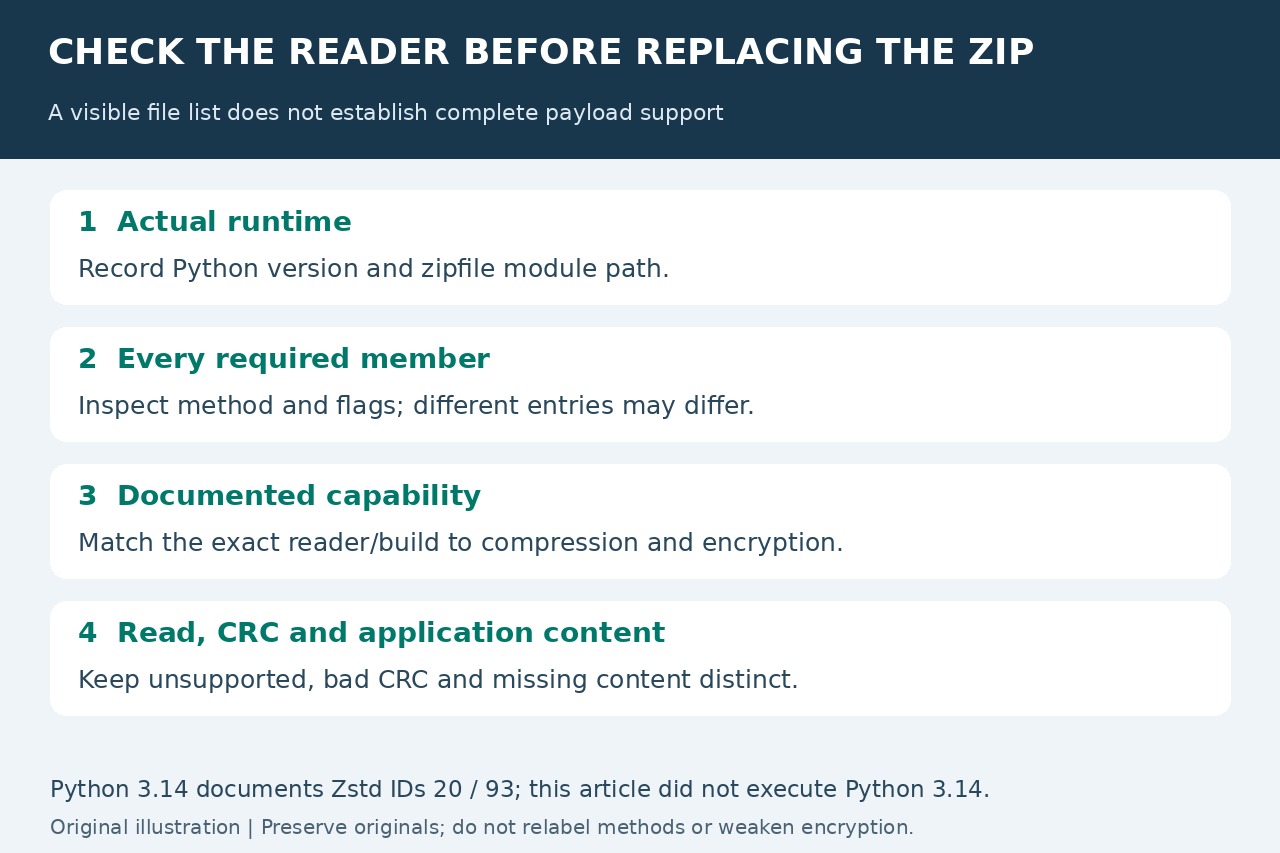
Start with sys.version and zipfile.__file__ in the failing process. Then open a working copy read-only and iterate z.infolist(), recording each item's filename, compress_type, flag_bits, file_size and compress_size. A scheduler, environment or shadowed module can make the reader differ from the one you checked elsewhere.
This is an inventory, not a payload test. Do not infer all entries' methods from the first member, or infer complete readability from is_zipfile(). PKWARE's method table also distinguishes Deflate64 (9) and the AE-x encryption marker (99); a Zstandard fix does not automatically address those branches.
Keep three test outcomes separate
Each control contained stored readme.txt followed by the same 24-byte data.csv. Stored plus Deflate (0/8) returned the expected CSV and testzip() returned None. Stored plus Zstandard (0/93), and stored plus the deprecated Zstandard ID (0/20), returned the readme but raised NotImplementedError for the CSV; testzip() propagated the same exception.
The fourth control used Deflate with deliberately incorrect CRC metadata. Reading data.csv raised BadZipFile, while testzip() returned its name. Record an exception, a returned bad filename and None separately. An unsupported decoder leaves the content's CRC unresolved; it does not prove either corruption or integrity.
Check built-in support, not just an installed package
The installed zstandard 0.25.0 library independently decompressed our Zstandard frames, but importing it did not add ZIP_ZSTANDARD to Python 3.12.14's zipfile. A separately installed codec is not evidence that this ZIP reader uses it. Check the actual interpreter, module and documented build capabilities.
The Python 3.14 reference says ZIP_ZSTANDARD was added in 3.14 and requires compression.zstd. It documents reading method IDs 20 and 93, and writing 93. That is versioned documentation, not a test of a 3.14 installation here or a promise that upgrading handles every compression, encryption or archive feature.
Choose a compatible path and verify the required content
Match the exact reader's documented capabilities to each required member's compression and encryption. If needed, use a documented capable reader or ask the producer for a compatible export while preserving the original. Do not change method numbers in headers or weaken encryption to make an error disappear. Apache's ZIP guide already documents per-entry capability checks; the existing method-9 and method-99 discussions concern their own feature branches.
Then read and verify every required member in an appropriately limited environment, check CRC outcomes and validate expected application content. Our 12 assertions passed on four tiny, unencrypted controls without extraction; they do not establish safety for untrusted archives or coverage of ZIP64, multipart files or all Python builds. The linked general ZIP guide explains the separate structure, CRC and required-content stages.