Technology · PRACTICAL GUIDE
Python UnicodeEncodeError: 'charmap' codec can't encode? Audit the output sink first
Prove which writer, destination and consumer selected the codec before forcing UTF-8, changing global mode or discarding characters.
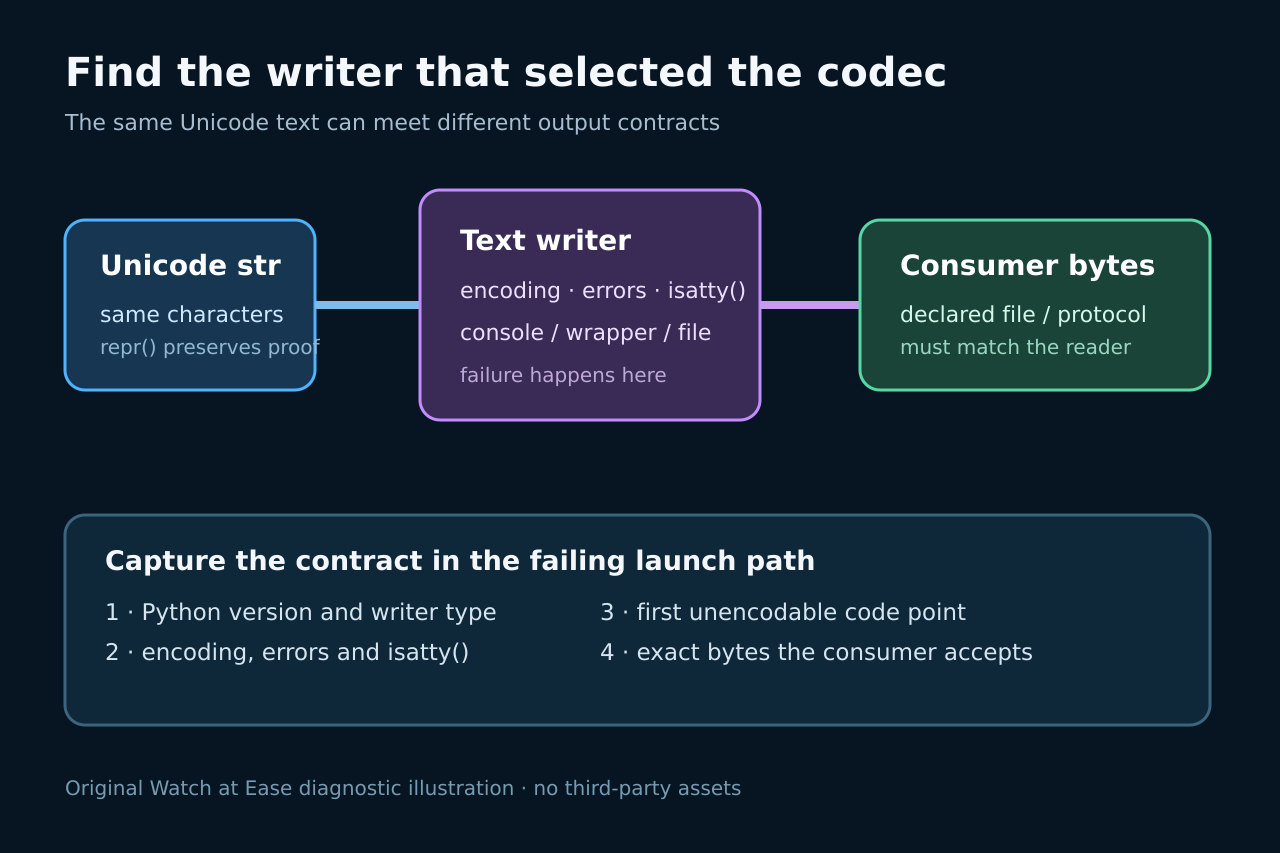
A charmap UnicodeEncodeError is an output-boundary failure: Python has valid Unicode text, but the writer's active codec cannot represent one of its characters.
This audit identifies the real sink, separates console and redirected behavior, assigns the repair to the boundary owner and verifies the bytes the consumer receives.
Freeze the failing sink and runtime contract
Save the exact command, traceback, offending text and Python version before changing encodings. Record sys.stdout.encoding, sys.stdout.errors and sys.stdout.isatty() in the failing launch path. If a file object fails instead, record how it was opened and whether an encoding argument was supplied. The codec named in the exception describes the encoder Python actually used at that boundary; it is not proof that the input text is damaged.
Repeat the same payload through the real destination: interactive console, shell redirection, pipe, IDE capture, scheduled job or explicit file. A run that succeeds in one destination and fails in another is evidence that the output contract changed. Preserve the first unencodable code point with repr() or an escaped diagnostic written to stderr, but do not replace the original data during diagnosis.
Separate text, characters and encoded bytes
Python str values are Unicode text. UnicodeEncodeError occurs when a text writer converts that text to bytes and the selected codec cannot represent a character. Printing, writing a text file and sending bytes are different boundaries. Inspect type(value), the failing code point and the writer's encoding rather than applying decode() to text that is already decoded.
Create a minimal probe with the exact character and destination. For a file, open it explicitly with the intended encoding and read the bytes back. For a stream, write to the same consumer and verify what it expects. The goal is to prove both sides of the boundary: which encoder produced the bytes and which program, file format or protocol will consume them.
Prove whether Windows console, redirection or a wrapper changed the encoding
Python documents that standard-stream encoding can depend on whether the stream is attached to a console, redirected to a file or replaced by another wrapper. On Windows, console devices and non-console files do not necessarily follow the same path. Microsoft separately documents console input and output code pages, which are properties of console I/O rather than a universal encoding for every redirected file.
Compare the same command in the console, with output redirected, and inside the failing IDE or service. Capture the three runtime fields each time. If a wrapper replaced sys.stdout, inspect its type and configuration. Do not infer a file's required encoding from chcp alone, and do not assume a successful terminal print proves that a downstream text file is UTF-8.
Assign the repair to the boundary that owns the format
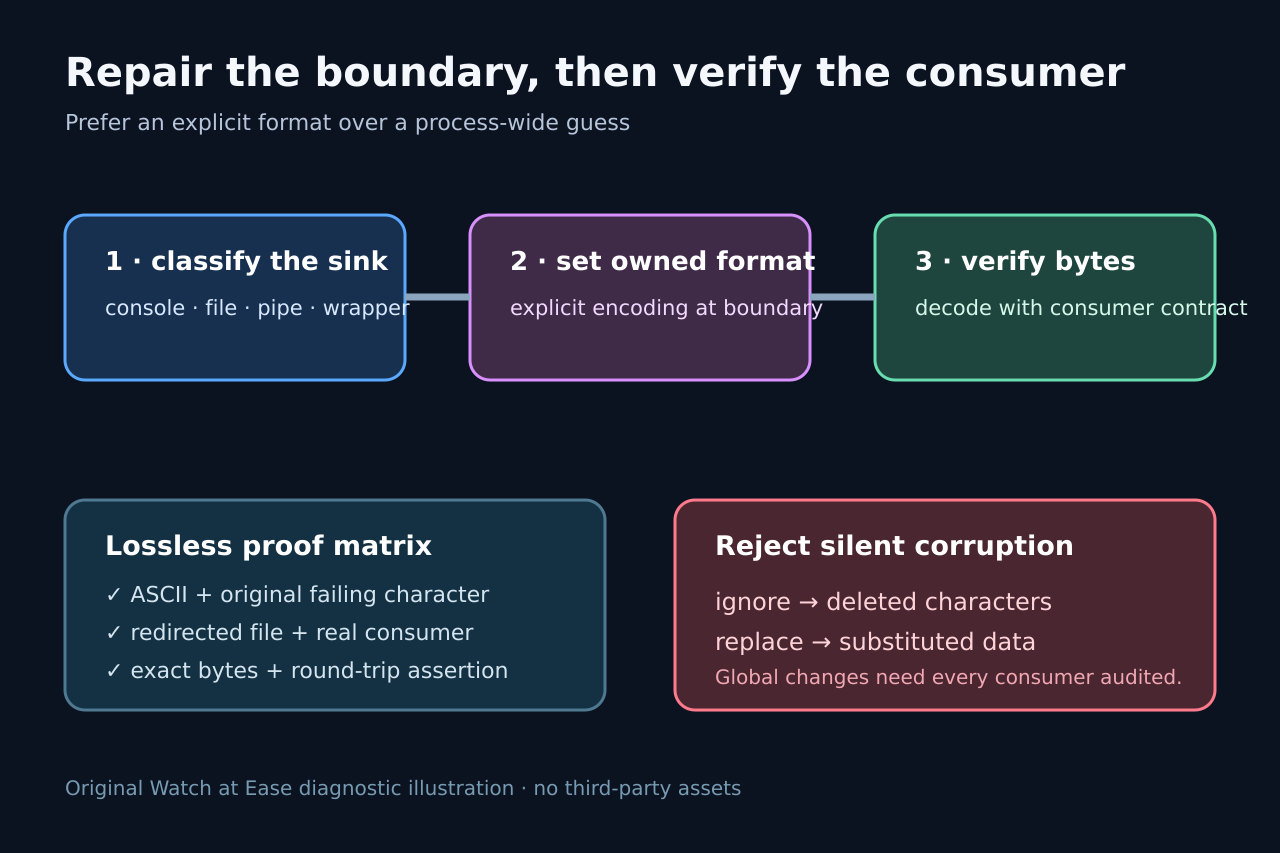
If your program creates a UTF-8 text file, open that file with encoding='utf-8' and document the format. If a subprocess expects UTF-8, configure the subprocess boundary and verify its bytes. If a terminal-facing CLI owns stdout, consider an explicit launch policy such as Python's UTF-8 mode or PYTHONIOENCODING only after checking every consumer that receives stdout and stderr.
Use sys.stdout.reconfigure() only when the application owns that standard stream and has not already emitted incompatible buffered data. Libraries should not silently rewrite a host application's global stream policy. When a framework, notebook or test runner supplies the writer, configure that owner or write to a boundary you control.
Reject lossy suppression as a default fix
errors='ignore' deletes characters and errors='replace' substitutes data; both can make a test pass while corrupting names, paths, identifiers or exported records. A broad try/except that drops the exception has the same observability problem. Use a lossy policy only when the output contract explicitly permits it, and record which characters may be transformed.
Do not encode to UTF-8 and immediately decode with an unrelated legacy codec. That converts a clear boundary error into mojibake or a later failure. Likewise, changing the system locale or every Python process is wider than most incidents require. Prefer the narrowest owner-controlled writer whose consumer contract is known.
Verify bytes, consumer behavior and rollback
Build a small matrix containing ASCII, the original failing character, a character outside the local code page and a mixed-language line. Test the interactive console, redirected file and real downstream consumer. Record the exact bytes or file hash, decode them using the declared format, and assert that the consumer renders or parses the same text.
Keep the original runtime fields, failing sample, chosen boundary, encoding, error policy and consumer result with the change. Rollback should restore the previous writer configuration without changing unrelated streams. Re-run the matrix after Python, Windows, IDE or service-wrapper upgrades because defaults can change even when application text does not.