Tecnología · GUÍA PRÁCTICA
¿NamedTemporaryFile funciona en POSIX pero falla en Windows? Elige el contrato de reapertura y borrado
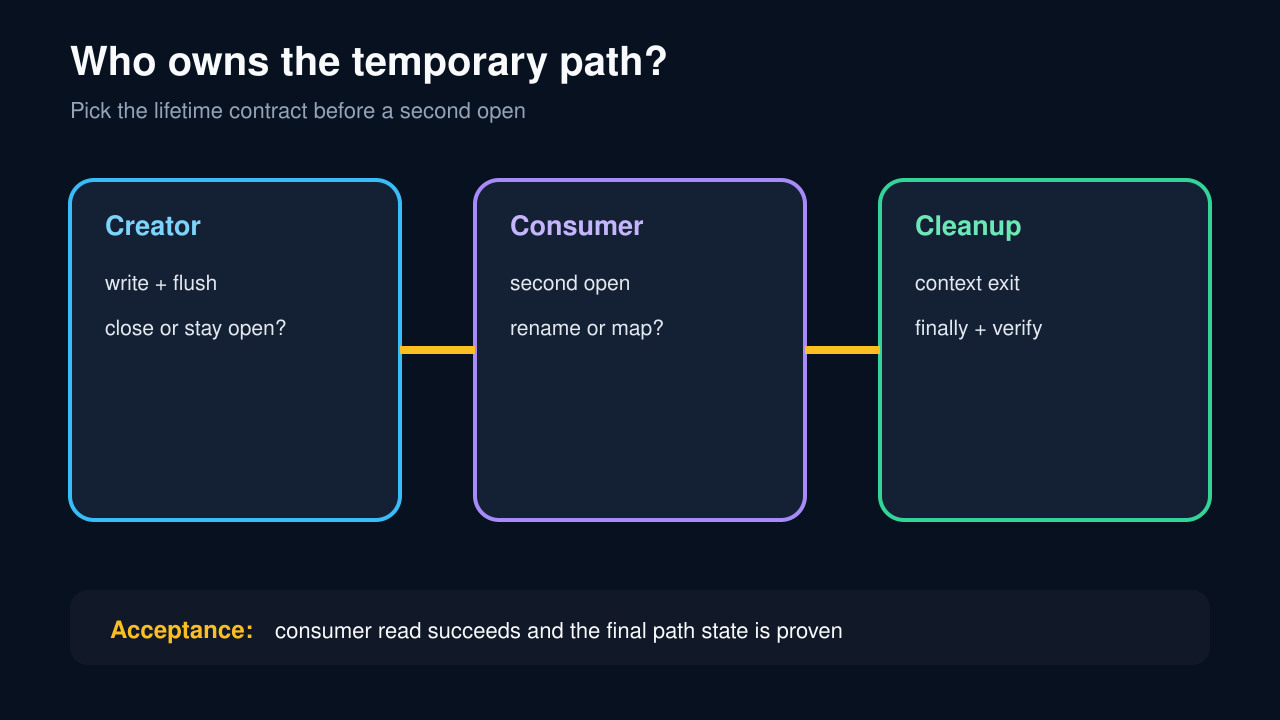
Una ruta temporal tiene tres responsables: creador, segunda apertura y limpieza. Decide qué manejador queda abierto antes de entregar el nombre.
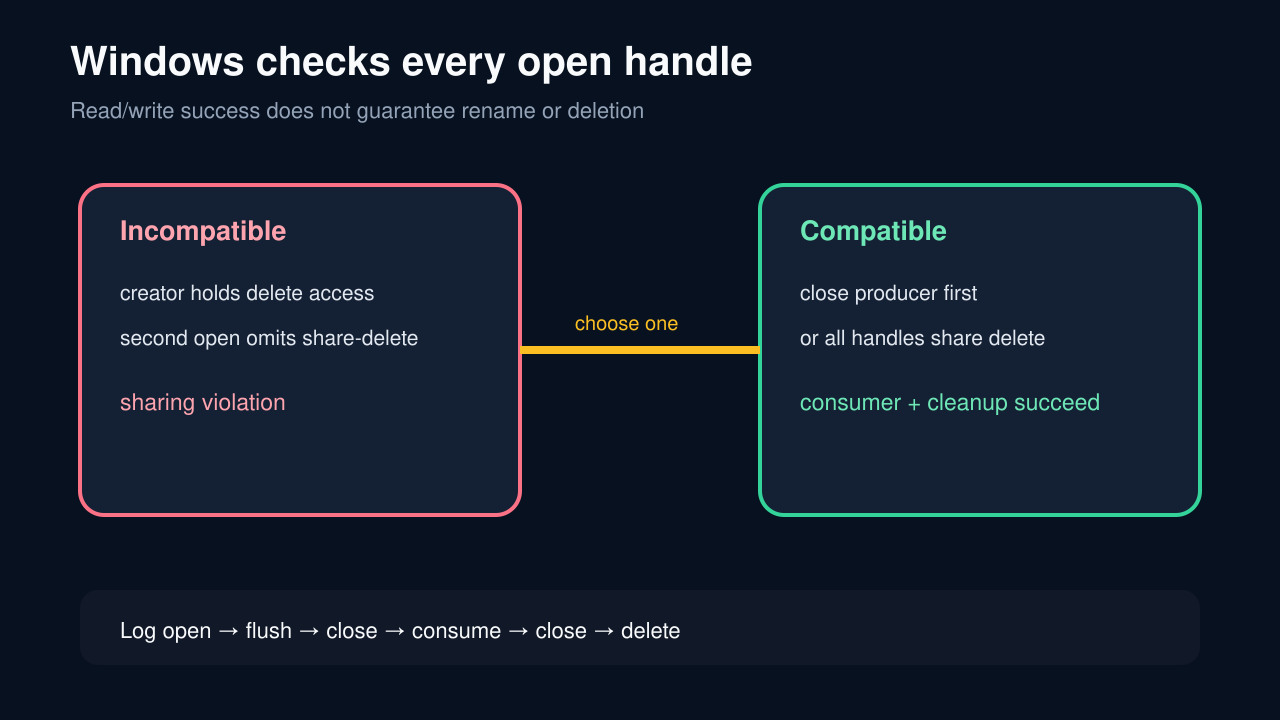
NamedTemporaryFile ofrece una ruta visible, pero no promete que todo segundo manejador pueda reabrir, renombrar o borrar. Windows compara el acceso con los modos compartidos de todos los manejadores existentes.
Elige el contrato de vida antes de crear: ruta ya cerrada, reapertura con el creador abierto o limpieza del consumidor. Vincula delete y delete_on_close, cierra manejadores incompatibles y verifica consumo y borrado final.
Nombra primero al siguiente propietario
Write down whether the next user is the same Python handle, a second Python open, a library that accepts a path, or an external process. Also state whether that consumer needs only read/write access or may rename, replace, or keep the file mapped.
If the consumer accepts a file object, prefer passing the existing object and avoid a second pathname open. If it requires a path, the handle and cleanup contract must be explicit.
Elige uno de tres contratos de vida
For same-context reopen on Python 3.12+, delete=True with delete_on_close=False keeps automatic context-exit cleanup while allowing an ordinary second open on Windows. Close that second handle before leaving the context.
For an external process or API that cannot share delete access, flush and close the producer, use delete=False, pass the path, wait for the consumer, then remove the file in finally. For a specialized second Python open that shares delete access, use the documented O_TEMPORARY route only when every participant follows the same contract.
Separa flush, close y fin del proceso
flush makes Python buffers visible but does not release the Windows handle or its share-mode record. close releases that handle. Waiting for the subprocess proves only that process exit occurred; it does not prove another library or mapped view released the file.
Keep the producer, consumer, and cleanup timestamps in a small ledger. A cleanup PermissionError is evidence of an outstanding handle or missing delete right, not a reason to silently leak the path.
Trata renombrar y borrar como acceso propio
Microsoft documents that delete access includes rename. A file can be readable and writable yet still reject os.replace, fileinput in-place editing, or cleanup because a prior handle did not share delete access.
Do not diagnose every WinError 32 as another process. Record the exact operation, every handle you own, whether each is closed, and whether the consumer might retain a mapping.
Verifica en ambas plataformas
Create a fixture that writes bytes, reopens or hands off the path exactly as production does, confirms the consumer read the expected hash, closes every handle, exits the context, and asserts whether the path should exist. Run it on Windows and POSIX.
For delete=False, assert deletion in finally and fail loudly if removal fails. For delete_on_close=False, assert the second handle closes before context exit. Also test the exception path so cleanup is not dependent on a successful consumer.