Technology · PRACTICAL GUIDE
pip says CERTIFICATE_VERIFY_FAILED? Prove the active trust path before bypassing TLS
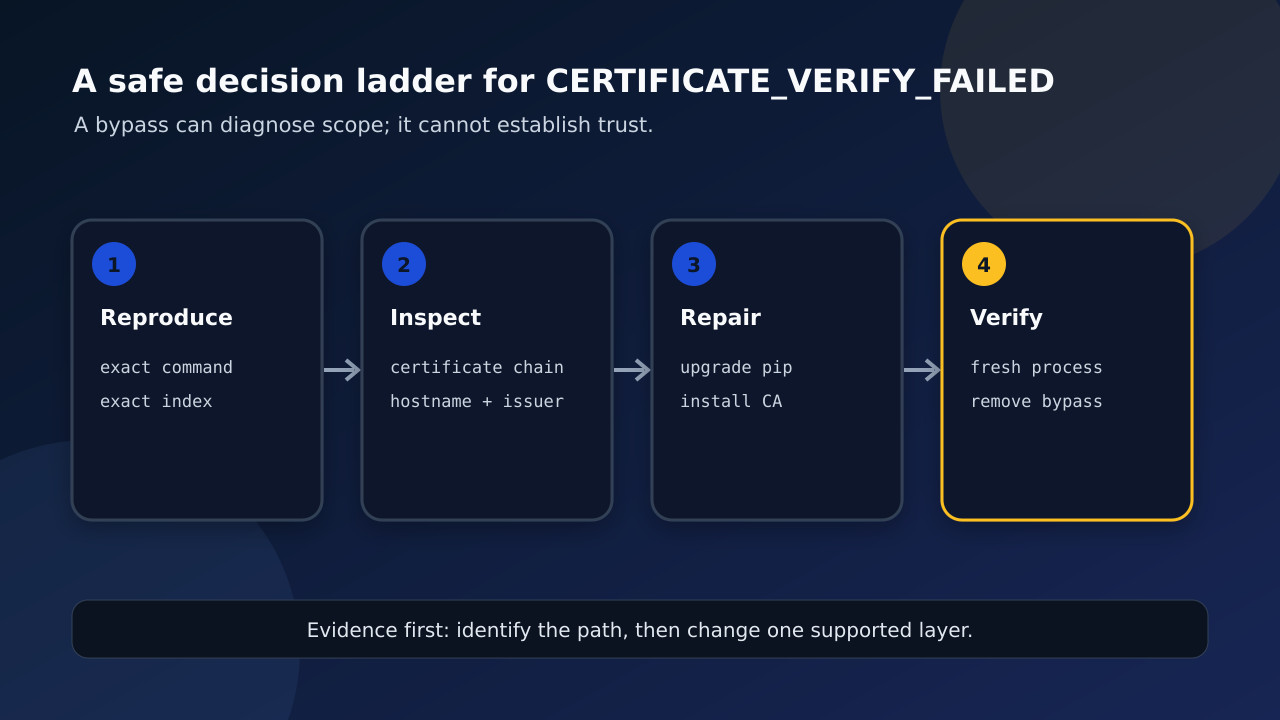
Identify the exact Python, pip configuration, proxy issuer and CA source first; then repair the smallest supported layer and verify the original request without a bypass.
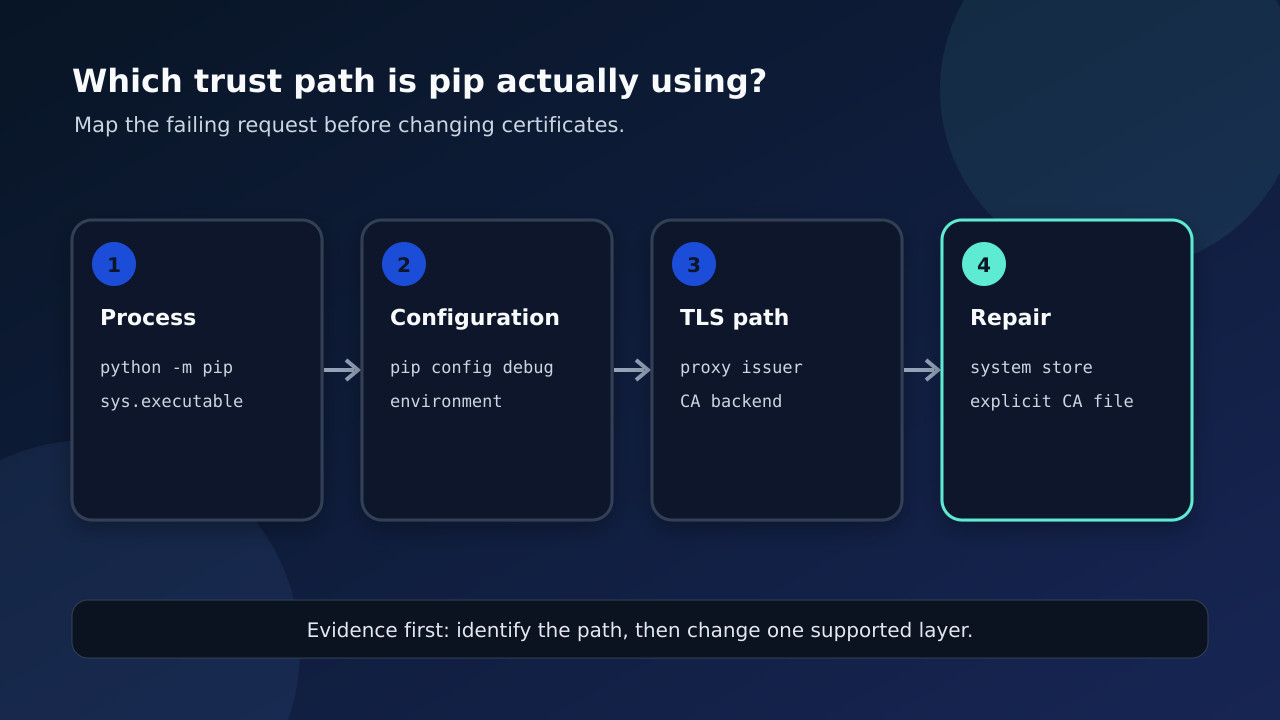
A pip TLS failure is not one problem with one universal command. The same error can come from the wrong interpreter, a hidden pip configuration file, an intercepting proxy, an incomplete CA chain, an older pip certificate backend, or a build-isolation subprocess that follows a different path. The safe first move is to identify the exact process and trust source before changing verification.
Freeze the exact failing process and request
Run the failing command again as `python -m pip ...`, then record `python -c "import sys,ssl; print(sys.executable); print(ssl.OPENSSL_VERSION)"` and `python -m pip --version`. Also record the exact index hostname and whether the failure happens during the main install, dependency resolution or an isolated build. A successful browser visit does not prove that this Python process uses the same trust store or proxy path.
Expose configuration before editing it
Use `python -m pip config debug` to list the configuration files and values pip can see. Then inspect relevant environment variables such as `PIP_CERT`, `REQUESTS_CA_BUNDLE`, `CURL_CA_BUNDLE`, proxy variables and any custom index URL. Record values without publishing credentials. Configuration precedence matters: a user file, virtual-environment file or environment variable can override the setting you thought was active.
Identify the certificate issuer and CA backend
Determine whether the presented chain is issued by a public CA, an organization proxy or an unexpected intermediary. On modern supported combinations, pip can use system certificates in addition to certifi through truststore; the exact behavior depends on pip and Python versions. An explicit `--cert` or CA-bundle environment variable selects a file path and can change that path again. The diagnosis is the tuple of interpreter, pip version, target host, proxy route, issuer and CA source.
Choose the smallest supported repair
If the wrong interpreter is running, invoke the intended one. If pip or Python is too old for the documented system-store behavior, upgrade inside an allowed maintenance path. If an organization intentionally intercepts TLS, obtain its root certificate from the administrator and install it in the operating-system trust store or point pip to an approved CA bundle. Fix a malformed proxy or index setting at its source instead of adding broader exceptions.
Treat trusted-host and disabled verification as diagnostics only
A trusted-host exception or disabled verification can show that certificate validation is the boundary, but it does not prove the server identity or repair the trust chain. Do not preserve that bypass in a global pip configuration, image, CI secret or copied command. If a temporary diagnostic is authorized, limit it to the named host and remove it immediately after capturing the result. Never paste credentials or private CA material into a public issue.
Verify closure in a fresh process
Open a new shell or rebuild the environment, repeat the same `python -m pip` request without any bypass, and rerun `pip config debug`. Confirm that the expected interpreter and CA source are active and that both direct requirements and build dependencies work. If only an isolated build still fails, preserve that distinction: it is evidence of a second subprocess or environment boundary, not permission to weaken TLS globally.