Technology · NEWS EXPLAINER
OpenAI Codex Cloud adds reusable environments for cross-device coding tasks
OpenAI's DevDay update lets Codex users prepare a cloud development environment once and reuse that setup for new tasks across supported devices. Each task still runs in its own isolated workspace, and the new controls are rolling out gradually with plan and workspace restrictions.
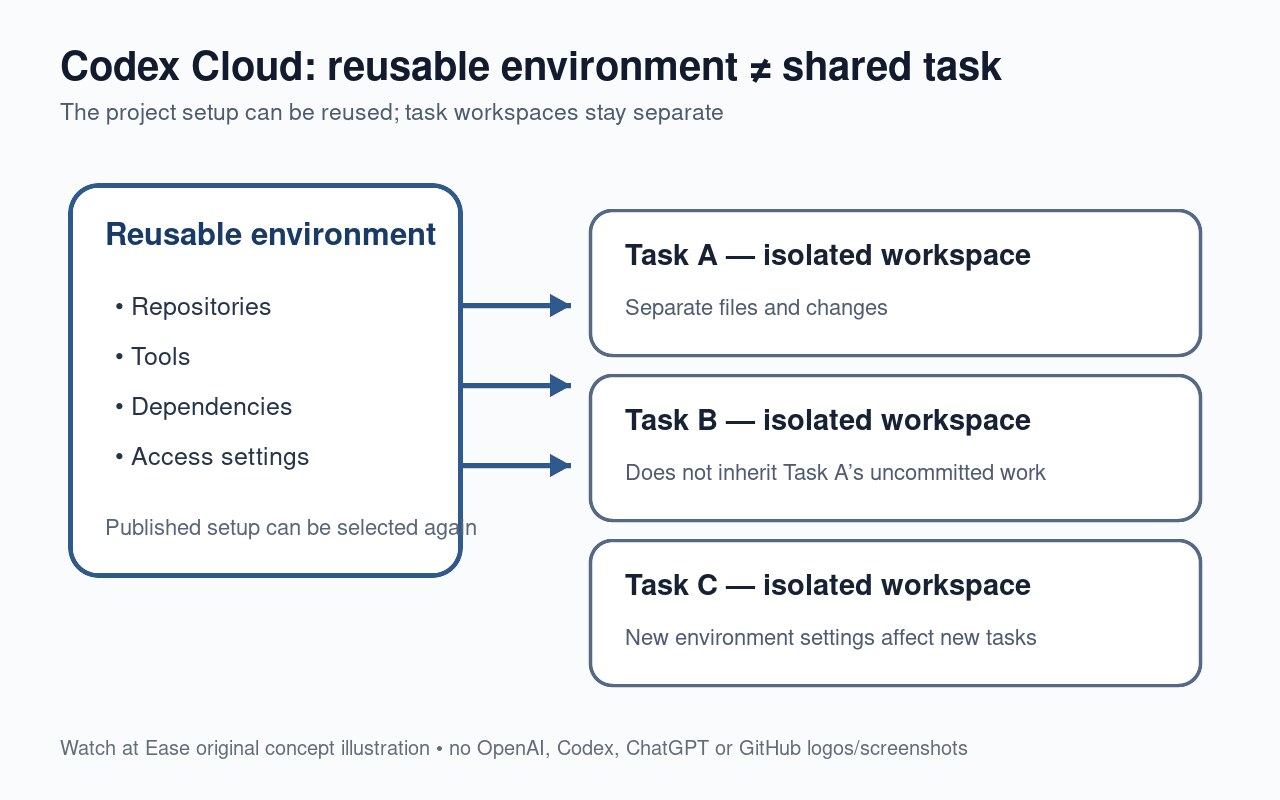
OpenAI is changing how Codex cloud work is set up. Instead of treating every remote coding task as a completely fresh setup, the new Codex Cloud experience lets users prepare and publish a reusable environment containing a project's repositories, tools, dependencies and access settings, then select that environment when starting new tasks.
That does not turn every task into one shared workspace. OpenAI's documentation says each task still starts in its own isolated workspace with separate files and changes. The company also says the DevDay features are rolling out gradually, so availability depends on the user's plan and, in managed workspaces, administrator settings.
The reusable part is the project setup, not one giant shared task
TechCrunch reported that OpenAI introduced reusable cloud development environments at its September 29 DevDay, making Codex's cloud setup more persistent and configurable than the earlier pattern of spinning up isolated remote tasks.
OpenAI's own documentation draws an important distinction. An environment packages the setup Codex needs for a project — repositories, tools, dependencies and access settings — and can be published for reuse. But every new task created from that environment still gets a separate isolated workspace. Updating an environment's published setup applies to new tasks, while existing tasks keep their own state.
A cloud task can move across devices while your computer is off
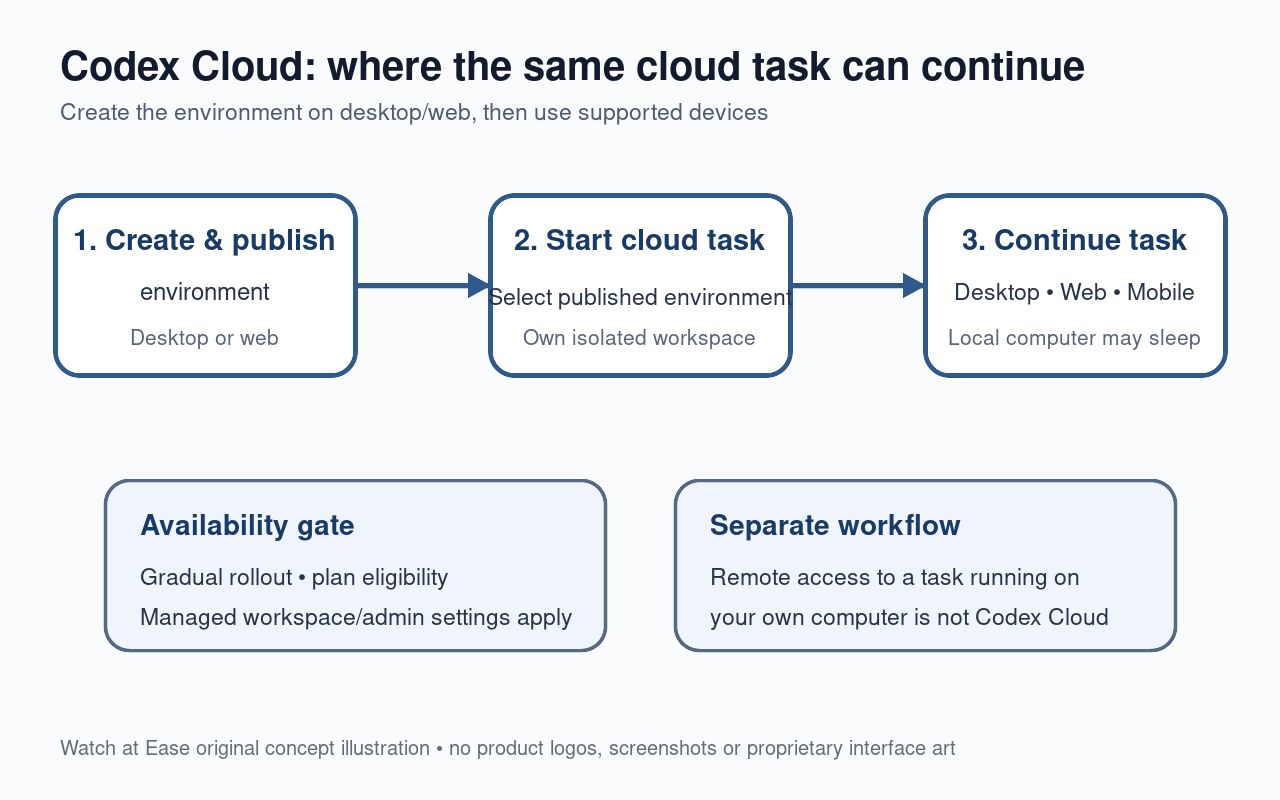
Once an environment has been created and published on desktop or web, OpenAI says it can be selected for tasks across supported devices. A user can start or continue a Codex Cloud task from desktop, web or mobile, and the cloud task can continue while the user's own computer is asleep.
That is different from remotely controlling a task that is actually running on the user's computer, which OpenAI describes as a separate workflow. The practical change is that the cloud environment provides the reusable project setup, while the cloud task itself remains tied to its own workspace and can be reopened on another supported device.
Enterprise teams can share environments without sharing each other's tasks
OpenAI's September 29 Enterprise release notes say authorized ChatGPT Enterprise members can share reusable cloud environments. That can give a team a common prepared setup instead of requiring every developer to recreate the same dependencies and access configuration.
The sharing boundary matters. OpenAI says sharing an environment makes its prepared setup available to authorized workspace members; it does not give teammates access to another person's task or automatically give them permission to edit the environment. Repository access still depends on each person's own GitHub connection and permissions, and Enterprise workspace cloud-access controls still apply.
The DevDay controls are still rolling out
OpenAI says the new DevDay features are being rolled out gradually and may not yet appear for every account. Plan eligibility and usage limits can differ, while managed workspaces add administrator-controlled cloud access.
Users should also distinguish an environment from task recovery. Starting a new task creates a separate workspace and does not recover another task's uncommitted work; OpenAI advises returning to the original task for unfinished changes and committing important work to source control. During the transition, existing Code Review, Security Review and current Linear/GitHub integration workflows continue to use Codex Cloud (Legacy).