Technology · PRACTICAL GUIDE
npm says “getaddrinfo EAI_AGAIN”? Prove the resolver context before changing DNS
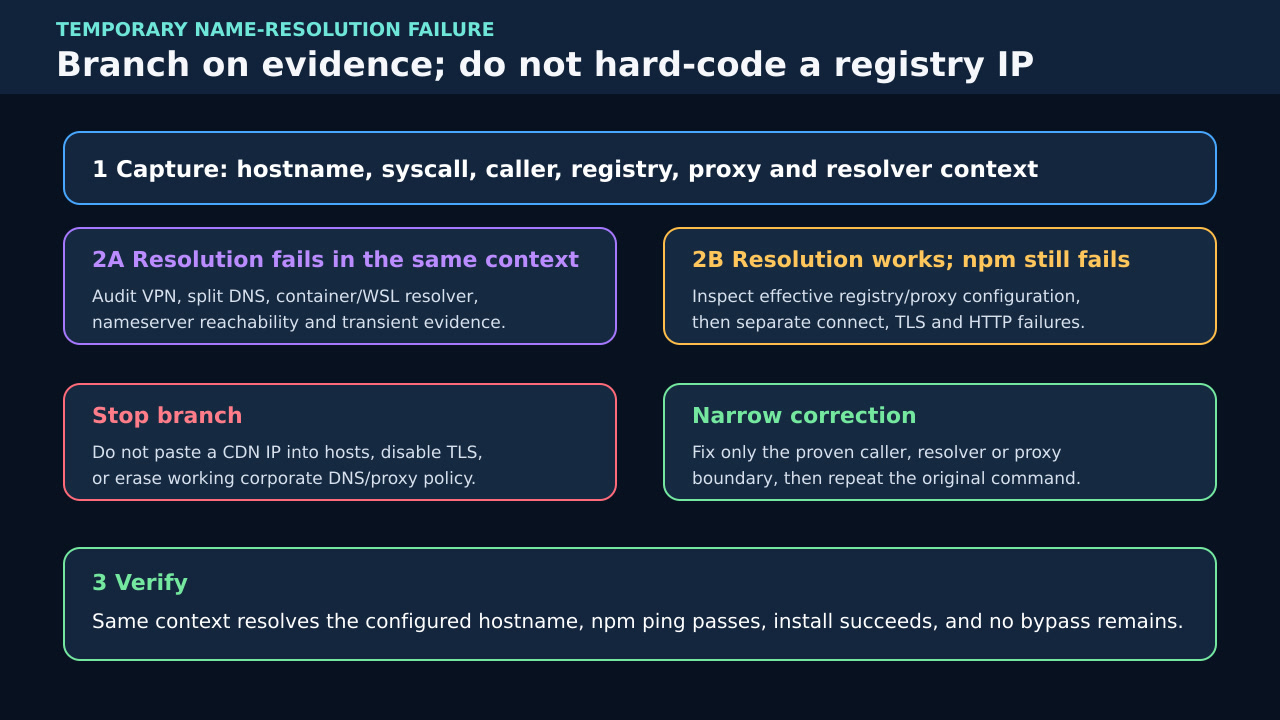
Capture the exact registry hostname and failing shell, CI, WSL or container; test name resolution there, then separate npm proxy, TLS and registry failures without hard-coding an IP.
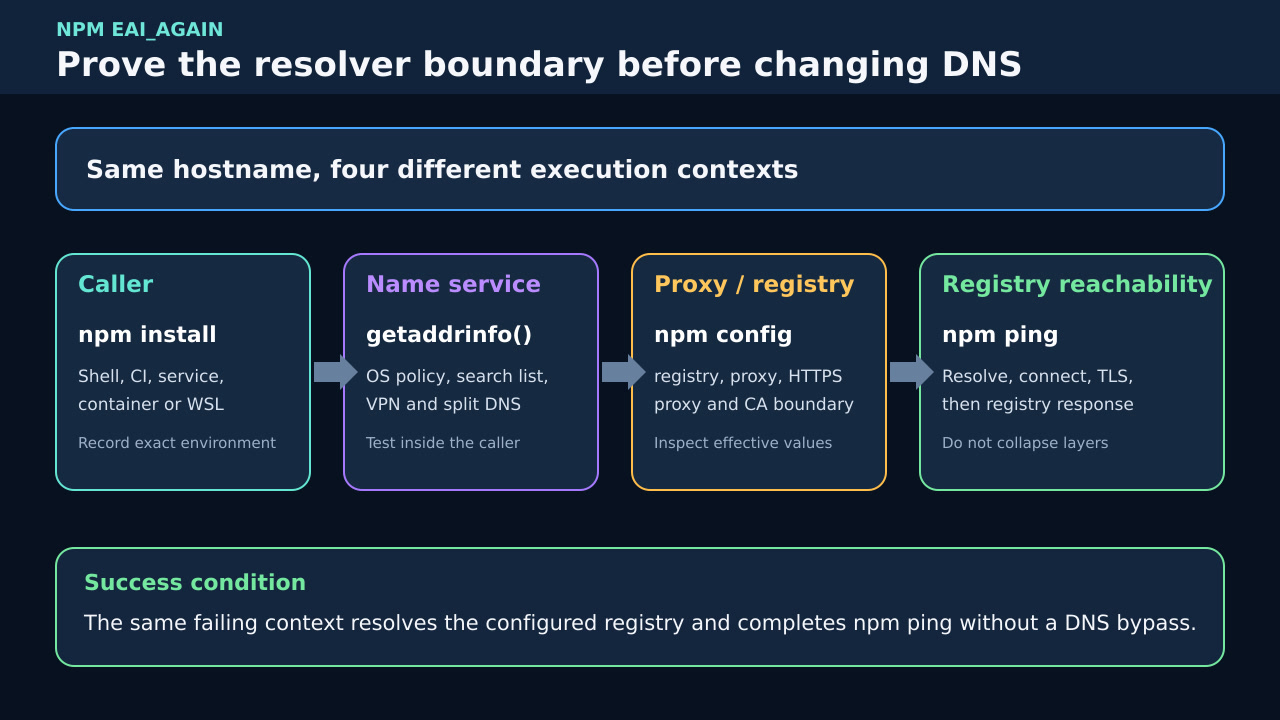
“getaddrinfo EAI_AGAIN” means the name-resolution step returned a temporary failure. It does not prove that npm is down, that the registry IP is fixed, or that the browser and failing process use the same resolver.
The safe workflow starts inside the exact failing shell, CI runner, WSL instance or container. Record the configured registry and proxy, prove name resolution there, then continue to connection, TLS and HTTP only after the hostname resolves.
Freeze the exact caller and hostname
Save the full npm error, including code, syscall, hostname, command, time and execution context. Record whether the caller is an interactive shell, IDE, service, CI job, WSL instance or container. Do not shorten registry.npmjs.org to “the internet” or copy a browser result from another context.
Print the effective npm registry and relevant proxy configuration without exposing credentials. Note command-line overrides, environment variables and project, user or global npmrc files. A private registry or stale proxy hostname can fail before the public npm registry is involved.
Test name resolution inside the failing context
From the same user, namespace and network context, resolve the exact hostname with the platform resolver and repeat enough times to distinguish a transient result from a consistent policy failure. In a container or CI runner, execute the probe there; a successful host lookup is not equivalent evidence.
Record the resolver configuration, search domains, VPN or split-DNS state and whether the configured nameserver is reachable. Do not immediately replace corporate DNS with a public resolver: internal registry names and security policy may depend on the existing path.
Separate DNS from proxy and registry transport
Run npm ping against the effective registry. If name resolution still returns EAI_AGAIN, stay in the resolver branch. If the hostname resolves but npm reports timeout, refused connection, certificate or HTTP status, move to that layer and keep the original DNS evidence separate.
Inspect proxy and https-proxy only after recording their current source. A proxy hostname must itself resolve in the failing context. Remove or replace a proxy value only when it is stale or wrong for that context; do not erase a working enterprise control by guesswork.
Use narrow branches for containers, WSL and CI
For Docker, compare the container network and DNS configuration with the host and test the exact build or runtime stage that failed. Rebuilding an image does not repair a resolver policy, and restarting a daemon can hide a transient without proving the cause.
For WSL or hosted CI, record generated resolver files, VPN timing and job image before changing them. If only one runner fails, preserve that runner evidence instead of changing repository-wide registry or TLS settings.
Verify the repair without a bypass
Repeat resolution, npm ping and the original npm install or npm ci from the same caller. Confirm that the configured hostname is used, that proxy and certificate policy remain intentional, and that no temporary hosts entry or public-DNS override is left behind.
If the failure was intermittent, require repeated success across the relevant job or build window and preserve timestamps. One successful retry proves recovery at that moment, not the root cause; the before-and-after ledger should show which boundary changed.