Tech · PRACTICAL GUIDE
NBA replay gone on Prime? Check what the 72-hour clock means
For U.S. viewers, Prime replay expiry and League Pass blackout waiting are different clocks. Identify the product and check your existing subscription before paying again.
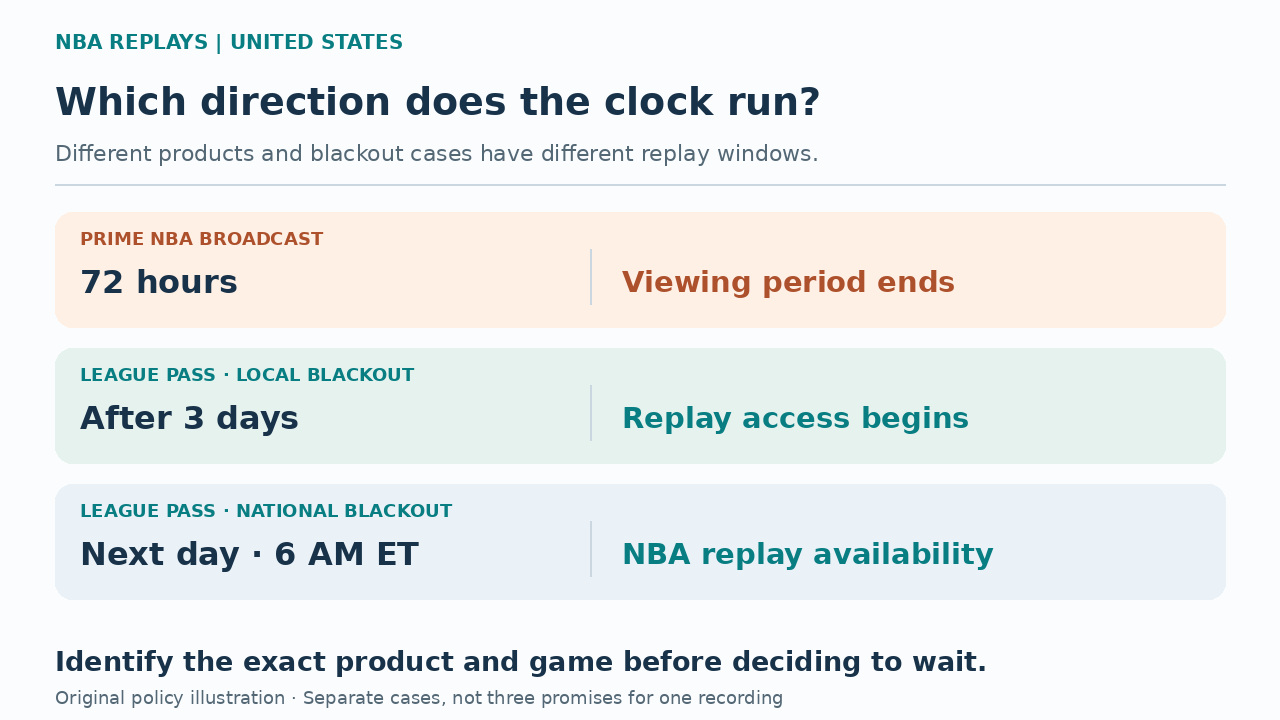
If a full NBA replay has disappeared from Prime Video, first identify which product supplied it. Amazon’s NBA on Prime guidance describes a 72-hour replay viewing period. The NBA’s U.S. League Pass rules describe a three-day wait for locally blacked-out games. One window closes; the other opens. Applying the wrong clock can make waiting the wrong next step.
This guide covers viewers in the United States using Prime Video or an existing NBA League Pass subscription. It explains which timing rule to check, how to verify eligible account access, and when a missing recording needs provider help. A recap remaining on a game page does not establish either the cause of the disappearance or the status of your League Pass entitlement.
Identify the product inside Prime Video
Prime Video is a viewing app for more than one basketball product. Amazon’s own nationally broadcast NBA games are included for U.S. Prime members; the NBA League Pass add-on is a separate subscription. Seeing both inside the same app does not make their replay catalogs or viewing periods identical.
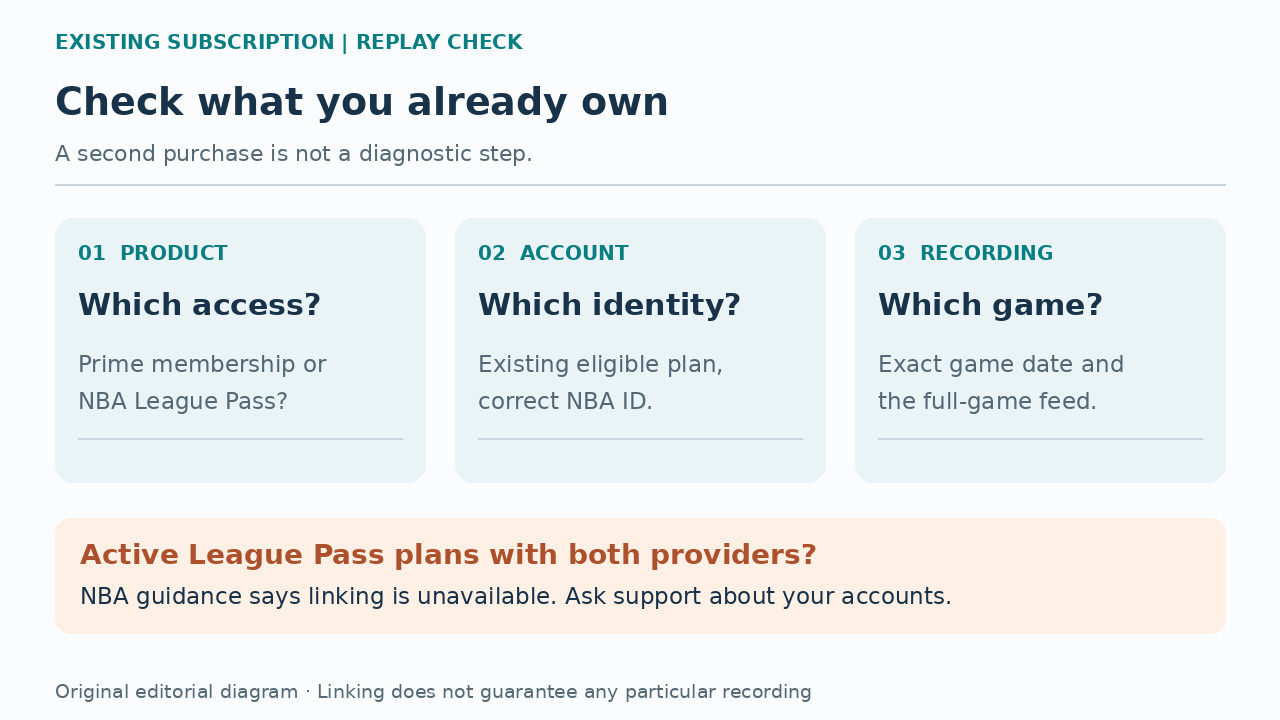
Write down the teams, game date, original broadcaster and the item you selected. Distinguish a full broadcast from a condensed game, highlights or a postgame show. Then check your subscription record: do you have Prime membership, an active League Pass plan, or both? The product name on that record is more useful than remembering that you watched “on Amazon.”
Prime’s 72 hours is a closing window
Amazon’s published NBA on Prime FAQ says full-broadcast replays are offered after the game for 72 hours. For that product, the period describes how long the replay is offered. It is not an instruction to wait three days before looking for the full broadcast, and it is not measured from when you first pressed Play.
If that viewing period has passed, repeatedly waiting at the same Prime listing is not a way to extend it. Check the exact listing and any existing League Pass access instead. Do not apply this limit to every video carrying an NBA label: the FAQ separately describes League Pass material, and a missing game before the expected expiry can still require investigation.
League Pass has opening times for U.S. blackouts
The NBA’s U.S. replay guidance lists a different schedule: a locally blacked-out game’s full replay becomes available three days after the game concludes; a nationally blacked-out game’s full replay becomes available at 6:00 AM ET the following day. For a game without a blackout, editing and uploading can still take several hours.
These are the NBA’s published League Pass availability rules, not an extension of Prime’s own replay listing. Identify the original broadcast and the viewing location before choosing a row. Keep Eastern Time attached to the national-game rule rather than reading it as 6 a.m. wherever you live. These U.S. timings should not be carried over to Canada, other countries or special Summer League schedules.
Already paid for League Pass? Check that entitlement first
Two original reader reports show why this branch matters. One Prime customer said they had already bought League Pass, started a past game and returned to find only postgame content. Another Amazon support user expected games to unlock after about three days but still saw unavailable. Those reports establish the access question; neither proves the viewer’s country or that expiry caused the failure.
The practical response to an already-paid account is to verify the active plan and correct account, not treat another purchase as a troubleshooting step. NBA guidance allows eligible existing subscriptions bought through NBA or Amazon to be linked for access on their supported platforms. Check the seller and NBA ID you actually intend to use before changing anything.
Use the existing-subscription link, with its limits
On the web, use the NBA’s account-linking page at https://www.nba.com/id/amazon and follow its instructions while signed into the intended NBA ID. For an Amazon-bought plan in the NBA app, start signed out, open My Account, then Subscriptions, Already Purchased?, and Link Prime Video Subscription. These are the English labels in the official instructions.
Linking permits one NBA ID per Amazon account and is unavailable when you have active League Pass subscriptions through both providers. Eligible markets also differ; the U.S. is supported, while Canada is on the excluded list. Prime viewing remains limited to the purchase country. Linking changes authentication, not broadcast rights, and does not guarantee that a particular missing recording will reappear.
Check the exact full-game feed on the NBA platform
After verifying an eligible subscription, sign into the NBA app with that NBA ID, open Games, select the game, choose Watch Now and select the desired stream. On NBA.com, sign in, open the games page, select the game and then the stream. Inspect the full-game option itself instead of accepting a short recap as proof that the full replay is present or absent.
Use the applicable NBA availability rule to decide when that check is meaningful. Account linking does not remove blackouts, and the linking help explicitly retains restrictions for Prime-exclusive games. The separate NBA replay timetable is useful guidance, not a promise that the same Prime broadcast asset exists in another app. If the expected full replay is still missing, record the exact result.
Send the unresolved problem to the right provider
For a replay missing from the NBA app or NBA.com after its expected availability window, contact NBA support. The NBA also handles assistance with linking. For Prime’s own exclusive broadcast or other Prime Video issues, contact Amazon. Subscription changes remain with the service that sold the plan; a catalog question is not a reason to cancel and repurchase first.
Give support the teams and date, viewing country, original broadcaster, platform, selected full-game feed, subscription seller and the message or item you see. State whether the applicable window has not opened, has passed, or is unclear. Keep screenshots free of payment details and passwords. This turns “the game is gone” into a specific entitlement, listing or playback question.
Use the clock to choose the next action
Suppose a Prime national-broadcast replay is missing more than 72 hours after the game. The useful next question is what other access you already hold, not whether another three-day wait will reopen that Prime listing. By contrast, a locally blacked-out League Pass replay checked before its three-day opening time may simply be too early. These are different product-and-game cases, not two promises for the same recording.
You have resolved the viewing task when the intended full replay plays on an entitled account. If it does not, a provider needs to establish that recording’s availability; identifying a likely timing rule alone is not a successful playback test. The guidance here was checked against published rules, without a signed-in playback or account-linking test. Keep that distinction when deciding what the evidence actually proves.