Technology · NEWS EXPLAINER
MapQuest adds a surveillance-camera layer—but ‘known’ pins are not a complete map
A new Map Options toggle marks reported outdoor cameras and license-plate readers from Flock and other vendors. It can reveal surveillance density, but MapQuest has not explained the source, update rate or completeness of every pin.
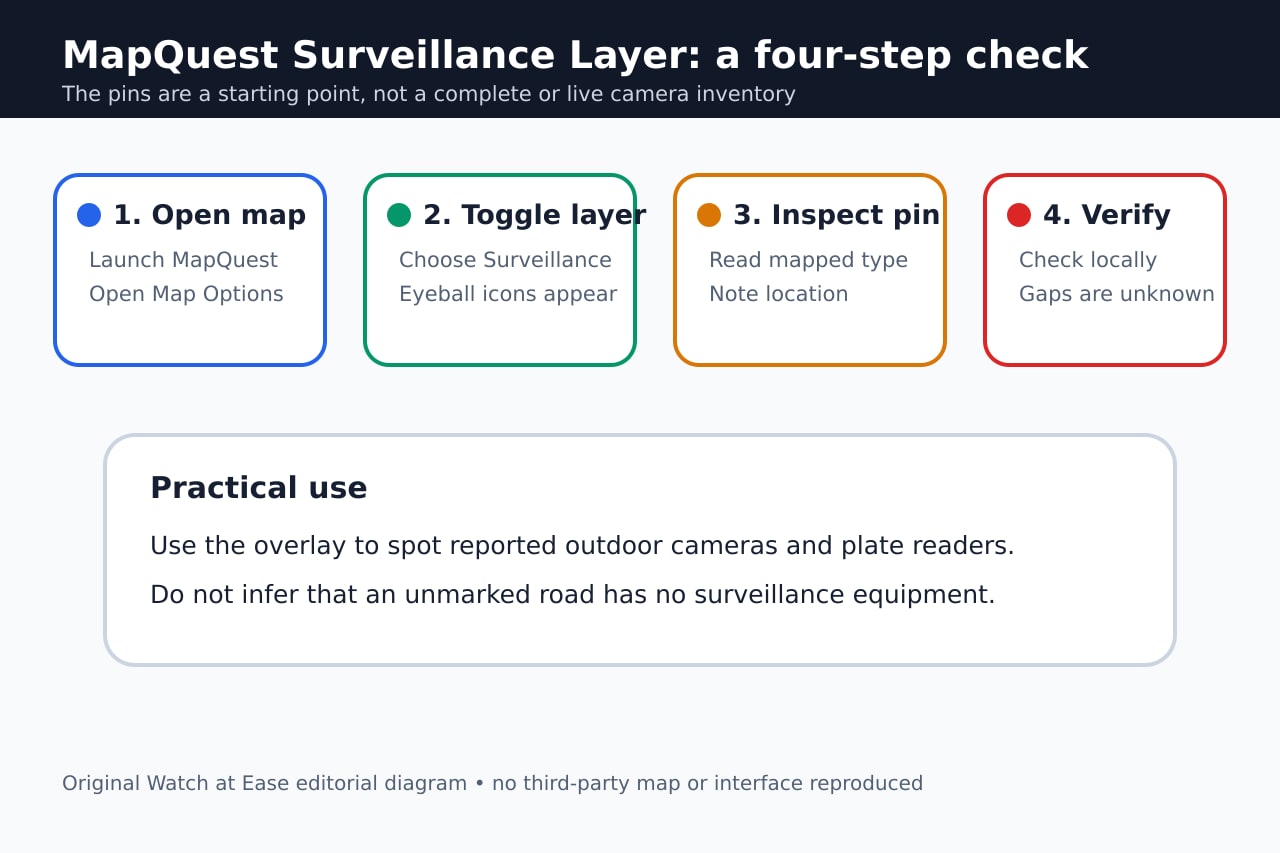
MapQuest has added a Surveillance Layer that places eyeball icons on reported outdoor surveillance cameras and automated license-plate readers. The switch appears in Map Options beside existing traffic and incident overlays.
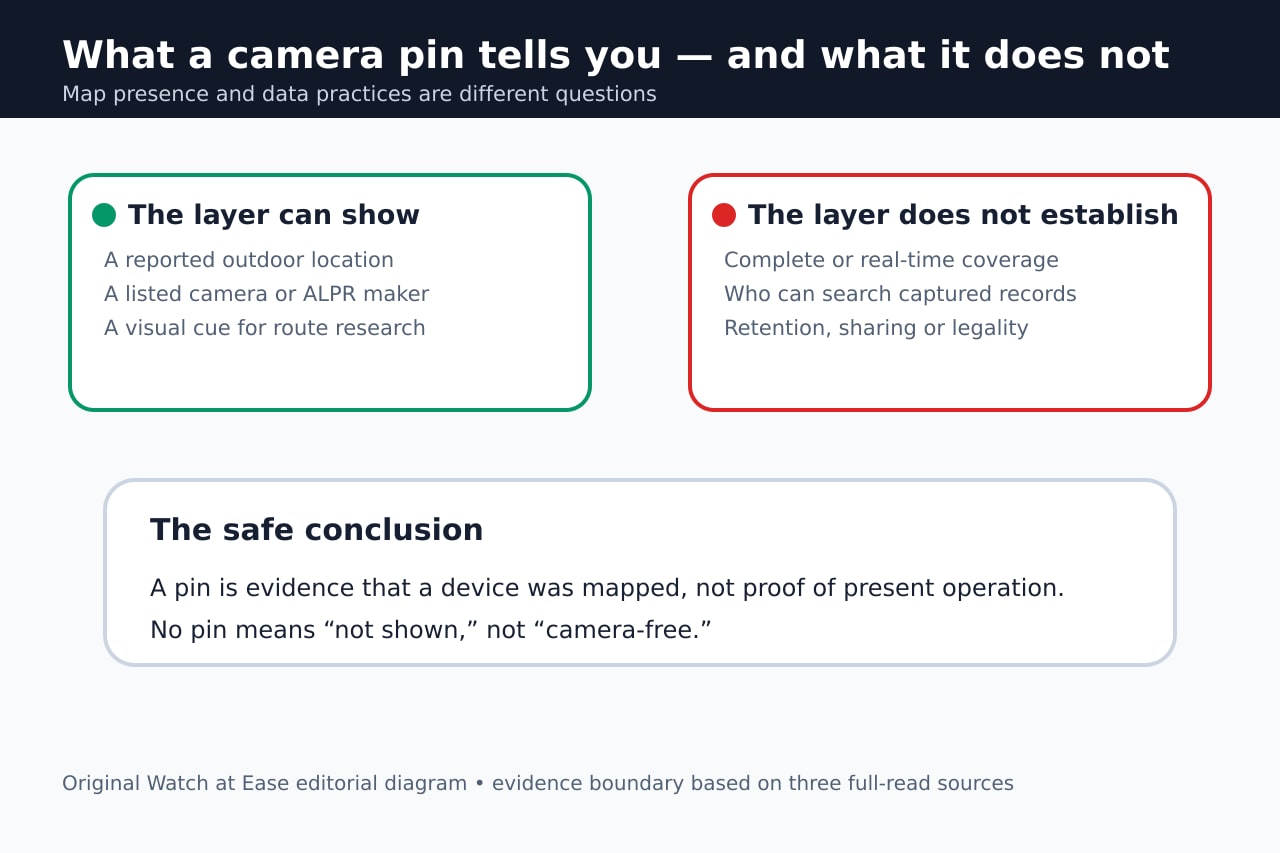
The feature is useful as a visibility tool, not a guarantee. MapQuest’s launch post calls the locations ‘known,’ while independent coverage notes that the company has not explained the dataset, update schedule or verification process.
How to turn the layer on
Open MapQuest, enter Map Options and enable Surveillance. Engadget and The Verge report that eyeball icons then mark known license-plate readers and other outdoor surveillance cameras.
The layer sits beside traffic and incident overlays. It is a separate visual filter; turning it on does not change a camera, block collection or notify the device operator.
Which systems MapQuest says it covers
MapQuest’s announcement lists Flock Safety, Motorola Solutions’ Vigilant, Genetec, Axis Communications, Axon, Leonardo ELSAG, Neology, Rekor, PlateSmart, Ubicquia and Verkada, plus other outdoor cameras.
That list identifies brands that may appear. It does not establish that every device from those companies is included, still installed, operating or pointed in the direction a pin might suggest.
The largest unanswered question is the data source
Gizmodo reports that MapQuest did not specify where the location data comes from. The outlet says it may resemble community datasets such as DeFlock or OpenStreetMap, but MapQuest had not confirmed that connection when the article was published.
Without a disclosed source, update cadence and verification method, users cannot measure coverage or staleness. The careful reading is ‘reported here,’ not ‘complete and current.’
What the map cannot tell you
A location pin does not explain who can query a plate record, how long data is retained, whether information is shared, or what law applies. Those questions depend on the operator, contract and jurisdiction.
Use the layer to identify places worth checking, document visible equipment from lawful public vantage points and consult local records or policies. Do not treat an unmarked route as surveillance-free or a mapped device as proof of wrongdoing.