Technology · PRACTICAL GUIDE
Linux says “Text file busy”? Prove the executable owner before replacing it
ETXTBSY is a write/execute collision, not a chmod hint. Record the path and inode, identify both owners, stage a separate candidate, then verify the path switch and service restart as different gates.
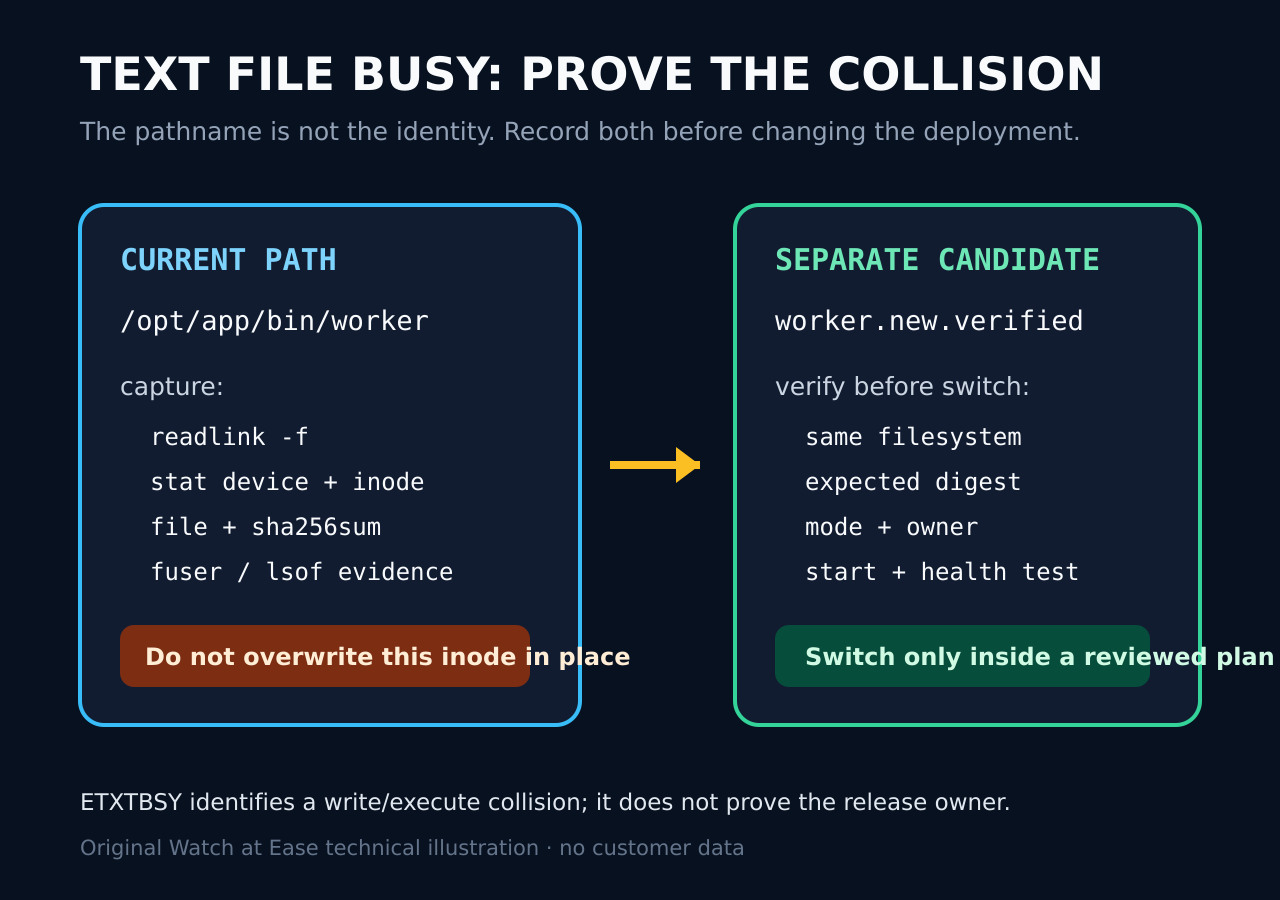
On Linux, “Text file busy” (ETXTBSY) is not a generic permission error. It commonly means one side is trying to open an executable for writing while it is running, or trying to execute a file that another process still has open for writing. Retrying blindly, adding chmod, or copying in place can hide the writer/runner collision without fixing the release process.
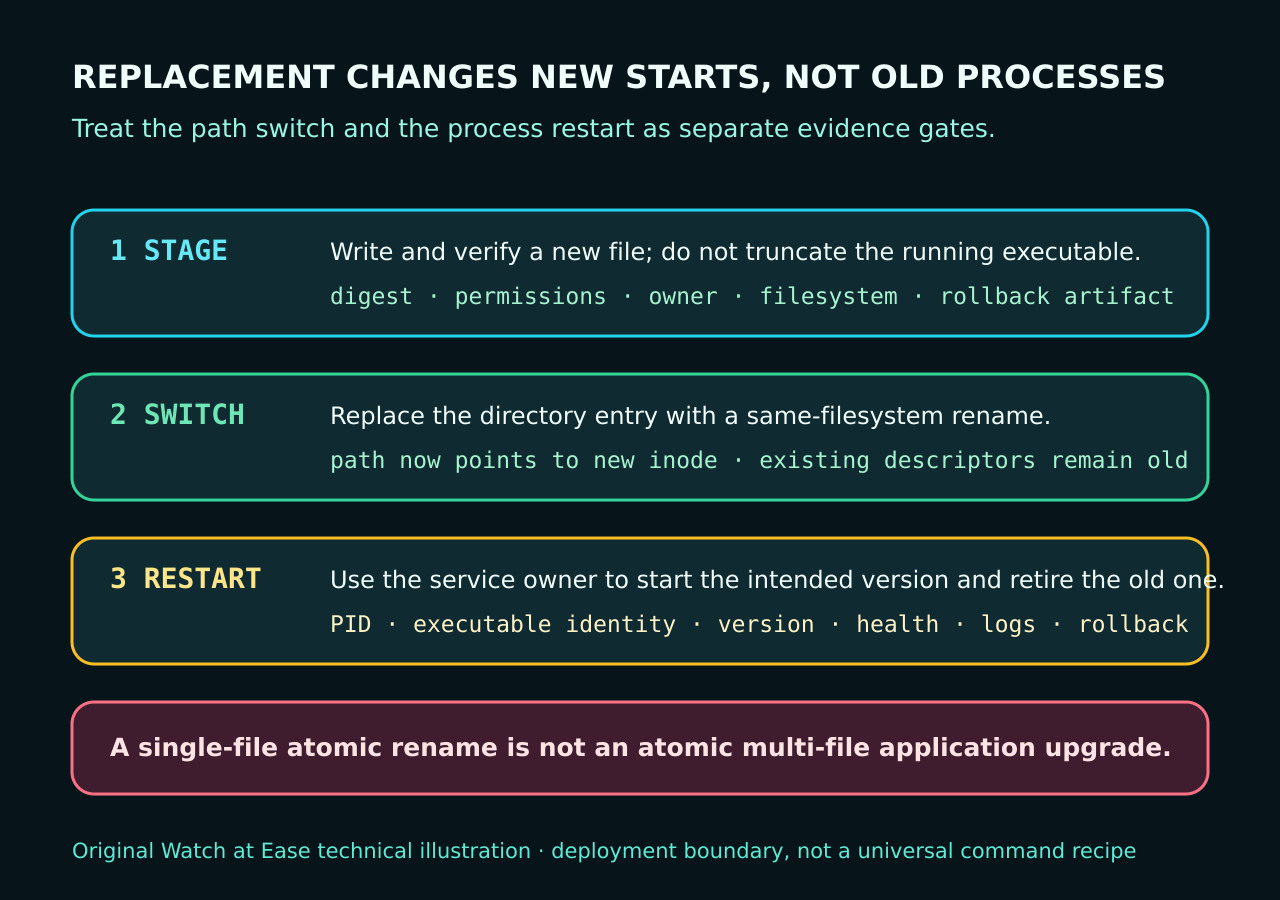
Preserve the exact path, device and inode, identify both the running process and every writable descriptor, then choose a deployment method that stages a separate verified file. A same-filesystem rename can switch one pathname to a new inode, but existing processes keep the old image and a multi-file application upgrade is not made atomic by one rename. Restart and health verification remain separate gates.
1. Stop treating ETXTBSY as a chmod problem
The error describes a write/execute relationship, not a missing execute bit. Capture the exact failing command and errno. If a deployer tried to truncate or copy over the live binary, preserve that evidence; if a newly written script failed to start, look for a writable descriptor inherited across a fork or still held by another process.
Do not delete, unlink, force-copy or repeatedly retry a production binary merely to clear the message. Those actions can separate the pathname from the running image, defeat rollback evidence or start a mixed version. First decide whether the intended operation is an in-place write, a fresh execution, or a controlled replacement.
2. Prove the pathname, inode and two owners
Record the resolved target and filesystem identity with read-only checks such as readlink -f, stat, file and sha256sum. Then use your approved process inventory, fuser or lsof to identify processes that execute the inode and processes that hold it open for writing. A path alone is insufficient because a rename can make the same path refer to a different inode.
For a service, also record the unit, container, supervisor or package manager that owns the lifecycle. A PID discovered in a shell does not authorize killing it. If the path is on NFS, a shared folder, overlay storage or another special filesystem, keep that boundary explicit because replacement and cache behavior may differ from a local same-filesystem rename.
3. Separate a running image from a write-descriptor race
There are two useful branches. In the first, an old process is executing the inode that a deployment tries to rewrite. In the second, a program has finished writing a new executable in its own thread but another forked process inherited the writable descriptor, so execve still sees the file as open for writing. The Rust project issue provides a concrete reproducer for that second race.
A sleep or retry can change timing, but it is not proof of closure. The durable fix is to make descriptor ownership and the writer-to-exec handoff explicit, or to stage the artifact under a separate name and let the deployment owner switch it. Do not generalize one runtime-specific workaround to every kernel, filesystem or service manager.
4. Stage a separate candidate and switch one path deliberately
Write the candidate to a new file in the destination directory or another verified location on the same filesystem. Check its digest, file type, mode, owner and any signature or provenance required by the release. Test it through the supported application path; do not execute an untrusted download merely because its checksum matches a transport manifest.
Linux rename(2) states that replacing an existing newpath is atomic and that open descriptors for the old path are unaffected. That makes a reviewed rename useful for one directory entry, not a universal deployment recipe. Cross-filesystem moves, network filesystems, libraries, companion files, migrations and configuration changes need their own transaction and rollback design.
5. Restart, verify and close the incident
After the path switch, existing processes may still run the old inode. Use the service owner to restart or roll the workload, then verify the new PID, executable identity, version, health endpoint, logs and dependency compatibility. Keep the old artifact until rollback criteria and retention policy say it is safe to remove.
Close the incident only when the original ETXTBSY path is explained, no unexpected writable descriptor remains, new starts use the intended artifact, and the service passes its real acceptance test. Record unresolved filesystem or supervisor behavior as a blocker rather than converting a timing-sensitive retry into a green deployment.