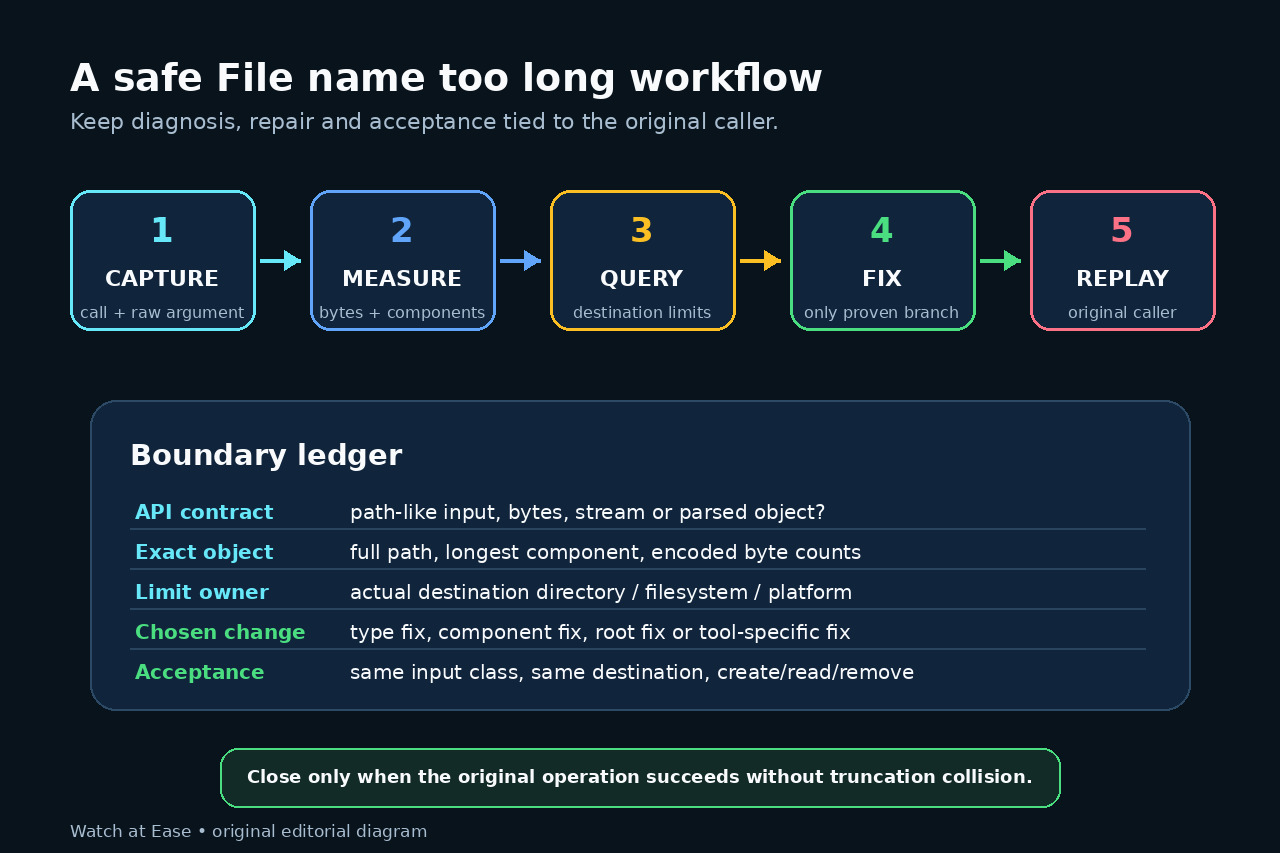
Technology · 実用ガイド
Linux の「File name too long」?path・component・data の境界を先に証明する
元の caller と argument を固定し、encoded bytes と実際の destination limit を測り、payload 誤用、NAME_MAX、PATH_MAX を分離します。
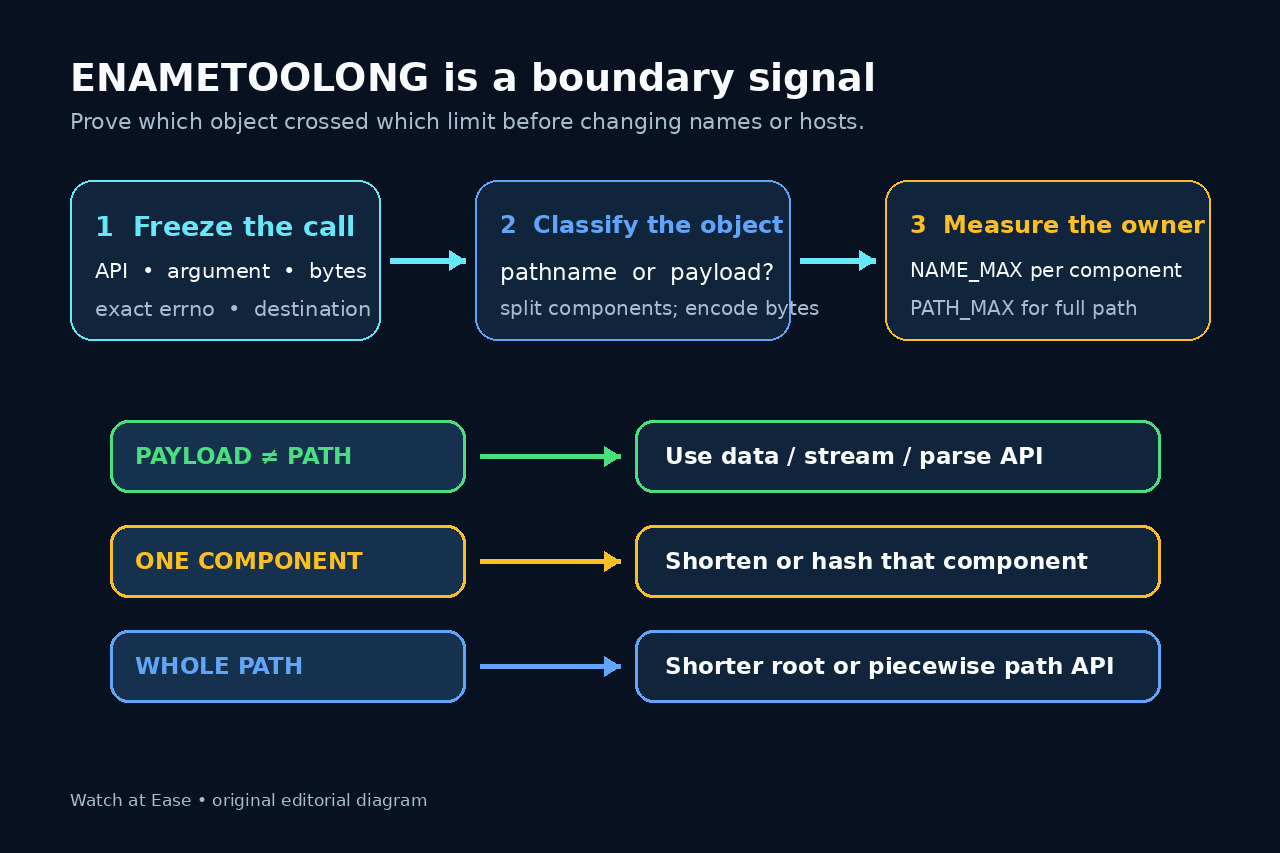
「File name too long」は単一原因ではありません。component、pathname、symlink 解決中の中間 path が限界を超える場合に加え、JSON や証明書本文を filename API に渡した場合も似た失敗になります。
一律の文字数で切らず、object が data か path かを判定し、component と full path の bytes を別々に測り、実際の destination を照会して証明した branch だけ修正します。
元の caller と argument を固定する
API、errno、時刻、process、cwd、destination mount、argument の安全な表現を記録し、secret は長さと hash だけ残します。
callee が path、bytes、stream、parsed object のどれを要求するか確認し、JSON や PEM なら data/parse API に切り替えます。
bytes を測り pathname を分割する
実際の path を failure context で absolute 化し、各 component を len(os.fsencode(component)) で測ります。
longest component と full pathname を分け、prefix、suffix、extension、encoding、Unicode normalization を保存します。
実際の destination limit を照会する
parent directory に getconf NAME_MAX/PATH_MAX、または os.pathconf の PC_NAME_MAX/PC_PATH_MAX を使います。
network mount、encryption layer、application API の追加制限と symlink resolution も記録します。
証明した branch だけ修正する
data 誤用は parser/bytes/stream API に変更し、component 超過はその component だけ短縮または collision-resistant ID にします。
full path 超過は管理できる root や nesting を短くし、広い OSError catch や silent truncation は避けます。
元の caller で再実行する
同じ input class、process context、cwd、destination で create、write、必要な fsync、read-back、cleanup を確認します。
API contract、byte length、limit、fix branch、name mapping、acceptance を記録し、別 component に移ったら再調査します。