Technology · PRACTICAL GUIDE
Kubernetes CrashLoopBackOff? Preserve the previous termination evidence before restarting the Pod
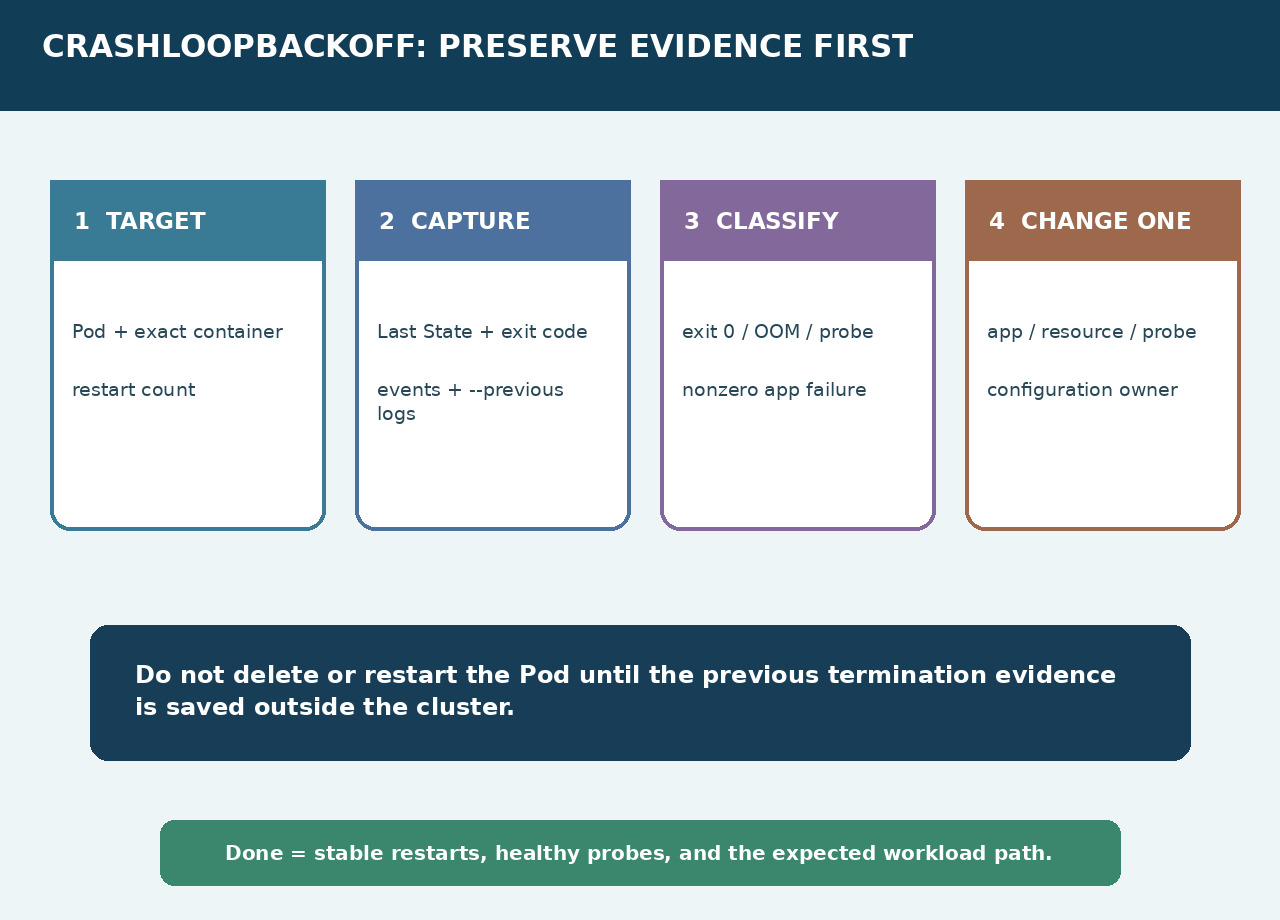
CrashLoopBackOff is a backoff condition, not the root cause. Capture the exact container, Last State, exit code, events and previous logs before deleting or restarting anything.
A Pod that says CrashLoopBackOff is telling you that a container keeps terminating and Kubernetes is delaying another restart. It is not yet telling you whether the process completed normally, ran out of memory, failed a probe or crashed inside the application. Preserve the prior instance first; then let the termination evidence choose the next owner.
Freeze the evidence window
Identify the namespace, Pod, exact container and owning controller. Save the restart count and a timestamp. Run describe for the Pod and capture the container status, Last State, reason, exit code, start and finish times, plus recent events. Then save container-specific previous logs. Do this before deletion, rollout restart or a manual container change.
If previous logs are empty
Confirm that the command targets the correct container; sidecars and init containers have separate records. Read termination reason, exit code and events even when application logs are absent. Check the configured termination-message path and, where permitted, make a debug copy rather than mutating the only failing specimen. Provider log retention can help, but it must not replace the local evidence bundle.
Branch on the termination signal
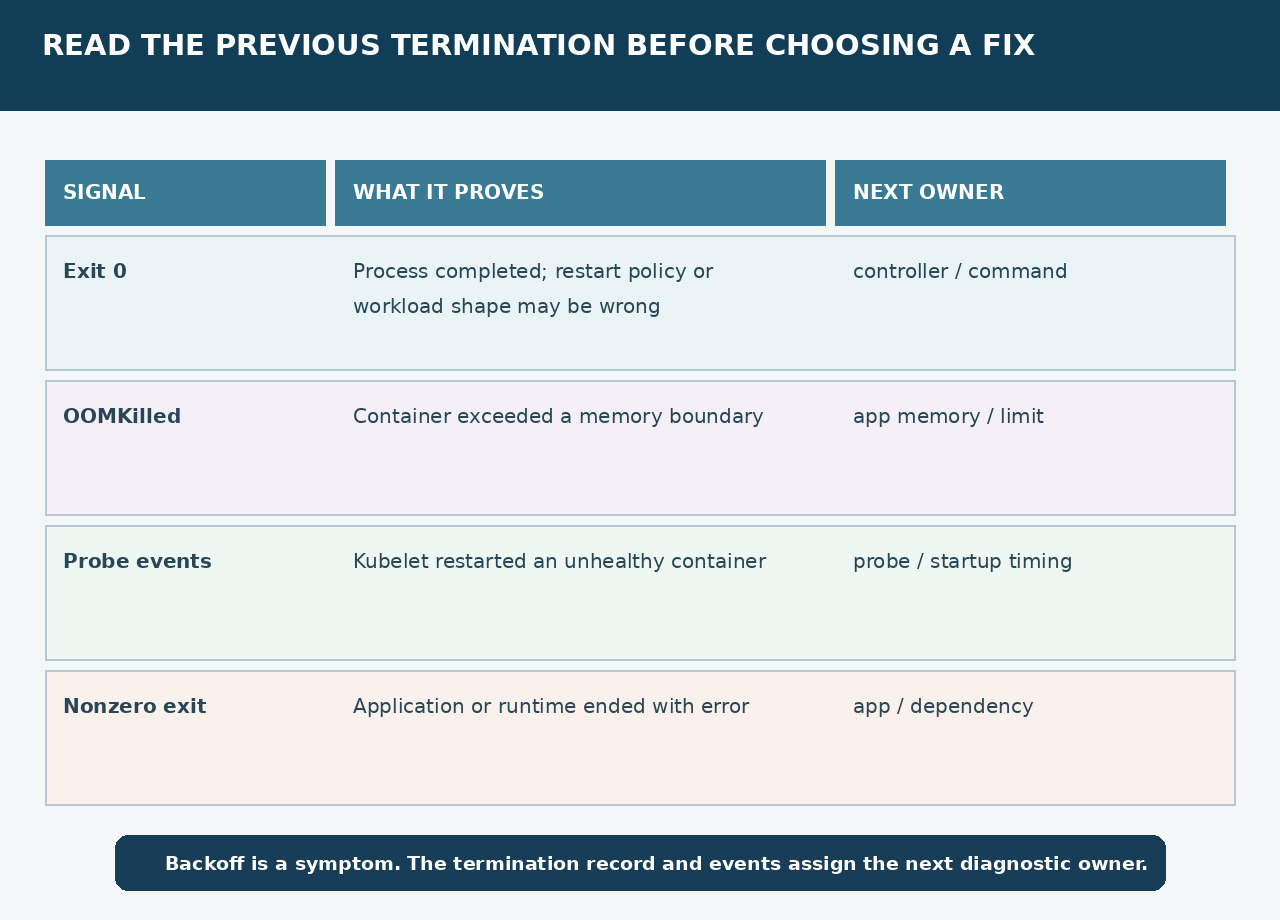
Exit 0 often means the process completed successfully but is running under a restart-oriented workload or command. OOMKilled assigns the first check to application memory behavior and the container limit. Repeated liveness or startup-probe events assign the first check to probe target, timing and dependency readiness. A nonzero exit with an application trace assigns the next step to the failing code or dependency.
Do not mix cause families
Image pulls, scheduling failures and admission errors are different states. A successful current log stream does not erase a previous termination. Likewise, a probe symptom does not prove the probe is wrong: the process may actually be unhealthy. Record what each artifact proves and keep hypotheses separate from observed exit, event and log evidence.
Change one owner and watch a full window
Apply one scoped change to the proven owner: command or controller shape, memory behavior or limit, probe configuration, or application/dependency failure. Record the workload revision. Watch restart count, Last State and events across at least the expected startup and probe window so a temporary quiet period is not mistaken for recovery.
Close with reproducible proof
The incident is closed only when the intended controller runs the expected container, restart count stops increasing, probes remain healthy and the original workload path succeeds. Attach the pre-change bundle, the single change, the post-change window and rollback instruction. If evidence points elsewhere, hand off that exact bundle instead of restarting blindly.