科技 · 實用指南
Helm 顯示「cannot re-use a name that is still in use」?先建立 release 擁有者帳本
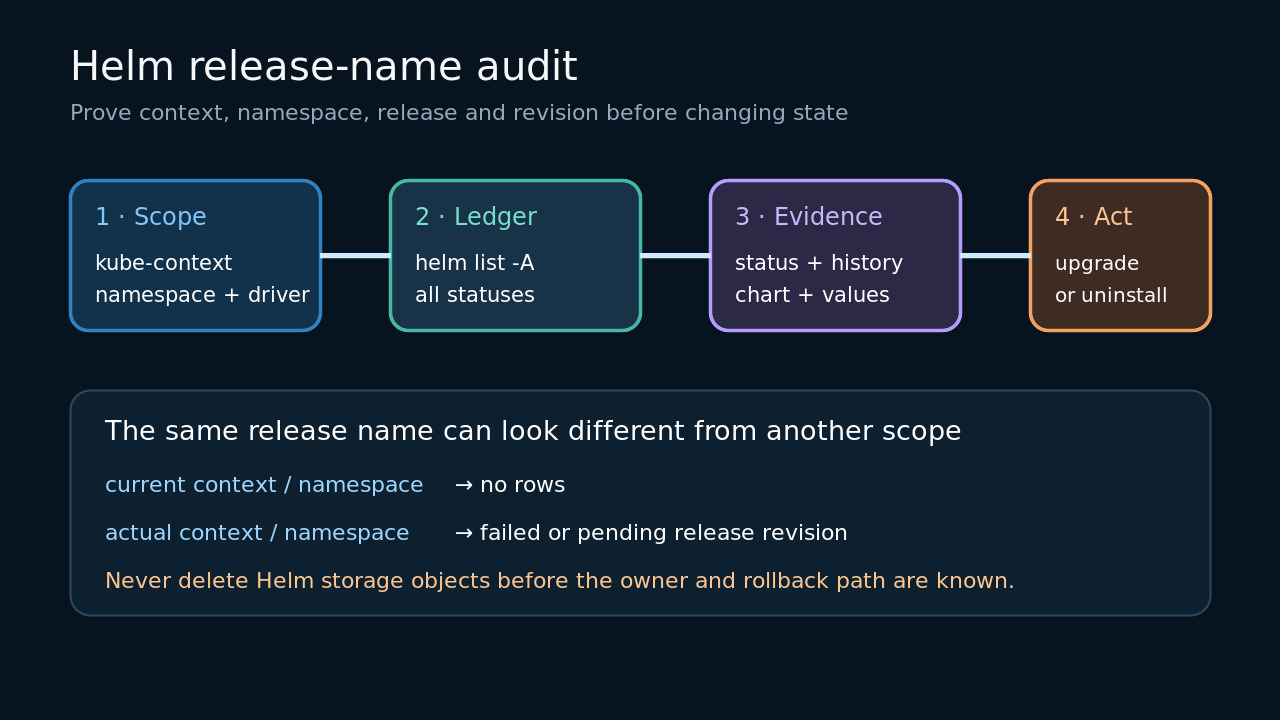
在升級、回復、解除安裝或手動清理中繼資料前,先證明 kube-context、namespace、release 歷史與自動化擁有者。
這個錯誤只代表目前 Helm 範圍內的名稱不能用於新的 install;不代表應用程式健康或中繼資料可安全刪除。
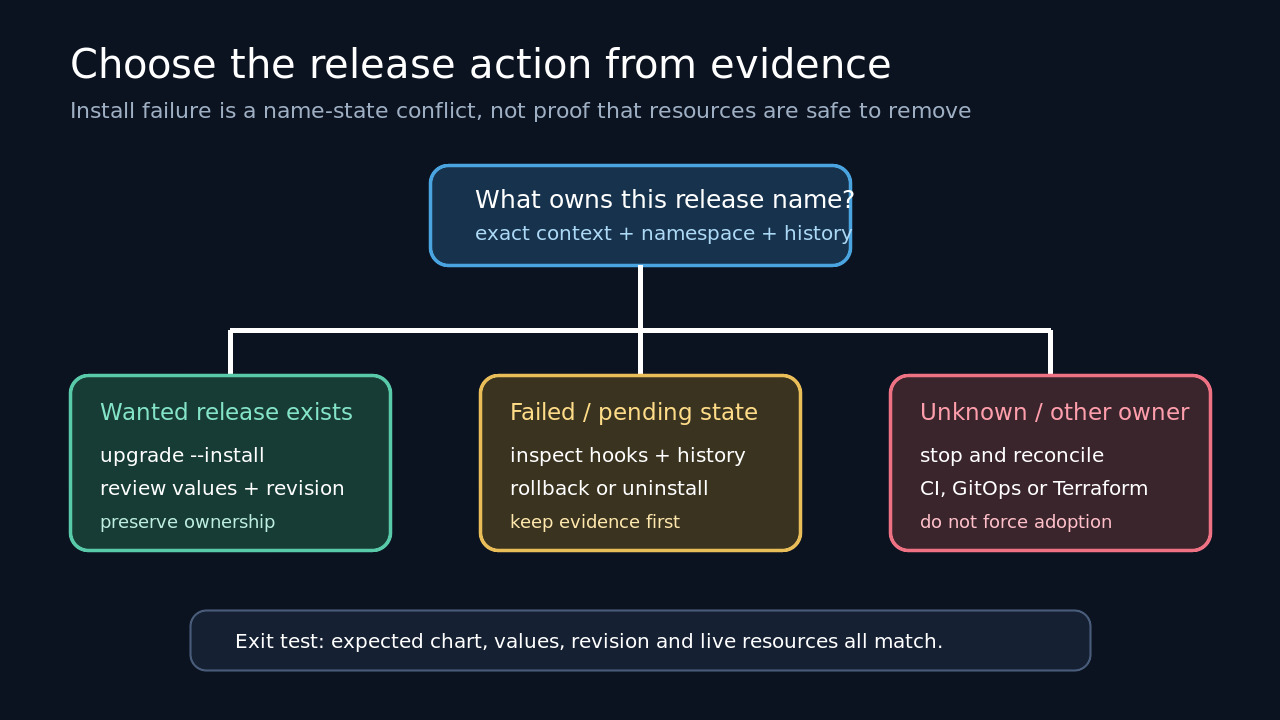
把名稱視為擁有權鍵,固定 context、namespace 與 driver,讀取歷史並確認 CI、GitOps 或 Terraform 擁有者。
固定正確範圍
保存失敗命令及 context、namespace、名稱、chart、values 與 HELM_DRIVER。不同範圍會造成相反觀察。
在正確 namespace 列出所有狀態,再以全 namespace 查詢作為清冊;每列保留範圍。
建立修訂帳本
在同一範圍讀取 status、history 與 values,記錄各修訂狀態、chart、版本與說明。
沒有結果時先檢查 driver 與自動化範圍,不要直接刪 Secret。
識別部署擁有者
確認人工 Helm、CI、GitOps 或 Terraform 誰負責,先查看該系統。
對比儲存的 chart 與 values;無法證明同一擁有者時停止接管。
選擇最小變更
只有同一 release 才用 upgrade --install;failed 或 pending 先看 hook 與 history。
手動刪除 storage 是例外恢復,可能留下工作負載與卷,需先保存回復證據。
驗證恢復結果
再次核對 list、status、history 與 values,確認單一擁有者。
成功標準是中繼資料、現場資源與部署擁有者一致,而非命令暫時通過。