Technology · PRACTICAL GUIDE
Gzip says “unexpected end of file”? Prove the bytes before extracting again
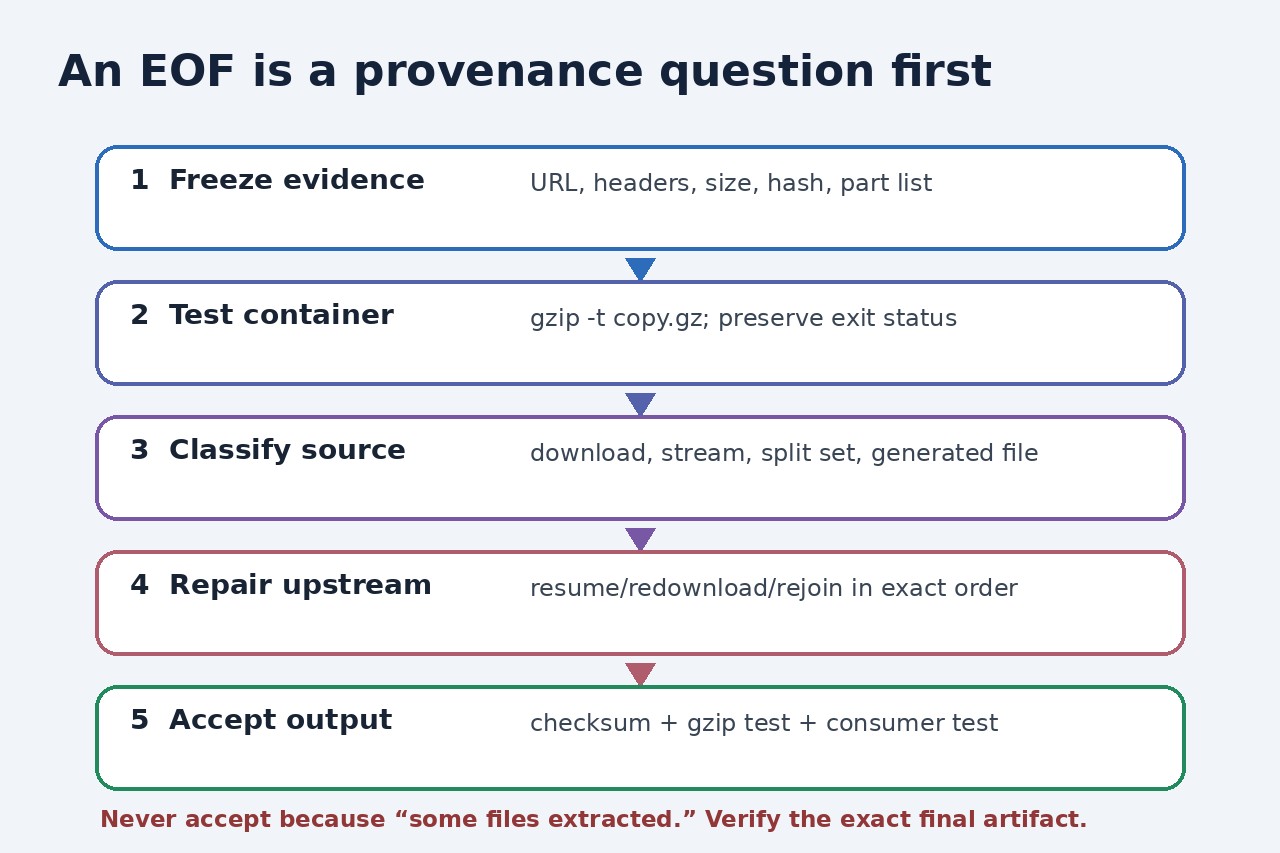
An EOF can mean a truncated download, an interrupted stream, or one fragment of a split archive. Preserve the exact artifact, test it independently, then repair the transfer or rejoin path that actually failed.
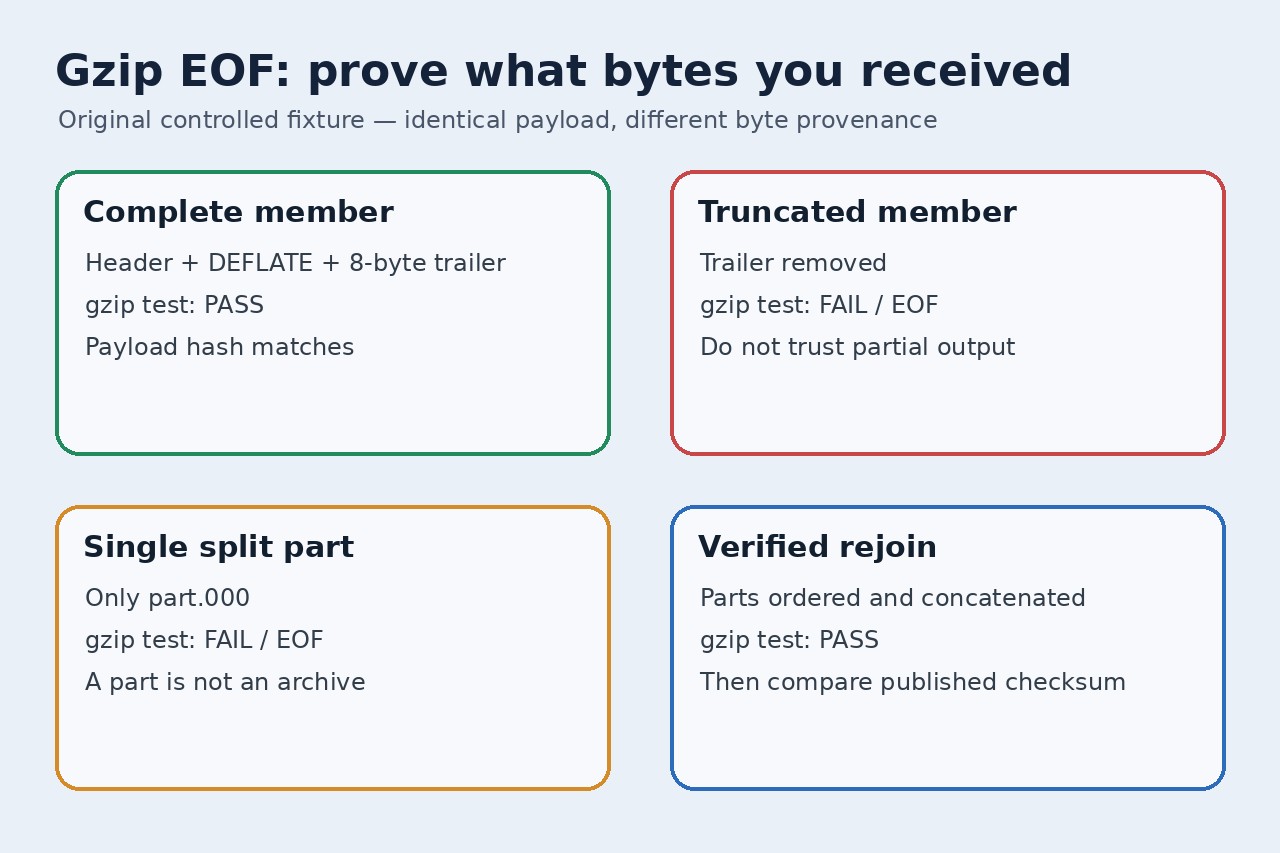
“gzip: unexpected end of file” describes what the decompressor encountered, not why the bytes ended. Repeating tar with different flags cannot restore data that never arrived, and successfully extracting a few files does not make a partial archive trustworthy.
We created one deterministic gzip member from a 151,552-byte payload. The complete 514-byte member decompressed; removing its eight-byte trailer produced EOFError. The first 257-byte split part also produced EOFError, while the second part alone was not a gzip header. Concatenating the two parts in order recreated the original 514-byte SHA-256 exactly and decompressed to the original payload hash.
This controlled fixture is evidence for a diagnostic sequence, not a recovery guarantee. Unknown files can also be corrupted in the middle, delivered through a changing URL, generated incompletely, concatenated from multiple valid members, or wrapped by another format. Preserve the failed bytes and obtain the producer’s checksum or size whenever possible.
Freeze the failed artifact before retrying
Copy the file to a new evidence path and record its byte count, SHA-256, source URL or object key, response headers, download time and any part names. Do not overwrite it with a second download: two attempts can return different objects and erase the comparison that reveals a flaky transfer.
Run gzip -t against the copy and preserve the exit status and stderr. The test reads the stream through its integrity checks without treating partially extracted files as success. For sensitive or untrusted input, keep the test in an isolated working directory and avoid automatic extraction.
Classify download, stream, split set or producer output
For a download, compare the received size and checksum with the publisher’s signed or authenticated metadata. Check whether a proxy returned HTML, a range request stopped early, or a resumed download appended incompatible bytes. Redownload to a new name and compare hashes before replacing anything.
For a live stream, capture both transport completion and decompressor errors. The Node.js demand example failed at different points while reading one S3 object, which is a reason to inspect stream completion, retries and object identity—not proof that large gzip files are inherently invalid.
Rejoin byte fragments only with a verified manifest
If the producer intentionally used split, inventory every part, its expected size or checksum and the ordering rule. The Unix & Linux example shows why part.000 alone ends before the gzip stream: the fragments belong to one file and must be concatenated in order before testing.
Write the rejoined output to a new file, never over the parts. Then compare its trusted checksum, run gzip -t on that exact file and only afterward run the real consumer. A passing gzip check establishes gzip integrity, not that every expected application record or tar member exists.
Stop when the trustworthy bytes are unavailable
Do not accept an archive because some files appeared before the error, strip bytes until a test passes, or silence the decompressor. Those actions can convert a visible failure into silent omission. Ask the publisher or upstream job for a fresh immutable object and checksum.
After repair, record the old and new hashes, the transfer or rejoin change, the full gzip test result and the downstream verification. Keep unresolved gaps explicit. If no authoritative source artifact exists, describe the output as partial rather than complete.