Technology · NEWS EXPLAINER
Google Play can now run your private AI-built Android app without a developer account
The rollout starts for adults in select markets including the U.S. Personal apps stay out of public search, while trusted sharing and public publication follow separate later steps.
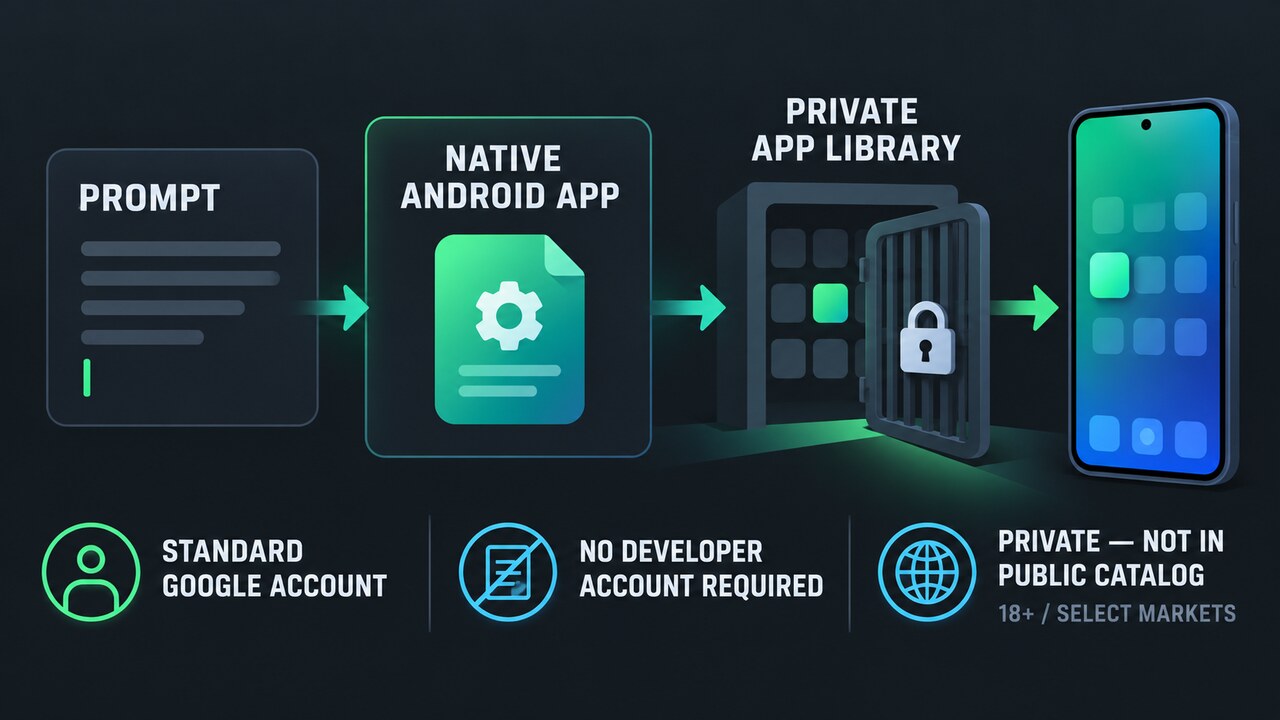
Google Play now lets eligible users run a personal Android app created in Google AI Studio on their own device with a standard Google account. No Play developer account is required for this private path, and the app stays separate from the public store catalog.
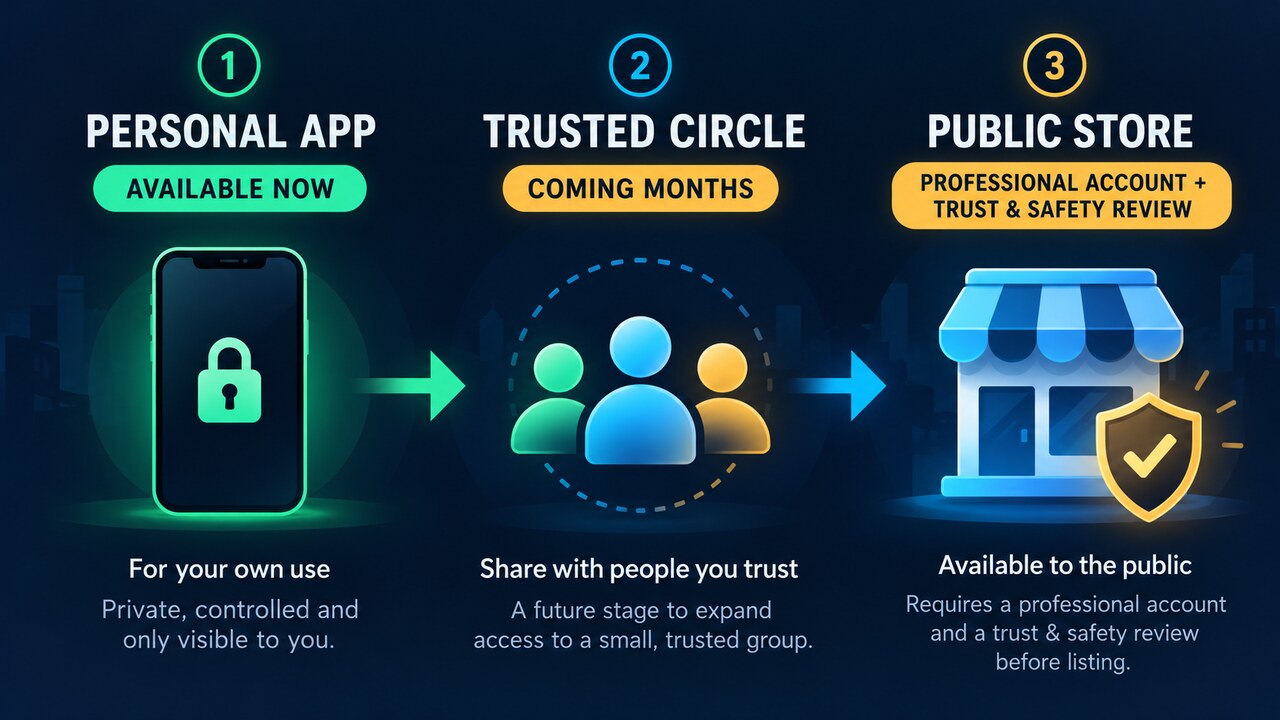
The rollout begins for people 18 and older in select markets including the United States. Sharing with a small trusted circle is planned for coming months, while public distribution remains a separate step that requires a professional developer account plus the normal Trust and Safety reviews and quality standards.
Who can use the new personal-app path now
Google says the feature starts rolling out on October 13 to users 18 and older in select markets, including the United States. “Rolling out” is important: an eligible account may not see the option immediately, and the announcement does not claim worldwide availability on day one.
The personal app is tied to its creator’s standard Google account and can be launched on that person’s Android device through Google Play. A Play developer account is not required for this private route.
Private does not mean publicly listed
Google says these creations remain private, secure and separate from the public store catalog. TechCrunch adds that they do not appear in Play search or listing pages and initially are not shared with anyone except the creator.
That separation avoids publishing an experiment merely to install it. It does not guarantee that AI-generated code is correct, safe or ready for sensitive data. Creators should still inspect permissions, network calls, stored information and behavior before relying on a personal app.
What changed from the earlier AI Studio workflow
Google AI Studio already generated native Kotlin apps and offered two earlier installation routes: USB installation with Android Debug Bridge, or an internal Play testing track using a Play developer account. The new path removes both requirements when the creator only wants the app on their own device.
The app remains a native Android project rather than a public listing. Advanced work can still move to Android Studio through a ZIP or GitHub export, and public release remains subject to the professional workflow.
Sharing later and publishing publicly are different steps
Google plans to let creators share personal apps with a close circle of friends and family in coming months. That trusted-circle feature is not described as available today, so users should not treat it as a current distribution method.
Publishing for everyone is a separate graduation step. Google says the creator must move to a professional developer account, and the app then faces the same Trust and Safety review and quality standards as other professional submissions. Personal availability is not an approval receipt for a public listing.