Technology · PRACTICAL GUIDE
Google Calendar says 0 events imported? Check repeats before you try again
A count is not proof that a recurring calendar survived. Compare ordinary, moved and cancelled occurrences before another import.
An ICS import that reports zero events needs inspection before another click. Google’s troubleshooting page says zero can mean the events were already imported. In an October 3 community discussion, a volunteer also reported a zero counter despite events being added. That observation is not an official diagnosis of every primary-calendar failure.
This documentation-based workflow helps you decide what actually arrived. It does not repair an undocumented importer bug, and we have not tested it in your account. Keep the source calendar and original export; do not strip event identifiers or repeatedly import into your main calendar to force a higher count.
1. Preserve a baseline and choose a separate destination
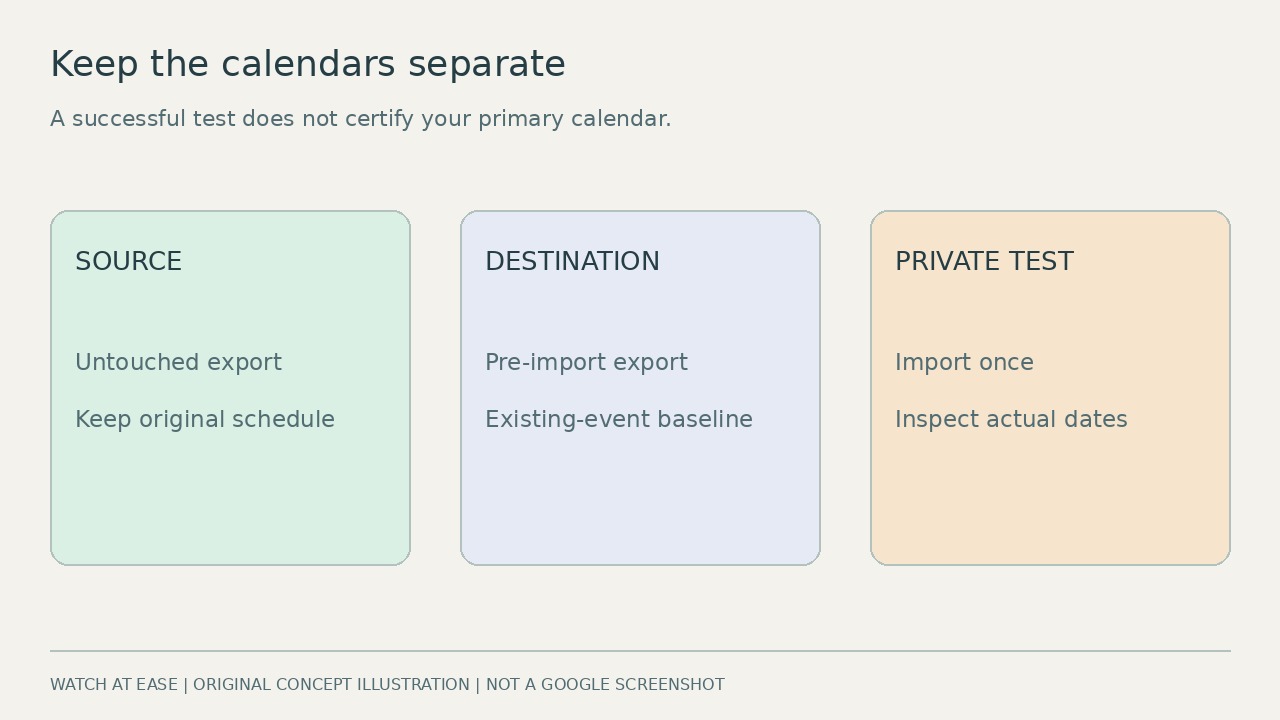
Export the source calendar and, if your intended destination already has events, export that calendar too. Label the files with the account, calendar name and export time; retain untouched originals. Record the source’s time zone and the destination’s displayed time zone. For a first assessment, create an empty private secondary calendar you own and give it an unmistakable test name. Success there does not prove the same file will import into the primary calendar.
On a computer, use Settings, then Import & Export. Select the individual .ics file and explicitly choose the test calendar: the default destination is the primary calendar. Extract individual calendar files from an export ZIP first. Import once. Google’s troubleshooting guidance sets a file limit of 1 MB; for an oversized file, first seek a smaller date-range export in the source application rather than deleting arbitrary event blocks. Do not invite people to the test or mistake it for a live shared schedule.
2. Treat identifiers and counts as clues, not repair buttons
Inspect a copy in a text editor if you are comfortable doing so, without saving changes. BEGIN:VEVENT marks a component, not necessarily one appointment on the screen. A repeating master and a modified instance may share a UID; RECURRENCE-ID identifies the original slot of that instance, while EXDATE can exclude dates. That relationship is why repeated UIDs do not automatically mean bad duplicates and why splitting by arbitrary component count can separate related records.
The community answer already suggests comparing pre-import and post-import exports. That can reveal changed component counts, but neither an unchanged count nor a larger count proves all repeats are correct. Do not remove every UID, replace the IDs of all blocks or convert to CSV as a fidelity fix: Google warns that CSV can turn repeats into separate one-time events. If a smaller export is unavailable, ask the source vendor or an informed support person to preserve complete series and time-zone definitions rather than cutting the file blindly.
3. Check the series at the dates that expose damage
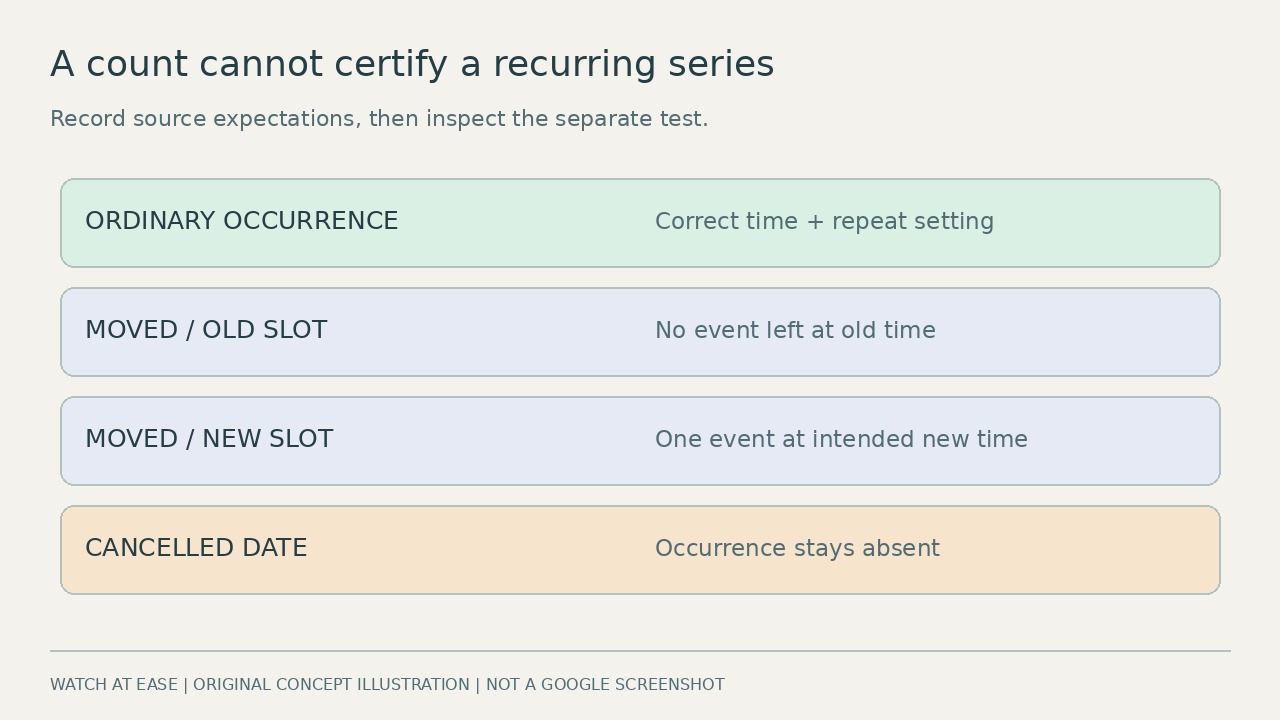
Make a small worksheet from the original calendar before judging the test. Record the title, source calendar, relevant date, start/end time, time zone and expected result. Select an ordinary occurrence of a repeating series, an occurrence you moved, and a date you cancelled, when those cases exist. For the moved occurrence, record both the old slot that should be empty and the new slot that should contain the event. Do not create fictitious source examples just to fill every row.
Hide the source calendar temporarily in the view so its entries cannot mask missing test entries; keep its data intact. Show only the test calendar and inspect each recorded date. Confirm the ordinary occurrence’s timing and repeat setting, the moved event’s new time and absence at the old slot, and the cancelled date’s continued absence. Check all-day entries and, if your series spans a daylight-saving transition, an occurrence on each side in the relevant displayed zone. Repeat this for every important series; a three-case sample is an initial screen, not a certificate for an entire large calendar.
4. Decide from observed events, then stop uncertain retries
If the counter says zero but the selected destination visibly contains the expected events, stop pressing Import. If entries already existed there, compare them with the saved baseline rather than treating their presence as new additions. After the operation has settled, export that destination again for a dated record of what you checked. Similar titles, a matching count and a successful secondary-calendar test cannot establish that the primary destination was repaired.
If a moved event is duplicated, a cancelled occurrence returns or repeat settings are lost, mark the import unverified. Retain the originals and keep the test separate; do not delete the source calendar or replace your main calendar with the test. Seek a fresh ICS export or source/importer support, describing the destination, exact message, file size and one affected series. Share only a redacted sample through an appropriate support channel, preserving the master/exception relationship. Imported copies are not ongoing synchronization, and missing guests or conference data are documented limits rather than proof of complete migration.