科技 · 實用指南
GitHub 顯示「Repository not found」?先證明 URL 與登入帳號,再更換憑證
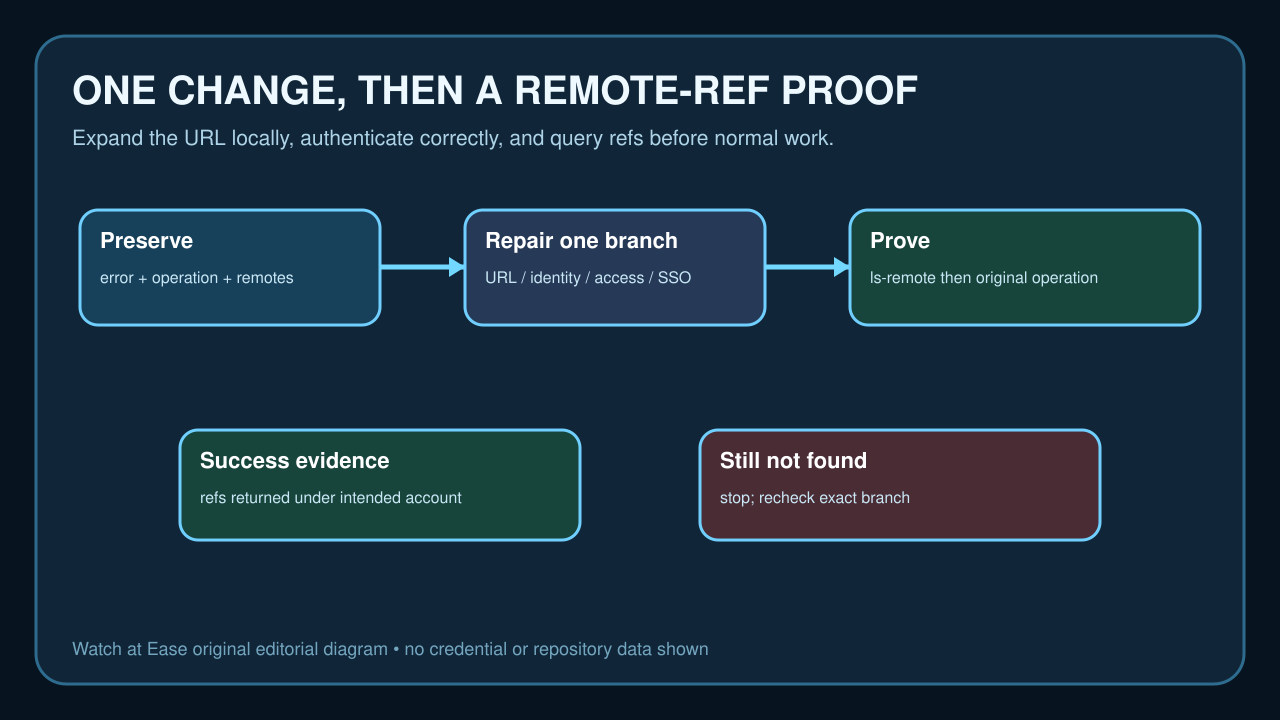
保留實際 fetch/push URL,確認 Git 真正使用的帳號、repository 權限與 SSO 狀態,只修復一個已證明的邊界,再以遠端 refs 驗收。
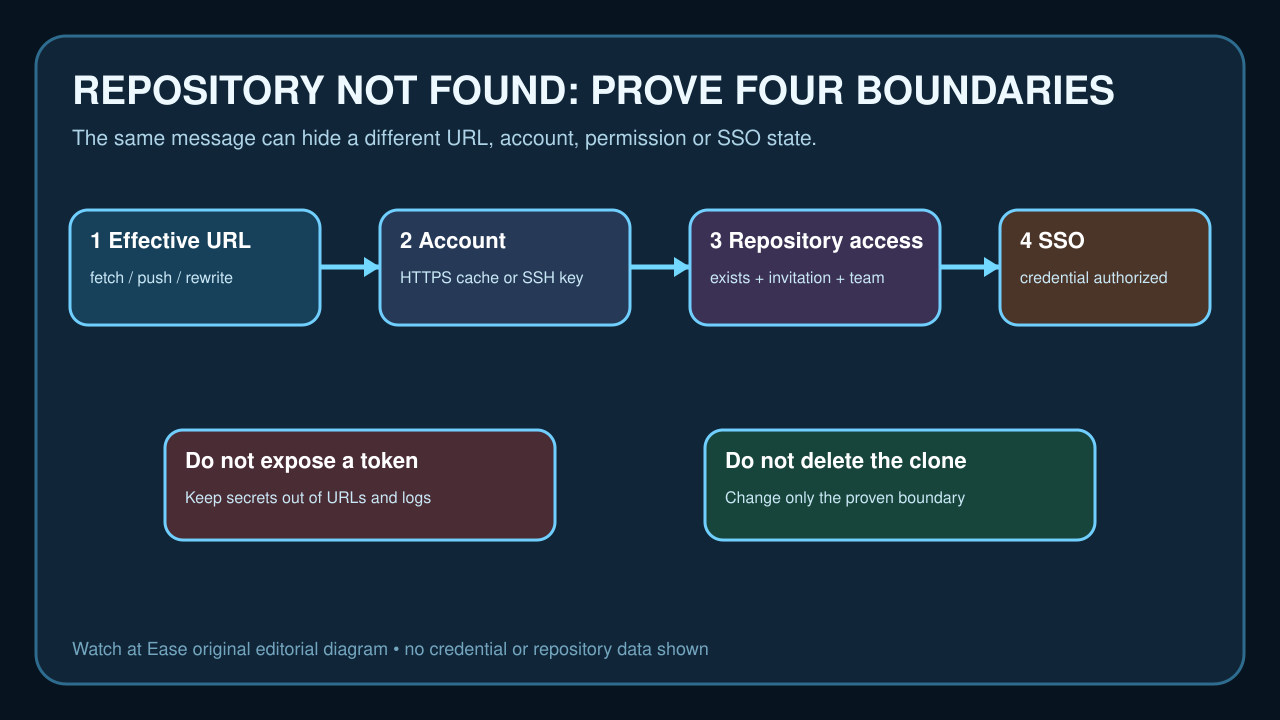
GitHub 的 `Repository not found` 可能代表 URL 錯誤或被 rewrite、cached account 錯誤、缺少 repository 權限,或 credential 雖有效卻未獲組織 SSO 授權。browser page 只證明 browser session。
先保存 effective remote 與失敗操作,確認 HTTPS 或 SSH 使用的 account、repository access 與 SSO。只改一個有證據的邊界,並要求 `git ls-remote origin` 和原操作都成功。
保存原操作與有效 remote
記錄失敗的是 clone、fetch、pull 或 push,並保存 host、owner、repository name 與不含 secret 的完整 error。既有 clone 用 `git remote -v` 保存 fetch/push URL。
用 `git remote get-url --all origin` 與 `--push` 查看 rewrite 後 URL;`git ls-remote --get-url origin` 可在不連線時展開 rewrite。
用目標 account 證明 repository 與 URL
以應有權限的 account 登入 browser,開啟 repository 並複製 clone URL。公開或登出檢查不能證明 private access。
逐項比較 host、owner、repository name 與 transport。只在 effective URL 錯誤時改 origin,不要因 not found 就刪工作樹或建新 repository。
辨識 Git 真正使用的 credential
HTTPS 下查看 credential helper 與其 account,但不可輸出 token。使用 credential manager 或 GitHub CLI,不把 token 放進 URL、shell history 或支援記錄。
SSH 下以 `ssh -T git@github.com` 確認 key 對應 account。成功 authentication 不等於此 repository 有權限。
檢查 permission、invitation 與 SSO
確認 account 是 owner、已接受邀請的 collaborator,或屬於有 read access 的 team。pending invitation 或另一 account 的授權都不成立。
使用 SAML SSO 的 organization 要求 HTTPS token 或 SSH key 獲得 organization authorization。不要盲目擴大 token scope。
只修復已證明的 boundary
按證據只做一項:改 URL、切換 HTTPS account、選對 SSH key、接受邀請、請求 access 或完成 SSO authorization。
不要 force push、刪 `.git`、覆蓋未提交工作、把 token 寫進 URL,或同時 rotate 全部 credential。
用 remote refs 與原操作驗收
單項變更後執行 `git ls-remote origin`。收到 refs 表示 Git 以目前 transport 連到有效 remote;保存不含 credential 的結果。
再重試原 clone、fetch、pull 或 push。若仍 not found,就回到 URL、identity、permission 或 SSO 的正確分支。