Technology · PRACTICAL GUIDE
Git push says “pre-receive hook declined”? Preserve the remote reason before rewriting commits
The summary proves the remote rejected an update before refs changed; it does not identify the violated policy. Capture the remote lines, ref map and rule owner, then repair only the proven boundary.
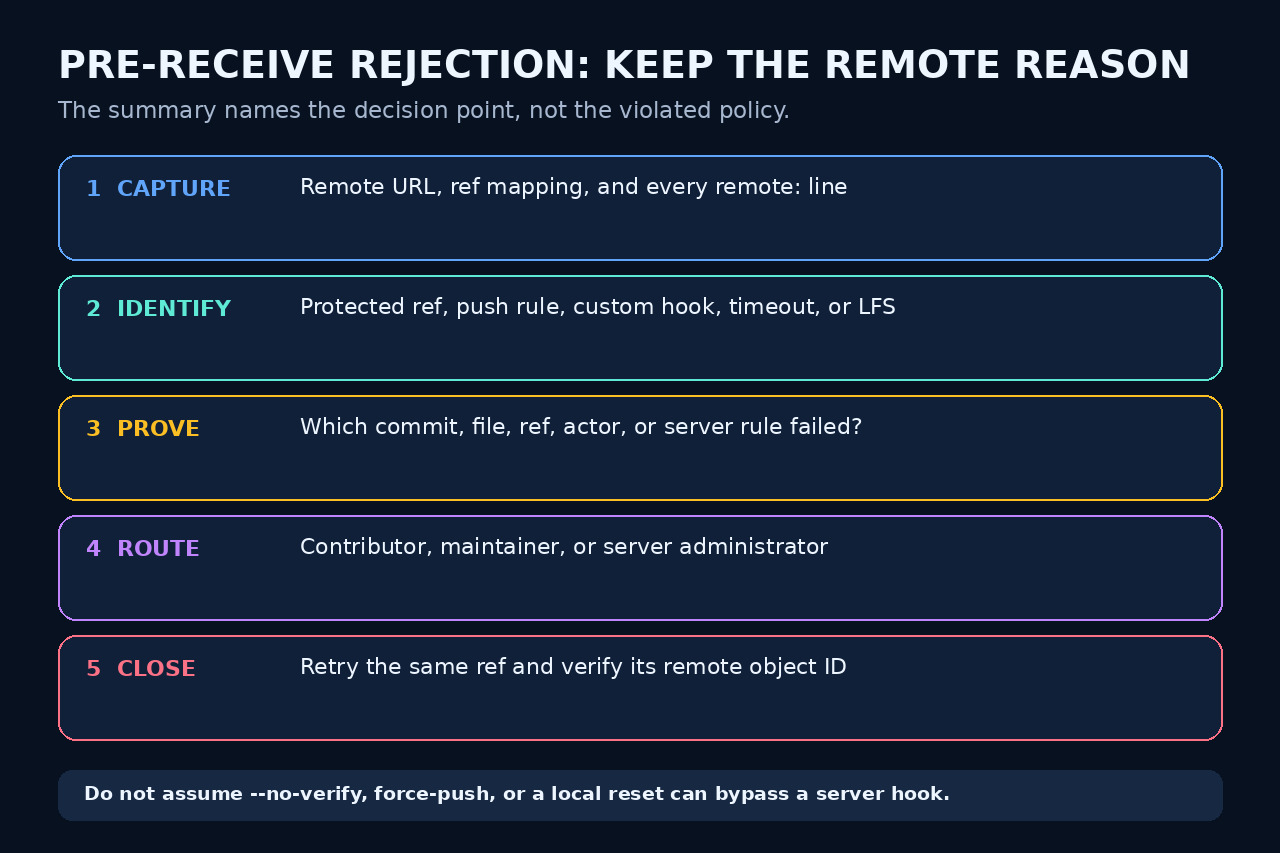
Treat “pre-receive hook declined” as the location of a remote decision, not the reason for it. The useful evidence is usually in the preceding remote output, the exact ref update and the host policy.
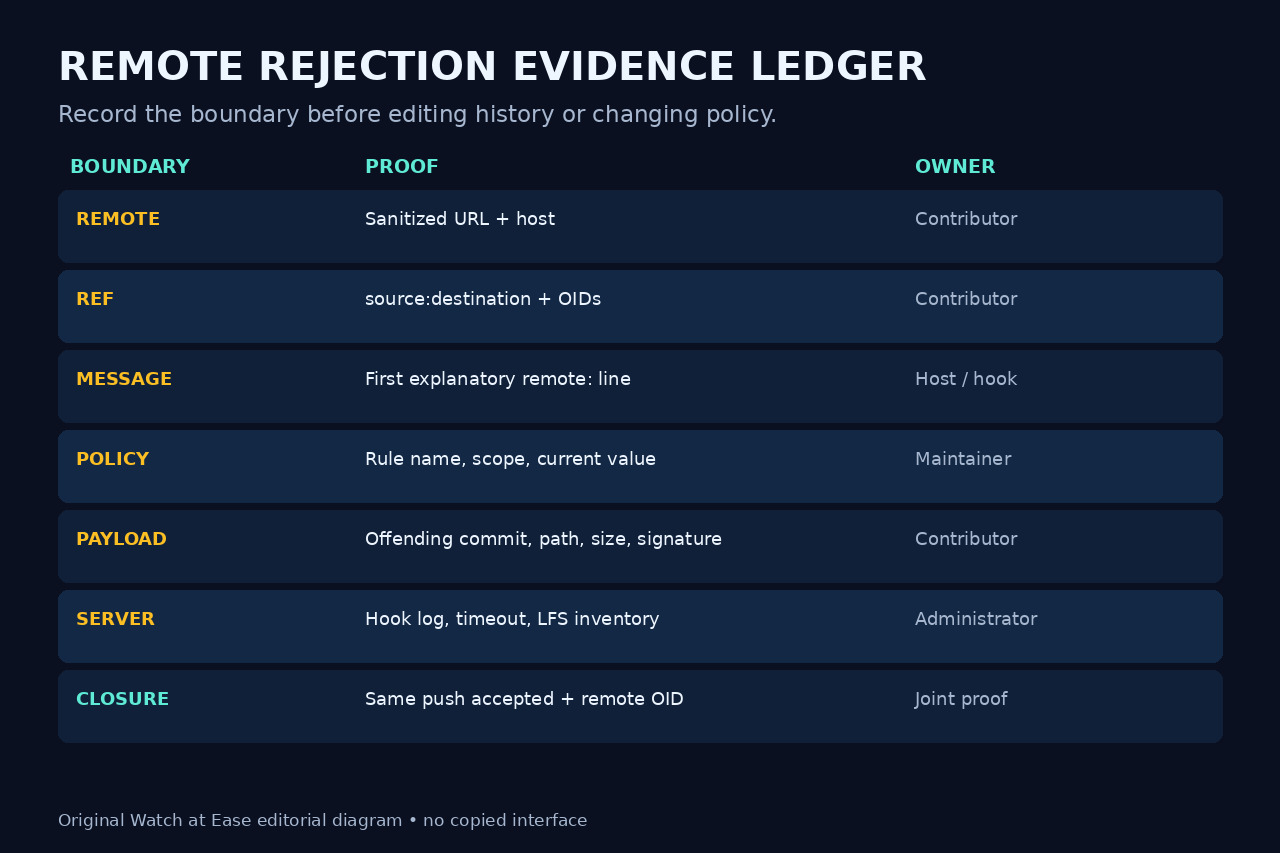
Build a redacted rejection ledger before resetting, force-pushing, deleting files or asking an administrator to weaken a rule. Then route the repair to the contributor, maintainer or server owner who controls the failing boundary.
1. Freeze the exact rejection
Save the complete push output from the first remote: line through every rejected ref. Record the sanitized remote URL, transport, local source, remote destination, effective account, time and Git version. Redact credentials and private repository names when sharing.
Do not begin with reset, rebase, force-push or file deletion. Those actions can destroy the payload you need to identify which commit, path, signature, object or ref triggered the remote decision.
2. Prove where the decision ran
Git documents pre-receive as a receiving-repository hook that reads old object ID, new object ID and full ref name before updates. A nonzero result rejects the receive operation, so a local commit hook bypass is irrelevant.
Separate pre-receive from per-ref update rejection and from a post-receive error. Keep the exact bracketed reason and all remote messages; a host may use the generic summary even when its policy engine or custom hook made the decision.
3. Route the first specific remote line
If the host names a protected or default branch, permission, commit-message pattern, author email, signature, filename, size, tag deletion, secret or missing LFS object, verify that exact rule and its current scope. Do not substitute a popular cause from a search result.
If there is no useful message, a repository maintainer should inspect project push rules and protected refs, while a server administrator checks hook code, logs and timeouts. Contributors can preserve the failing ref and supply its old/new IDs without receiving administrative access.
4. Prove the offending payload before editing it
Map each rejected source to its destination and compare the proposed range with the remote ref. Inspect commit metadata, changed paths, object sizes, signatures and LFS pointers only as required by the named rule. For a multi-ref or mirror push, test the evidence per ref instead of assuming every rejection has one cause.
Record which object or policy check failed and who owns the correction. A contributor may amend a commit or upload an LFS object; a maintainer may adjust permission or a project rule; only the server owner can repair a broken custom hook or timeout.
5. Apply the narrow repair and prove closure
Change only the proven boundary, then retry the same intended ref update. Do not weaken a shared rule merely to make one push pass, and do not force-push unless the remote policy explicitly permits it and history replacement is intentional.
Verify the remote ref now resolves to the expected object ID, confirm every intended ref was accepted, and retain the redacted rejection and closure record. If the generic message remains, return to the earliest unexplained remote line or server log instead of cycling through unrelated fixes.