Technology · PRACTICAL GUIDE
Git still runs an old credential helper? Distinguish unset from an empty reset
Removing one setting, resetting a helper list and erasing a stored login are different operations. Prove the matching helper order before changing your credential store.
Unsetting one credential.helper removes an entry from one configuration file. An empty helper resets the accumulated list at that point; later matching helpers can still be added. Demonstrate dispatch with isolated non-credential-producing mock helpers before choosing a narrow configuration edit.
1. Separate three different operations
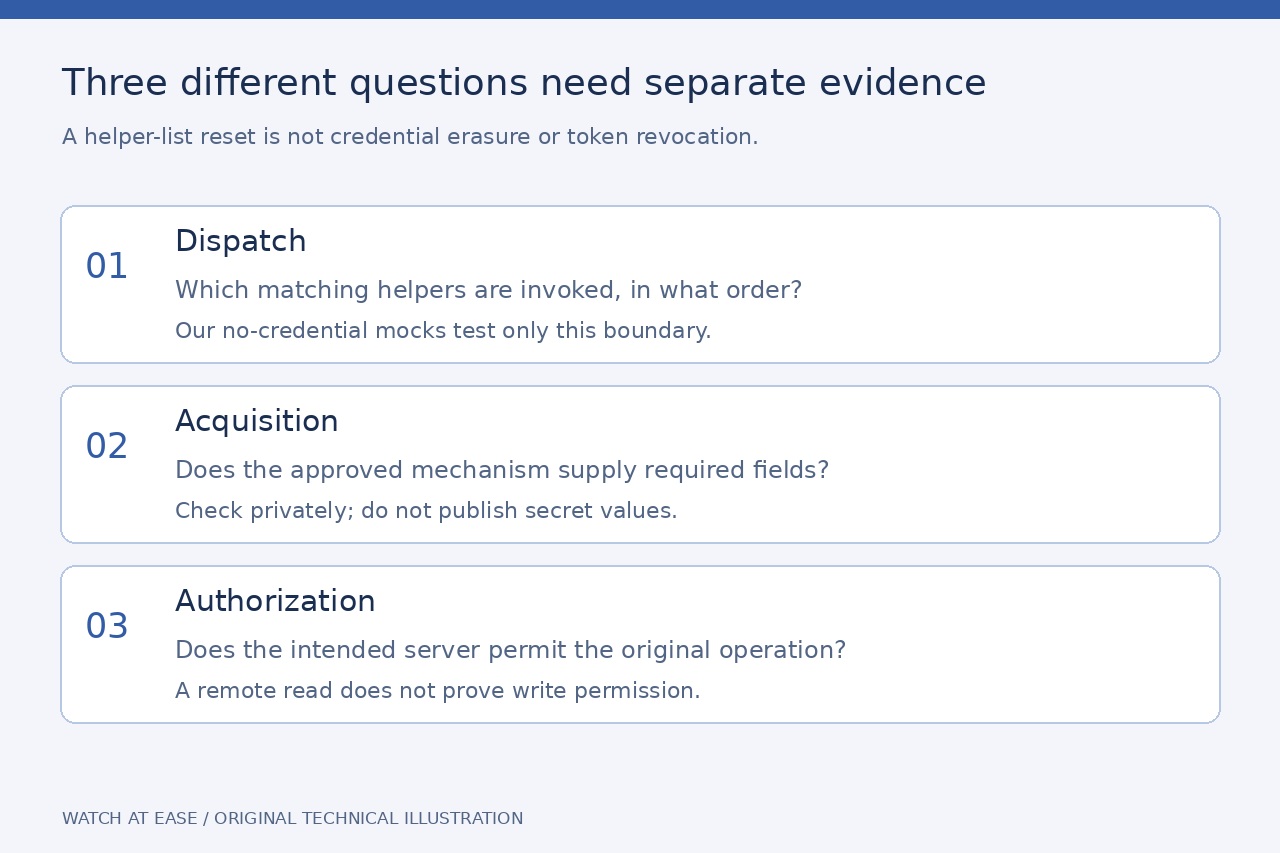
Unsetting credential.helper removes a setting from the configuration file you selected. An empty helper value clears the accumulated helper list at that point. Erasing a stored login asks a credential store to delete matching data. None is a synonym for the other, and changing helper dispatch does not revoke a server-side token.
Record the exact Git executable/version, caller, working repository and sanitized HTTPS context. SSH authentication follows a different route. Keep a copy of any configuration you intend to change; do not begin by deleting keychain entries or reinstalling a credential manager.
2. Reconstruct the matching list in order
Inspect configuration locally with origins and scopes. git config --show-origin --show-scope --get-all credential.helper lists the general entries; also inspect matching credential.<URL>.helper sections and included files. A single returned helper name is not a complete dispatch ledger. Treat custom helper strings as potentially sensitive and redact them before sharing.
Write the entries in read order and apply every empty reset as you encounter it. A later matching URL-specific helper can be added after a reset; an earlier one can be cleared by a later reset. Match the actual scheme and host, and check relevant path policy. Do not infer this ordering from which helper name looks more specific.
3. Check dispatch without retrieving a real login
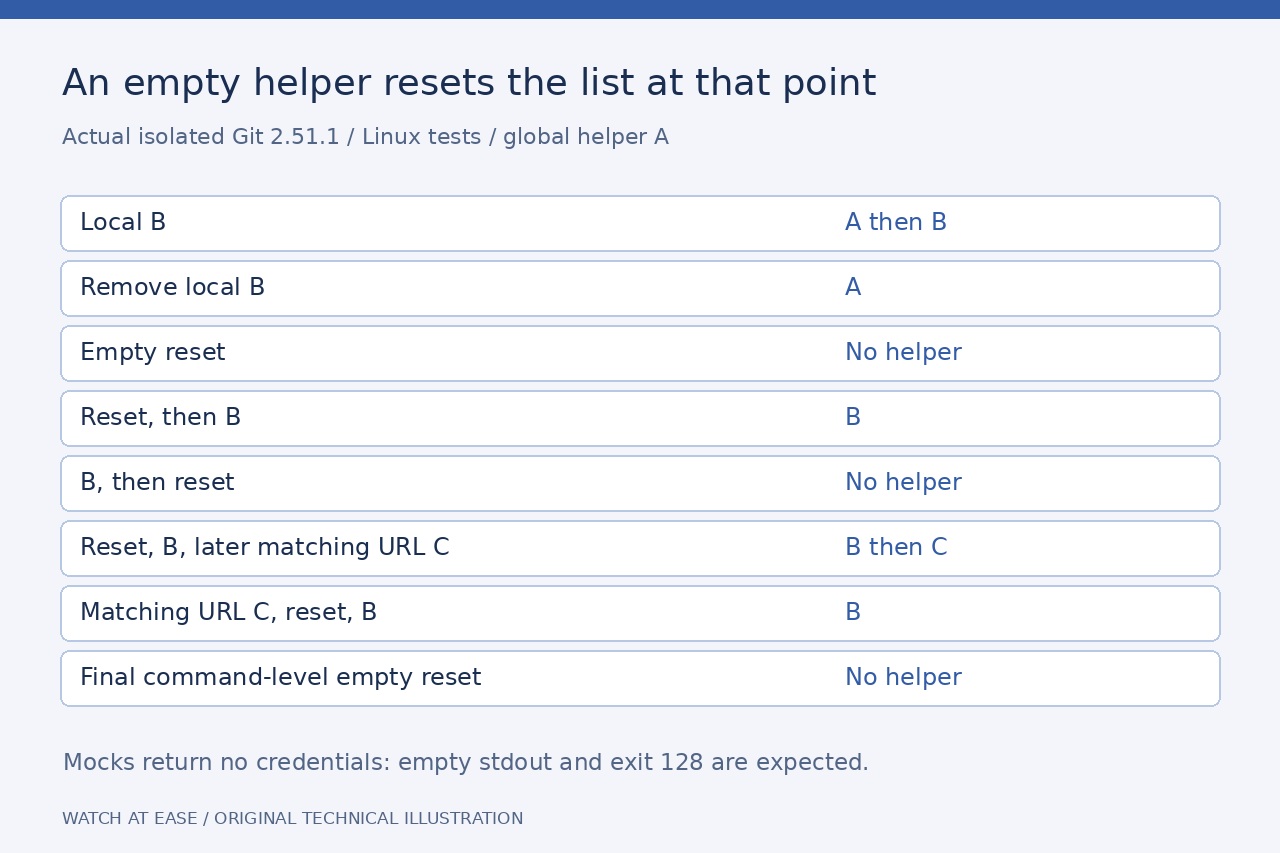
We executed eight isolated Git2.51.1/Linux cases with temporary global/repository configurations, system configuration disabled and mock helpers that returned no credentials. The mocks consumed input and logged only their label and get operation. No network request, existing configuration, wallet or stored login was used.
Global A plus local B invoked A then B; removing local B left A. An empty reset invoked neither. Reset then B invoked B, while B then reset invoked none. A later matching URL helper C produced B then C; moving C before the reset left B. A final command-level empty reset invoked none. Every case had empty stdout and exit128 because the mocks intentionally supplied no login and prompts were disabled; that failure was not an authentication test.
4. Repair the narrow scope and verify separately
Once the ledger identifies the unwanted inherited entry, choose the intended repository, URL or command scope. A reset followed by the approved helper replaces earlier helpers; placing the reset after it clears that helper too. Preserve unrelated contexts and do not copy an example helper name that is not installed. AWS explicitly warns that system-wide changes affect other users and repositories.
Recheck the effective ordered configuration, then repeat the original operation through the approved credential mechanism. Helper selection, successful acquisition and server authorization are separate exit checks. A read-only remote listing can establish read access, not write permission. Keep tokens out of URLs and logs; do not publish credential fill output or broad traces. Removing a reset later can expose the inherited helper again, so retain the before/after ledger.