Technology · PRACTICAL GUIDE
Convert a FileZilla MLSD listing to CSV without damaging filenames
Keep commas, semicolons and significant spaces in names, distinguish missing sizes from zero, and retain directory entries in an offline copy.
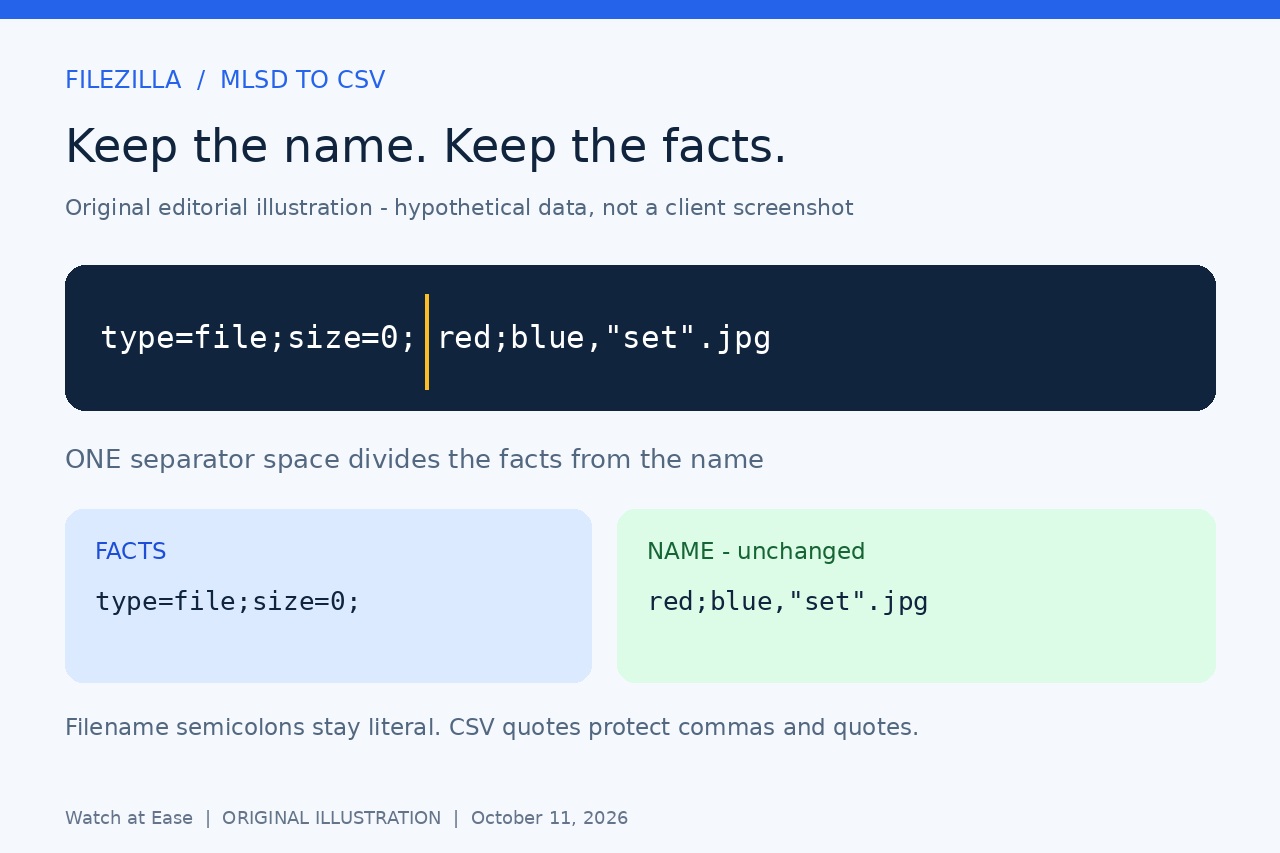
If you already copied a FileZilla raw directory listing, replacing every semicolon with a comma is a poor way to make a CSV. A semicolon may belong to a filename, while a comma or quote in that name needs proper CSV quoting.
This guide converts one captured MLSD data block offline. It keeps the displayed names, entry types and original facts; it does not download files, change the server, build a recursive inventory or prove that your captured listing is complete.
First confirm that the copy is MLSD data
Use your existing authorized FTP or FTPS connection. The original FileZilla support discussion describes showing raw directory listings in debug settings. If your build exposes that control, use it and refresh only the intended folder. Confirm an MLSD command and successful completion in the log; record the remote folder and capture time separately. We have not tested the current FileZilla interface.
Copy only the data entries from that one successful listing into a UTF-8 plain-text file named mlsd.txt. A typical entry is type=file;size=926; image.jpg. Keep every character of the name, including spaces at either end. The converter accepts raw entries or the exact English prefix Listing: followed by one space; timestamps, translated prefixes, status messages and blank separator lines must not be included.
Stop if the response is Unix/DOS LIST text, an SFTP listing, a CLI JSON object, undecoded bytes or visibly garbled text. Do not guess the encoding or overwrite your original log. Modern FileZilla CLI also offers structured JSON output; that is a valid separate route for users who already have it, not input for this converter.
Convert a copy in a Linux Bash terminal
Use Python 3.9 or later in a Linux Bash terminal, in the folder holding mlsd.txt. Copy the next command as one line, preserving straight quotes and backslashes. Select a new output name. It validates all input records before exclusively creating mlsd.csv; your input stays unchanged.
python3 -c "exec('import csv\\nimport sys\\n\\nrows = []\\nwith open(sys.argv[1], encoding=\"utf-8-sig\", newline=\"\") as source:\\n for number, raw in enumerate(source, 1):\\n line = raw.removesuffix(\"\\\\n\").removesuffix(\"\\\\r\")\\n if line.startswith(\"Listing: \"):\\n line = line[len(\"Listing: \"):]\\n facts, separator, name = line.partition(\" \")\\n if not separator or not name or (facts and not facts.endswith(\";\")):\\n raise ValueError(f\"Line {number}: expected one MLSD data entry\")\\n values = {}\\n for fact in facts[:-1].split(\";\") if facts else []:\\n key, equals, value = fact.partition(\"=\")\\n key = key.lower()\\n if not key or not equals or key in values or any(c.isspace() for c in fact):\\n raise ValueError(f\"Line {number}: malformed or duplicate fact\")\\n values[key] = value\\n size = values.get(\"size\", \"\")\\n if \"size\" in values and not (size.isascii() and size.isdecimal()):\\n raise ValueError(f\"Line {number}: invalid size\")\\n rows.append([name, values.get(\"type\", \"\"), size, values.get(\"modify\", \"\"), facts])\\nif not rows:\\n raise ValueError(\"No MLSD records: do not assume an empty directory\")\\nwith open(sys.argv[2], \"x\", encoding=\"utf-8-sig\", newline=\"\") as destination:\\n writer = csv.writer(destination)\\n writer.writerow([\"name\", \"type\", \"size_bytes\", \"modify_raw\", \"facts_raw\"])\\n writer.writerows(rows)\\nprint(len(rows), \"MLSD records exported; includes any directory entries\")\\n')" "mlsd.txt" "mlsd.csv"
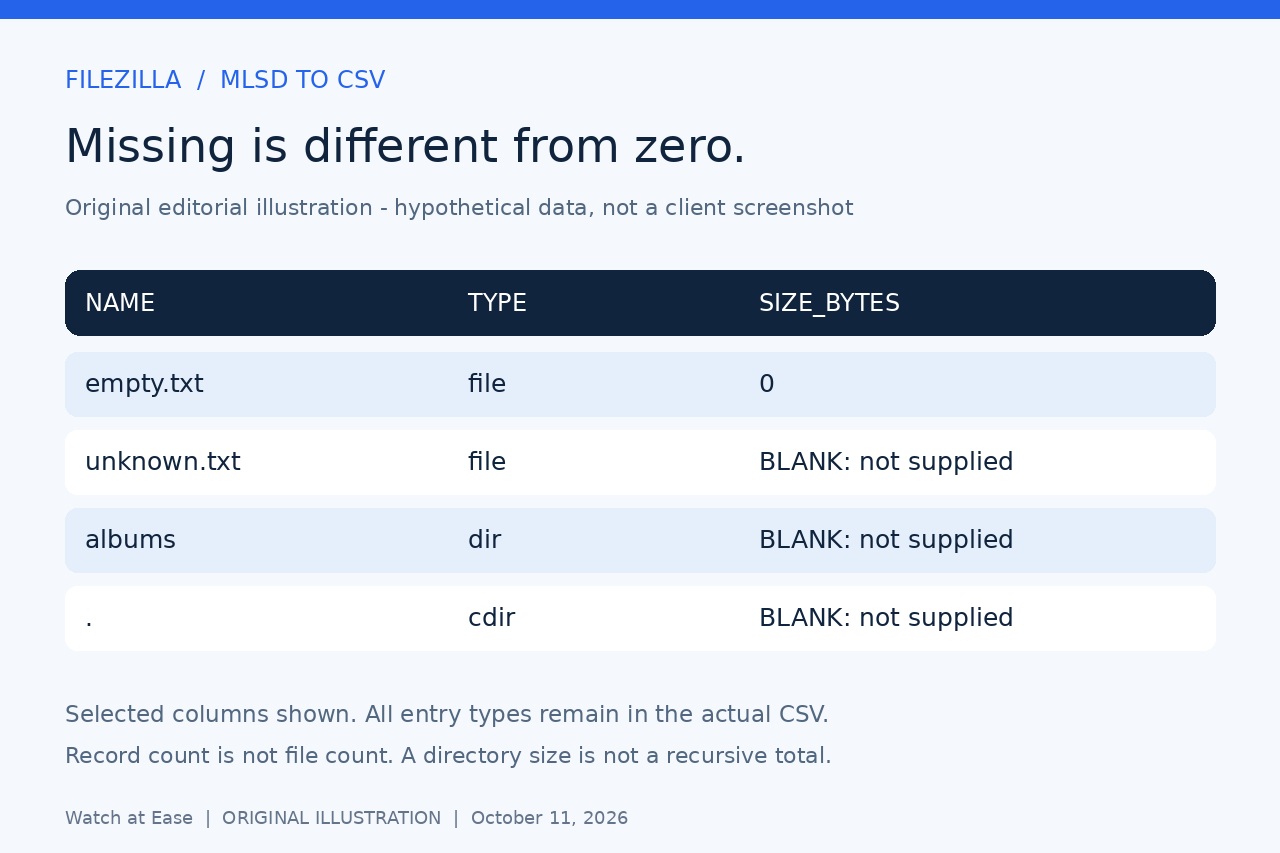
The five columns are name, type, size_bytes, modify_raw and facts_raw. The first space separates facts from the name; later spaces and filename semicolons remain literal. Fact names are matched case-insensitively, but facts_raw retains their original spelling, order and values. A missing size stays blank; a returned zero stays 0.
Import as text and verify the captured records
In LibreOffice Calc open the CSV with UTF-8, comma separator and a straight double-quote text delimiter. Turn off Merge delimiters, Trim spaces and Evaluate formulae, and set all five columns to Text. If the import dialog is hidden, enable Edit filter settings when opening. Check names beginning with = as literal text rather than formulas.
Compare the printed count with parsed CSV data rows, excluding the header, and compare several exact names and facts with your saved text. Keep cdir, pdir and dir records: they describe directories, so the record count is not a file count. Missing type remains unknown. Repeated names are retained, since a server can report multiple types for one pathname; do not deduplicate automatically.
Know what errors and metadata cannot prove
Empty input, malformed records, duplicate fact keys or invalid supplied sizes stop before an output is created. A destination-exists error means choose another filename. A disk or write failure can leave a partial CSV; discard that output and rerun to a fresh name, then compare parsed rows. If the server truly returned no entries, this converter deliberately refuses to certify an empty inventory.
Size is reported metadata, potentially approximate; missing size is not zero, and a directory's size is not its recursive total. modify_raw is unconverted server text, not proof of unchanged content. The parser cannot detect a syntactically valid line omitted during copying. Verify the successful capture yourself, retain the original log and share only intended metadata.
We ran 17 synthetic subprocess checks against this exact Bash command, covering punctuation, Unicode, significant spaces, optional facts, directory types, malformed input and overwrite refusal. We did not execute a real FileZilla client, FTP server or Calc interface, or test Windows or macOS. The two illustrations are hypothetical examples, not interface screenshots.