Technology · PRACTICAL GUIDE
Docker Desktop disk space not shrinking after prune? Separate reclaim from compaction
Measure Docker objects, WSL filesystem blocks and the exact host VHDX before deleting data or compacting a disk.
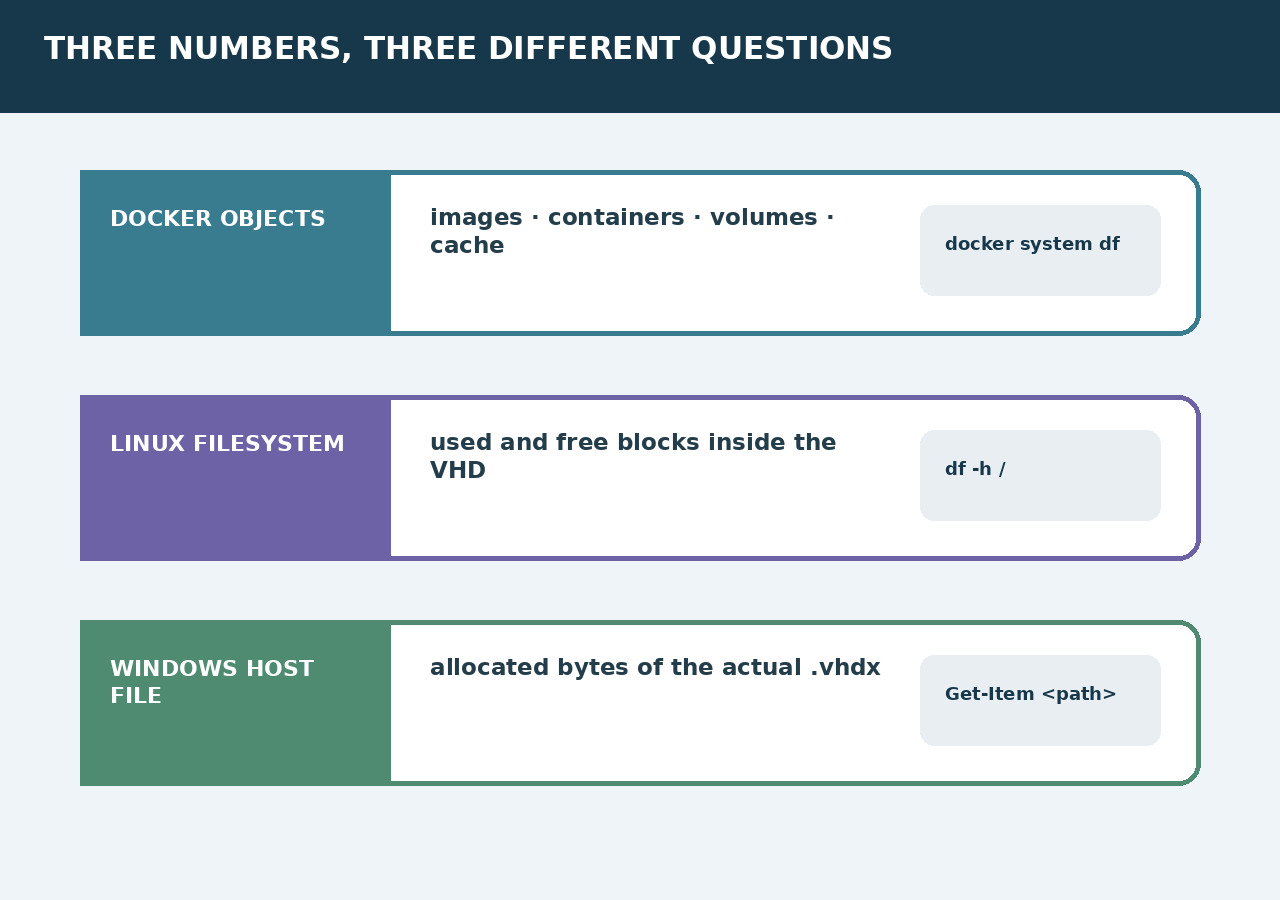
`docker system prune` can free Docker objects without immediately shrinking the Windows file that backs Docker Desktop. Treat this as three measurements, not one mystery: Docker ownership, free blocks inside Linux, and allocated bytes in the host VHDX.
Freeze what must survive
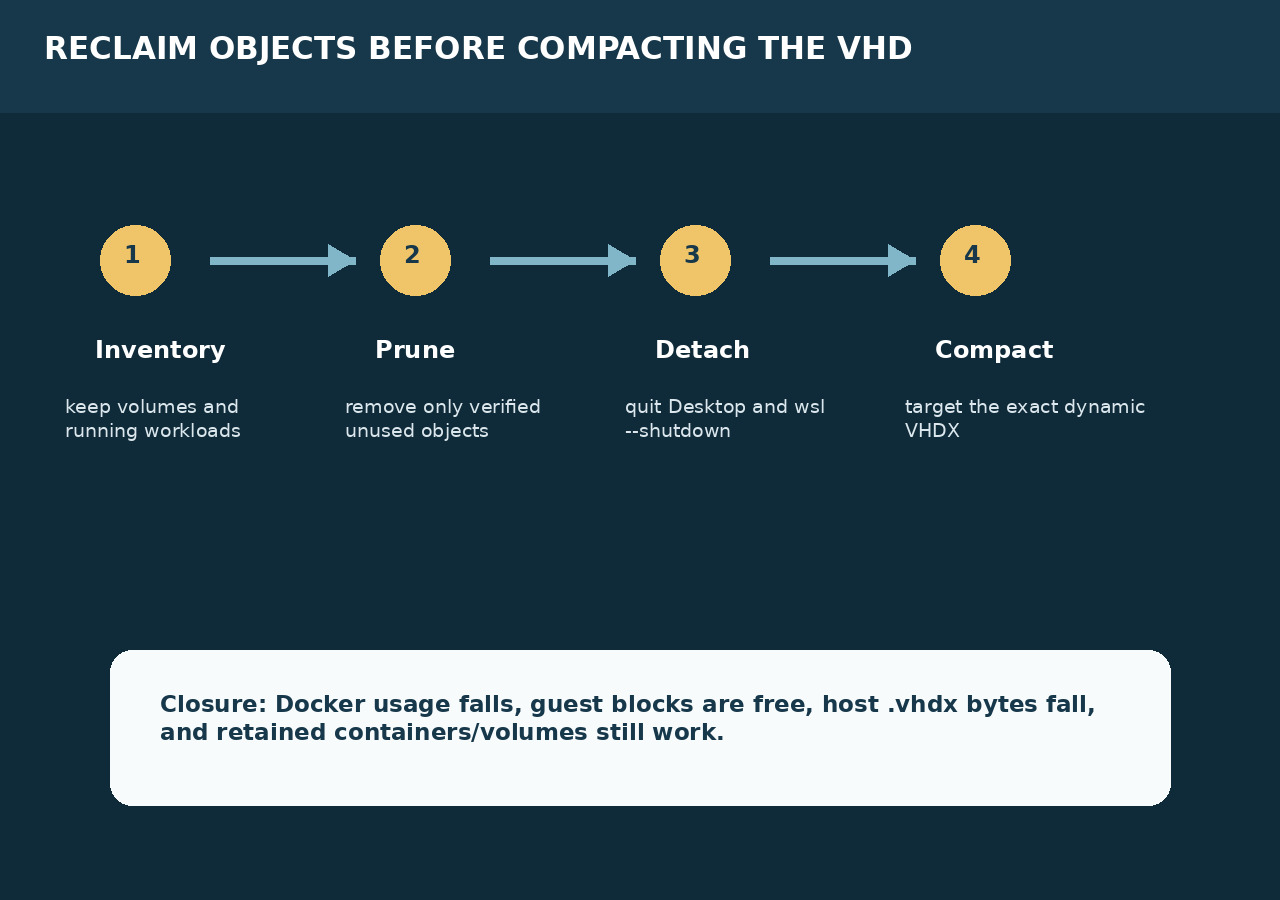
List running and stopped containers, images, builders, named and anonymous volumes, Compose projects and any export or backup required for recovery. Record Docker Desktop and WSL versions, backend, disk-image location and current host free space. Do not begin with `--volumes` or manual VHD deletion.
Measure all three layers
Capture `docker system df -v` and builder usage, Linux filesystem use inside the Docker/WSL environment, and the physical byte size of the exact `.vhdx` file on Windows. These values answer different questions: Docker ownership, guest allocation and host allocation.
Prune only verified-unused objects
Choose the narrow prune command that matches the inventory. System prune covers stopped containers, unused networks, dangling images and unused build cache; tagged images and volumes require additional flags or separate commands. Read the deletion preview and preserve named data.
Identify the disk and version boundary
Confirm which VHDX Docker Desktop currently manages, especially after migrations or upgrades. Docker Desktop 4.34.0 introduced automatic reclamation for managed WSL2 VHDs, so restart and remeasure before assuming manual compaction is required. Do not reuse a path copied from an older installation.
Detach before host compaction
If guest blocks are free but the host VHDX remains large and the managed path does not reclaim automatically, quit Docker Desktop and run `wsl --shutdown`. Verify the exact dynamic VHD is no longer in use. Microsoft states that compacting requires a detached disk or one attached read-only.
Close with before-and-after proof
Remeasure Docker usage, guest filesystem use, VHDX bytes and Windows free space. Restart Docker Desktop, verify retained containers and volumes, and run an application health check. Stop if the wrong disk moved, expected data vanished, the VHD is still attached or host bytes did not change.