기술 · 실용 가이드
CMake generator가 일치하지 않나요? cache를 지우기 전에 build tree 소유자를 증명하세요
실패한 source/build 쌍을 고정하고 cached generator와 frontend 설정을 읽은 뒤 격리 configure, native build와 test가 통과하면 old tree를 정리합니다.
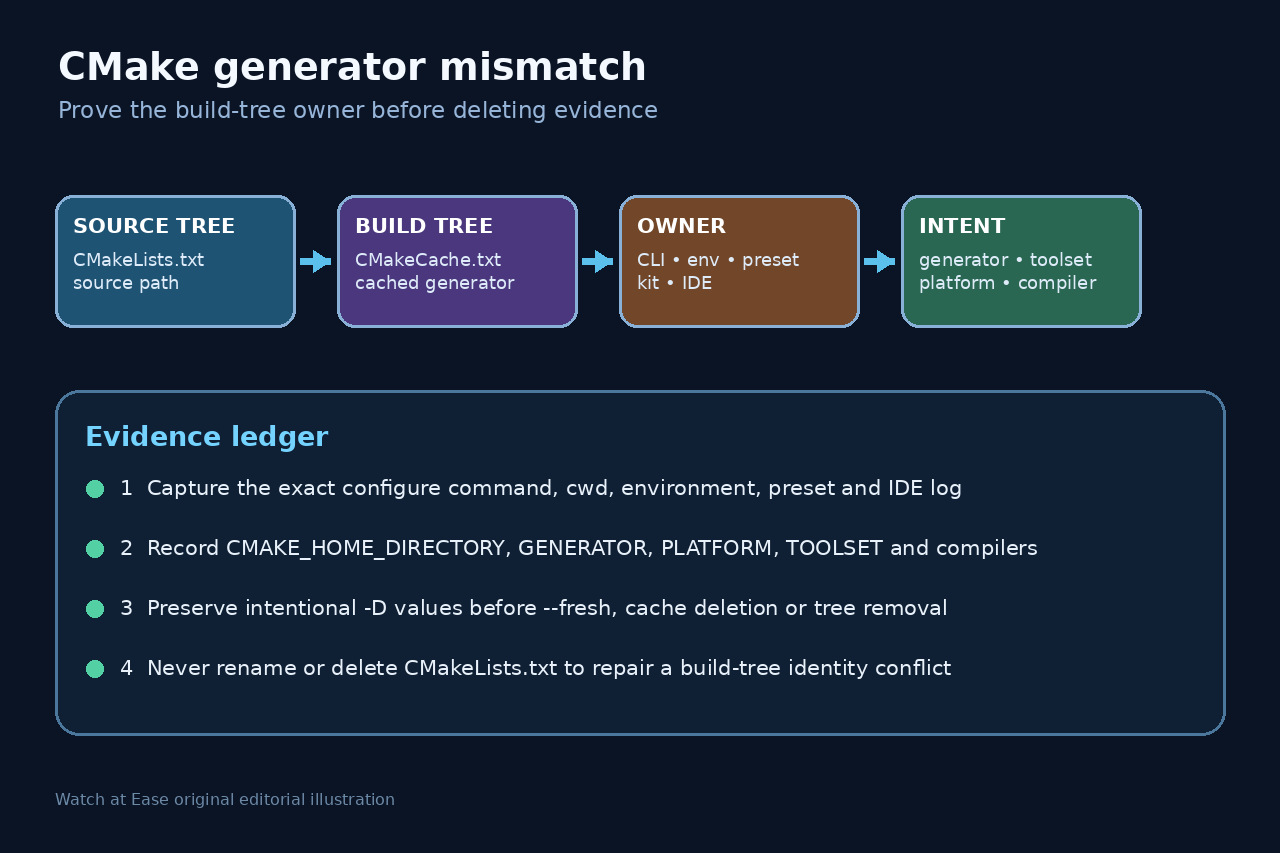
CMake generator mismatch는 기존 build tree가 현재 configure 요청과 다른 generator를 기억한다는 뜻입니다. CMakeLists.txt를 이름 변경하거나 삭제할 이유가 아닙니다.
command와 cache를 보존하고 CLI, environment, preset, kit 또는 IDE 중 무엇이 새 generator를 선택했는지 확인합니다. 재현할 설정을 기록한 뒤에만 별도 tree나 --fresh를 사용합니다.
충돌한 source/build 쌍을 고정합니다
정확한 command, cwd, environment, preset과 IDE log를 보존하고 source와 build directory를 분리해 해석합니다. CMakeLists.txt를 수정하지 않습니다.
CMakeCache.txt를 복사하거나 hash를 만들고 GENERATOR, PLATFORM, TOOLSET, HOME_DIRECTORY, compiler와 의도한 -D 값을 기록합니다.
generator 소유자를 식별합니다
명시적 -G, CMAKE_GENERATOR, active preset, kit, CMake Tools settings, toolset과 platform을 비교해 하나의 authority만 의도한 configure를 소유하게 합니다.
다른 machine, container, checkout 또는 IDE version에서 온 old tree는 증거로 취급하고 서로 다른 generator의 native file을 섞지 않습니다.
가역적인 recovery boundary를 고릅니다
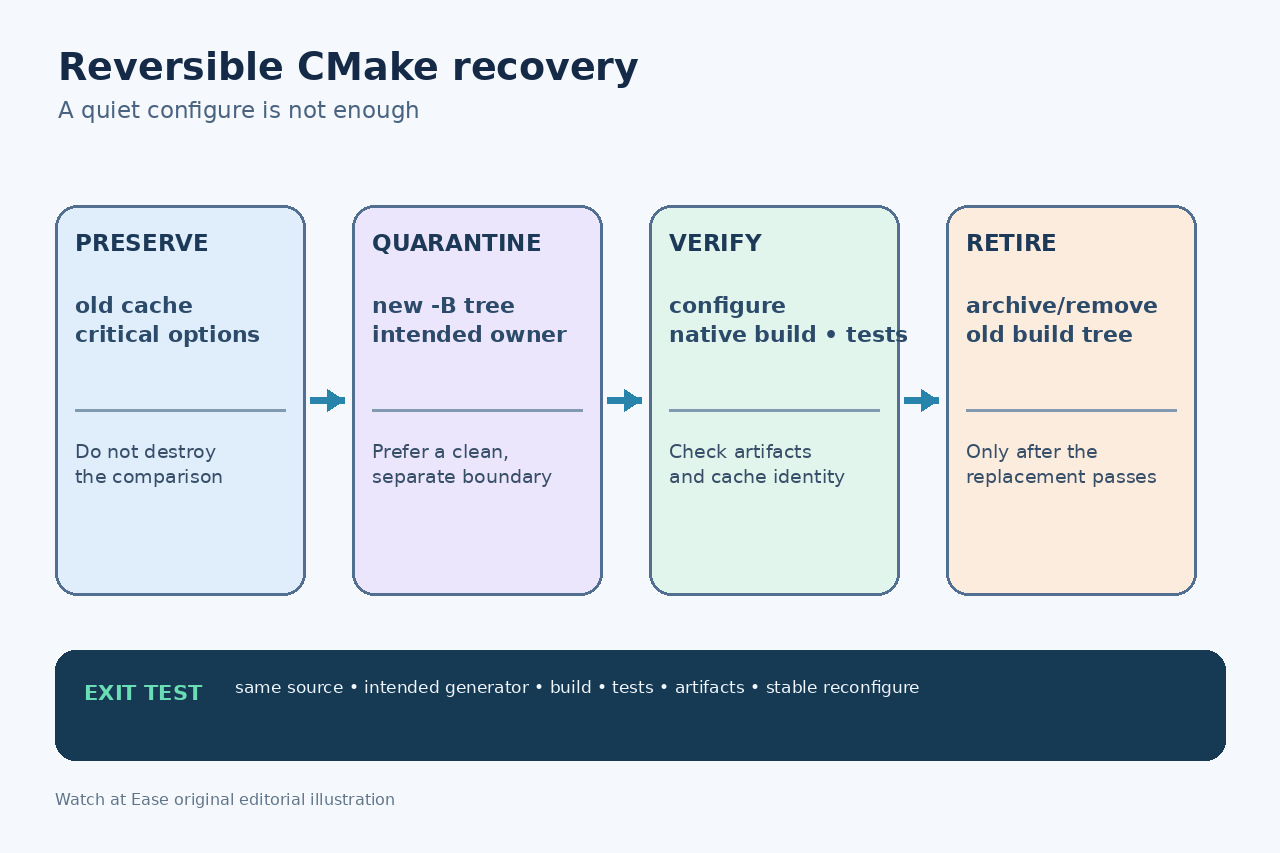
-S, -B와 의도한 generator로 새 build directory를 만들고 검토한 cache option만 복원합니다. old tree는 비교와 rollback을 위해 보존합니다.
새 tree가 불가능하고 설정을 보존했을 때만 --fresh 또는 CMakeCache.txt/CMakeFiles 삭제를 사용합니다. --fresh는 CMake 3.24 이상이며 source tree는 삭제하지 않습니다.
configure, build와 test를 증명합니다
configure transcript를 보존하고 새 cache의 source, generator, platform, toolset과 compiler를 확인한 뒤 cmake --build를 실행합니다.
project test를 실행하고 binary, library, package 또는 compile database를 점검합니다. old cache의 중요 option과 비교하며 configure exit만으로 승인하지 않습니다.
오염된 tree를 의도적으로 폐기합니다
replacement가 통과한 후 old build tree를 archive 또는 삭제하고 CI, preset과 IDE가 같은 boundary와 generator authority를 가리키게 합니다.
input 변경 없이 다시 configure해 같은 generator와 설명 가능한 build 동작을 확인하고 ownership ledger를 보존합니다.