Technology · PRACTICAL GUIDE
How to Check Whether a USB-C Port Supports Video Output
Verify the exact source port first, then the cable path and monitor input; charging, data speed, or the USB-C shape alone does not guarantee video output.
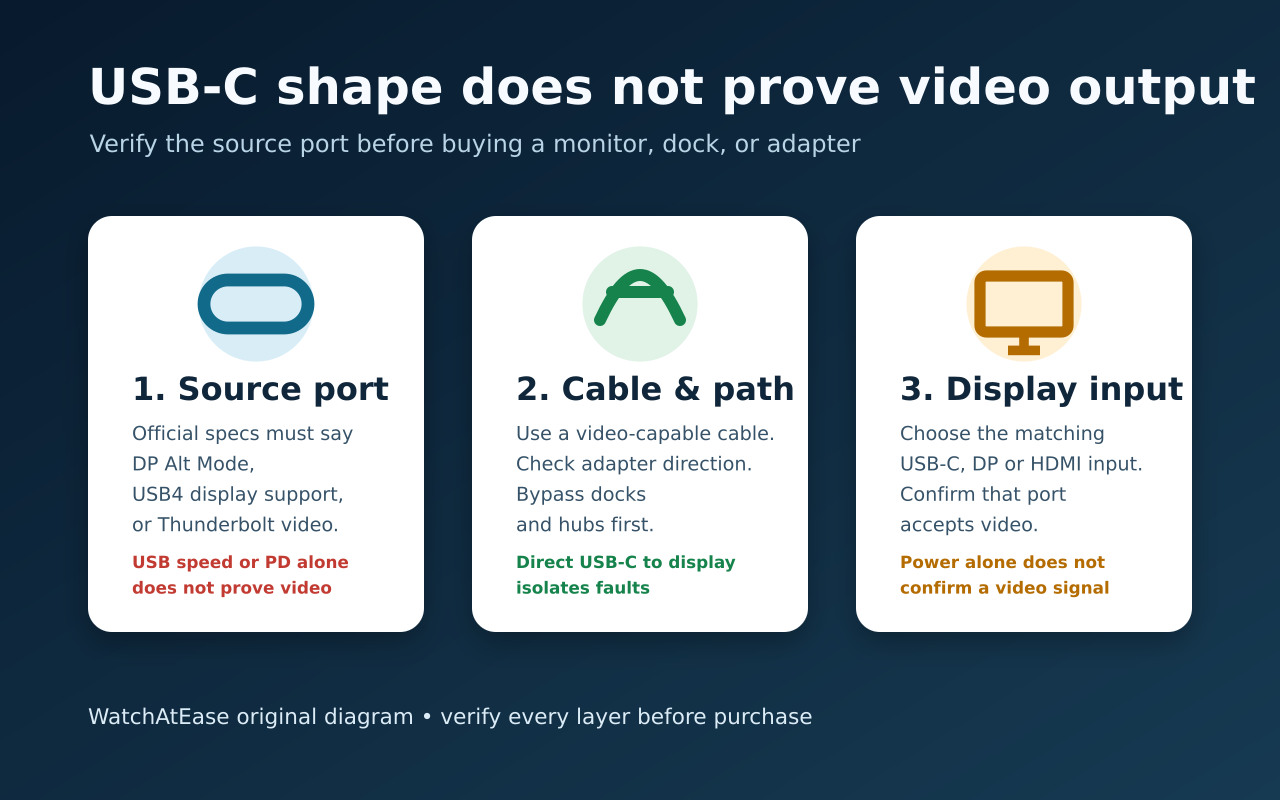
The USB-C connector shape is not a promise of video. Before buying a monitor, dock, or adapter, verify the exact source device and exact port for DisplayPort over USB-C, DP Alt Mode, USB4 display support, Thunderbolt, or an explicit external-display specification.
Then verify the cable or adapter direction and the monitor input. If there is no signal, remove the dock and test one known-good layer at a time. A conventional DP Alt Mode adapter needs native video support; DisplayLink USB graphics is a separate, software-dependent option.
First prove that the exact source port can send video
Start with the official technical specifications or service manual for the exact laptop, phone, or tablet model—and the exact port if the device has more than one. Look for DisplayPort over USB-C, DP Alt Mode, USB4 with display support, Thunderbolt, or an explicit external-display specification.
A USB-C shape, a USB data-speed label, or Power Delivery does not by itself prove video output. Dell says supported connectors may carry a DP logo, while BenQ notes that labeling is not universal, so model documentation is stronger evidence than the symbol alone.
Then match the cable, adapter direction, and monitor input
Use a cable that explicitly supports video or is supplied for the monitor’s USB-C display input. A charge-only cable can power a device without carrying the display signal. For USB-C-to-HDMI or USB-C-to-DisplayPort products, confirm the conversion direction starts at the USB-C source.
Check the monitor manual to identify the USB-C port that accepts video; some USB-C sockets are intended only for service, hubs, or charging. Select that input in the monitor menu. Power arriving at either device is not a successful video test.
Use a pre-purchase stop rule instead of buying adapters to guess
If the manufacturer lists DP Alt Mode, DisplayPort over USB-C, USB4 display support, Thunderbolt, or a supported external-display configuration for that exact port, move on to the monitor resolution, refresh-rate, cable, and adapter requirements.
If the official specifications are silent or say data only, do not buy a DP Alt Mode adapter on the assumption that it will add native video. Ask the manufacturer about the exact SKU and port. A converter cannot add DP Alt Mode to a port that lacks it.
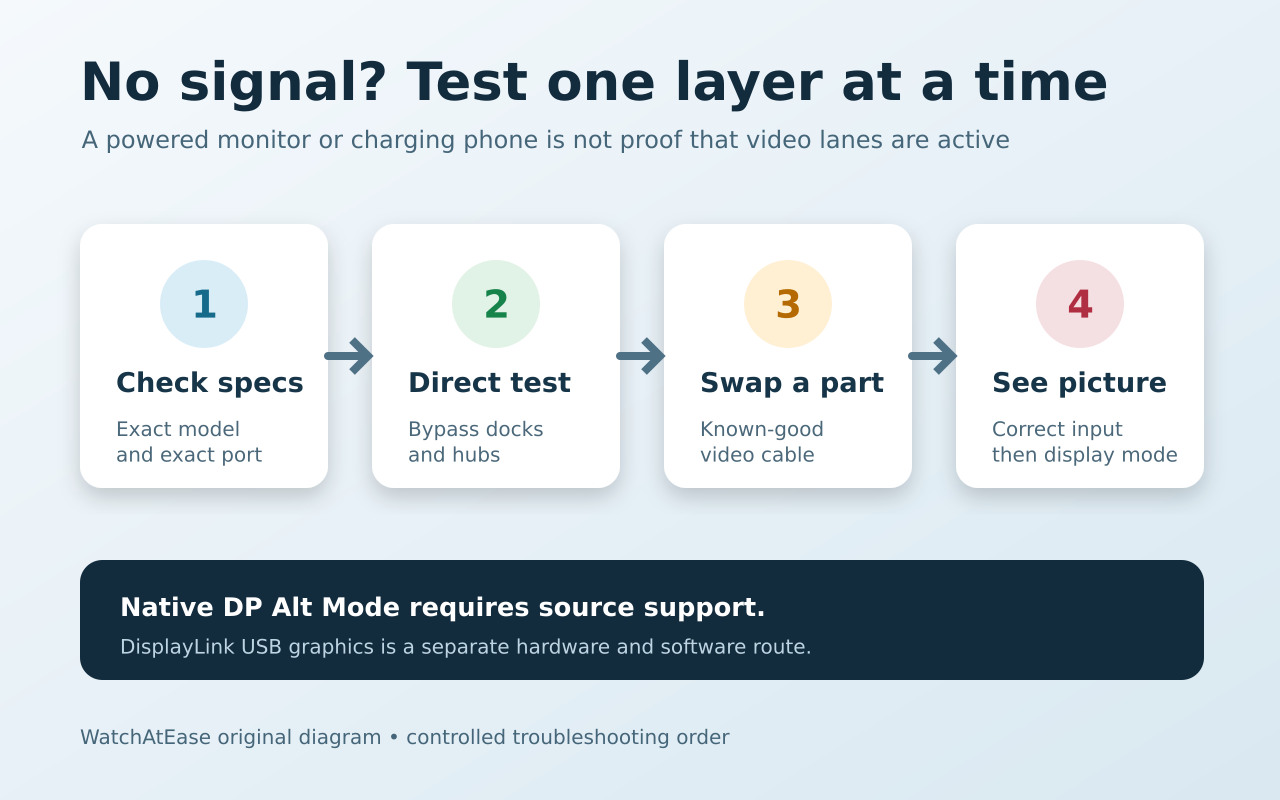
For no signal, remove the dock and change one variable at a time
Connect the source directly to one monitor with a known video-capable cable, bypassing docks, hubs, and extra adapters. Set the monitor to the correct input, reconnect firmly, and use the operating system’s duplicate or extend control. Microsoft’s display guidance also recommends checking updates, input selection, and the adapter on another display.
If possible, test the same cable and monitor with a known video-capable source, then test the original source with another known-good cable or display. This separates source-port capability from cable, adapter, monitor-input, and software problems.
The successful result is an actual picture on the selected external display, with the intended duplicate or extended desktop and a supported resolution and refresh rate. Charging, a detected USB hub, or a monitor listed in settings alone is not that result.
Read the result correctly before spending more money
Charging with no image proves only that some power path works. A detected USB hub also proves only data connectivity. Neither result confirms that the source exposes DisplayPort video lanes to this port and cable.
If the source lacks native video, use another documented display output or investigate a DisplayLink-compatible USB graphics adapter or dock. DisplayLink requires compatible hardware and software; check the current operating-system, display and performance requirements before purchase. It does not turn the port into DP Alt Mode. If native video is documented but the direct test fails, take the exact model, cable, display and test results to the manufacturer rather than keep buying converters.